
High-Rise Architectural Models: How 3D Printed Towers Are Made
What PrototypeBD's 2024–2025 tower prints show about making a high-rise architectural model: scale versus height, the 400 mm part limit, where to split a tower and how to prepare the file.
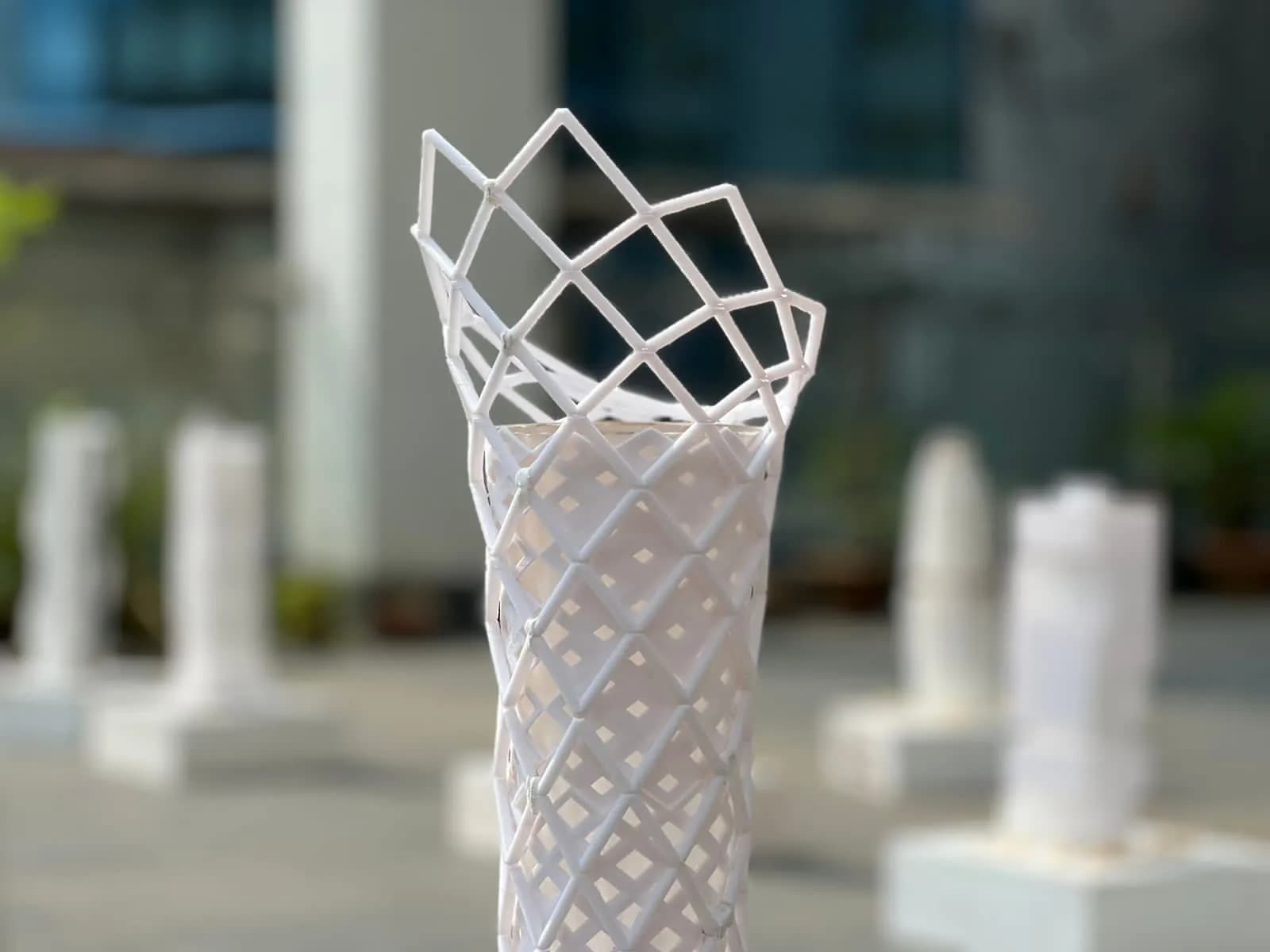
A high rise architectural model is the hardest kind of building model to 3D print well. The tower is tall and slim, its floors turn into thin slabs at model scale, and the facade is often a lattice of members thinner than a matchstick. This case study looks at the tower models PrototypeBD printed for architecture students in late 2024 and early 2025, and at what those models teach about scale, splitting and finish.
In short: pick the scale from the model height you want, not the other way round. A tower over 400 mm is taller than the largest single part on PrototypeBD's FDM printers, so it is printed in sections. Plan the split lines in your file (podium, floor lines, core and skin), make every slab and facade member thick enough to print, and send the file with the scale written in the name.
What the tower posts show
Between November 2024 and April 2025 PrototypeBD's Facebook Page shared several tower projects designed by architecture students and credited as printed by PrototypeBD, plus one gallery of 35 photos of tower models. Each project is credited below as its post credits it: the student named as model author, and PrototypeBD for the 3D printing. The gallery posts name no one, so those towers are described generically.
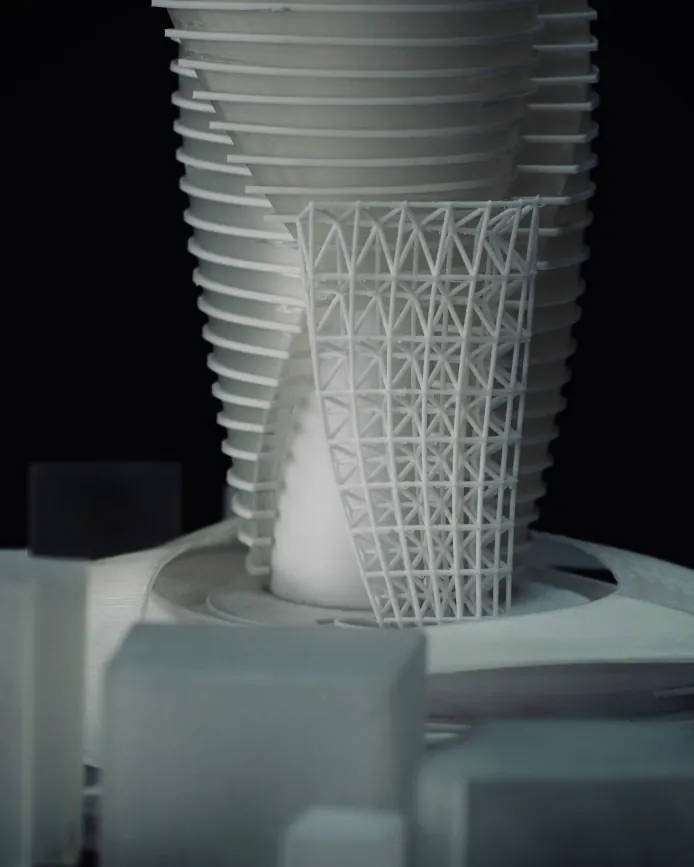
- A twisted tower, The Myofascial Rise (model author: Noor Mohammad Abdullah, North South University; 3D printing: PrototypeBD), made of dozens of stacked, thin floor slabs around a solid core, with a fine lattice frame at its foot and a small city block of plain massing models around it. One set of photos shows it lit from inside; the post does not say who fitted the light. The caption gives the scale as "1/32".
- A twin-tower scheme, The Verdani Rise (model author: Ripte Islam, North South University; 3D printing: PrototypeBD), whose two shafts are wrapped in lattice skins and joined by curved bridges, standing on a podium with tiny printed trees. Its scale is written as "1/32 = 1'-0''".
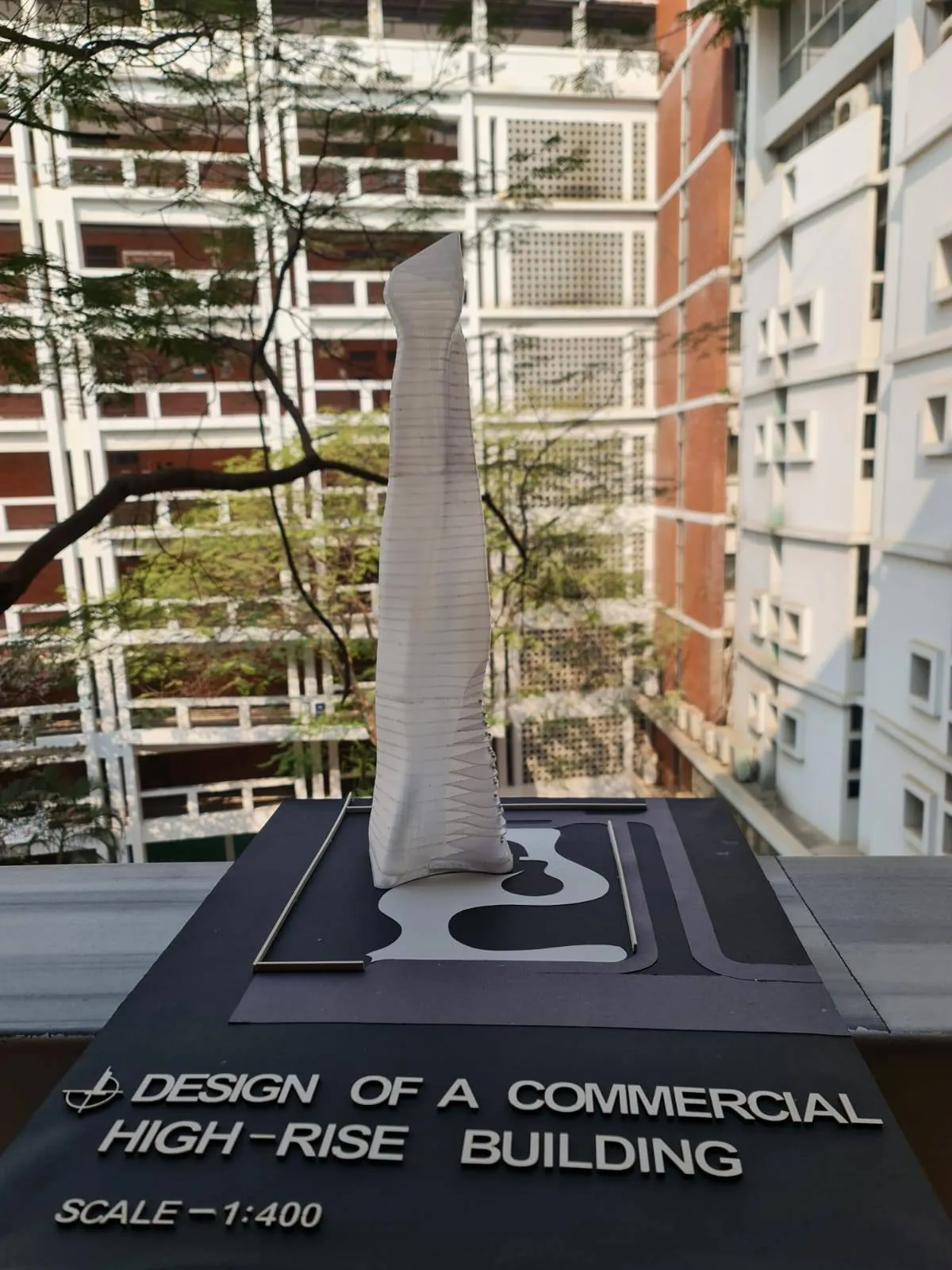
- A commercial high-rise at 1:400, Design of a Commercial High-Rise Building (model author: A. R Dhrubo, Ahsanullah University of Science and Technology; 3D printing: PrototypeBD): a single twisting shaft on a dark site base with roads and landscape set into it.
- A diagrid tower, Design of a High-Rise Building (model author: Irfanul, North South University; 3D printing: PrototypeBD), posted at "1/32": a twisting shaft of stacked brown floor plates wrapped in a diagonal frame, on a layered base.
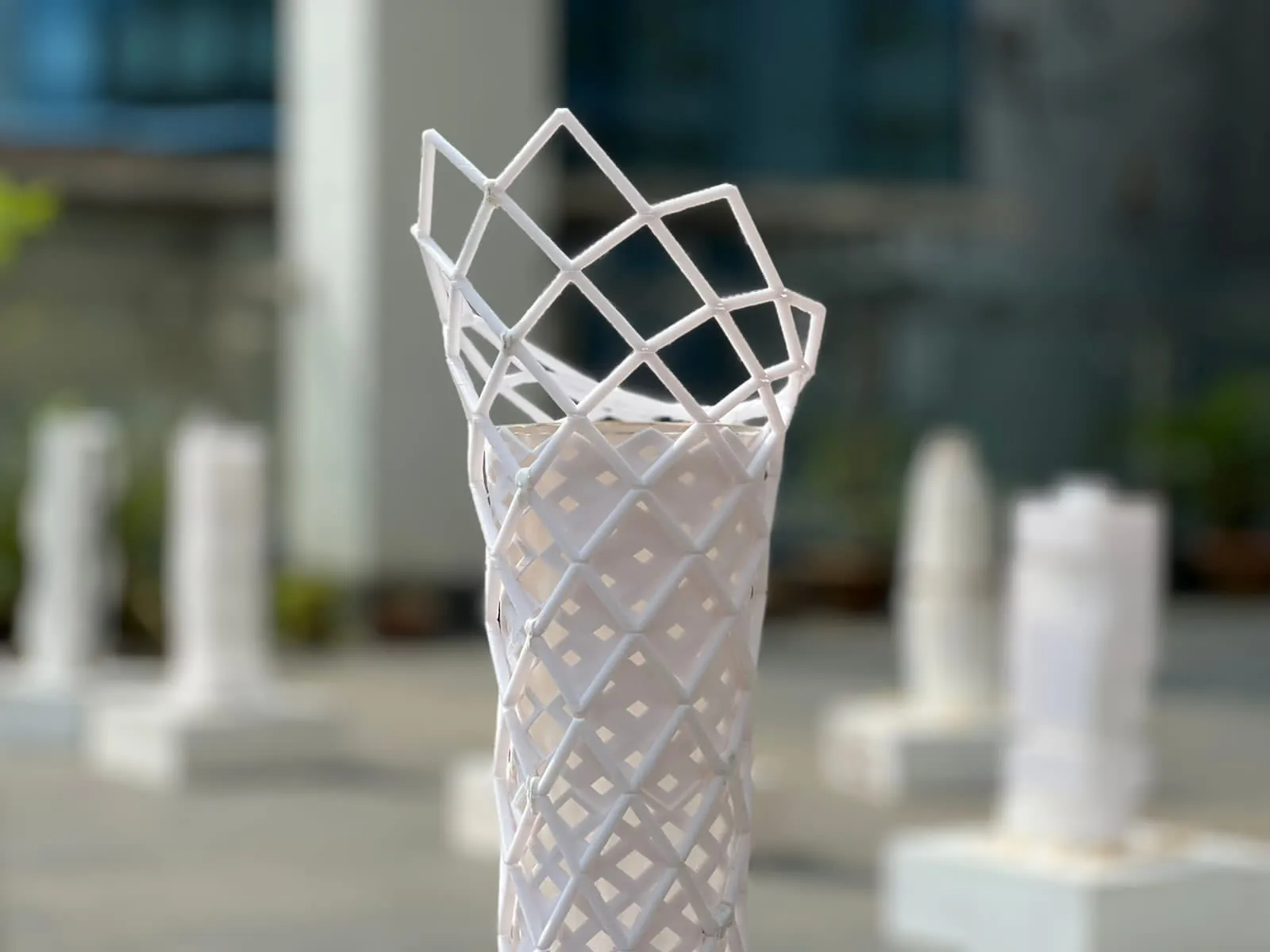
- The gallery: diagrid towers, a hexagon-mesh tower, open lattice crowns, twisted boxes, a red-braced tower and a "study model" at 1/64" = 1'-0".
What the posts do not say matters too. They do not state the material, the print time or whether each tower was printed in one piece, and nothing in this article guesses them. PrototypeBD has, however, described how it prints models like these, and those first-hand points are marked as coming from PrototypeBD below.
Why high-rise models are hard to print
Height against the build volume
A printer can only make a part as tall as its build volume. PrototypeBD's FDM 3D printing page lists printers from the Bambu Lab A1 (256 × 256 × 256 mm) up to large-format machines at 400 × 400 × 400 mm, and says larger objects are printed in sections that the customer joins after delivery. A tower that is 500 mm tall at your chosen scale is already a two-part job.
A tall, slim part on a small footprint
A tower stands on a footprint that is small compared with its height. The nozzle works on the top of a part that is anchored only at the bottom, so tall, narrow prints are the classic case for extra bed adhesion. Prusa's knowledge base lists tall objects with a small base as a reason to add a brim and advises at least 3 mm of it (Prusa, Skirt and Brim). Printing the tower separately from its wide podium also helps, because each part can then be oriented and anchored for its own shape.
Floors and facades get very thin
Scale shrinks everything at once. A 200 mm floor slab is 0.5 mm thick at 1:400, below the 0.8 mm that Protolabs Network says all 3D printers can manage (Protolabs Network); a university FDM guide sets 1.0 mm for walls and 2.0 mm for small features (UZH AMF design guideline). So the slabs and lattice members of a tower model have to be drawn thicker than true scale: a model shows the idea of a floor plate, not its real thickness.
Many floors, many overhangs
Every floor that steps out from the one below is an overhang. Beyond about 45 degrees, overhangs need support material (Protolabs Network), and on a tower with 40 cantilevered slabs those supports leave marks on 40 slab edges. Twisting towers make it harder, because the overhang changes direction on every floor.
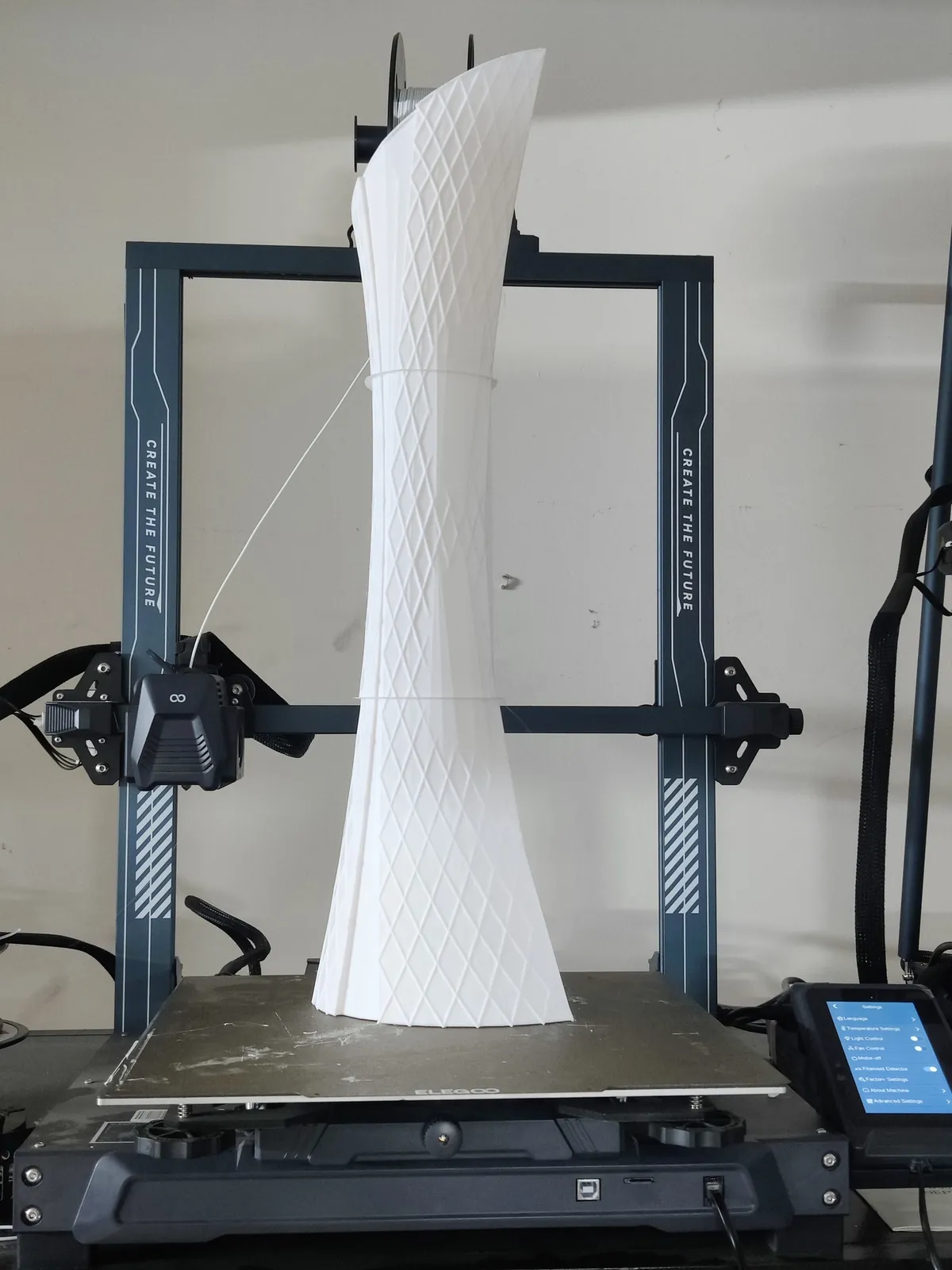
From PrototypeBD's workshop: the 2024 tower models were printed without supports. PrototypeBD says that came from getting the settings right rather than from any single trick: cooling, the orientation of the walls, the choice of material and the print speed were tuned together, and the printers' strong part cooling did the rest. It has not published the exact numbers, and they depend on the printer and filament, so treat this as the method, not a recipe. Our sibling guide on printing overhangs without supports covers the slicer side of this.
Choosing a scale for a tower
Students usually start from the scale their studio asks for. For a tower, it is worth checking what that scale means in millimetres before modelling. Divide the real height by the scale ratio: a 200 m tower is 500 mm tall at 1:400 and 400 mm at 1:500.
Imperial scales need one extra step. Invert the fraction and multiply by 12 inches per foot (Inch Calculator): 1/16" = 1'-0" is 1:192 (LibreCAD scale table), so 1/32" = 1'-0" is 1:384 and 1/64" = 1'-0" is 1:768.
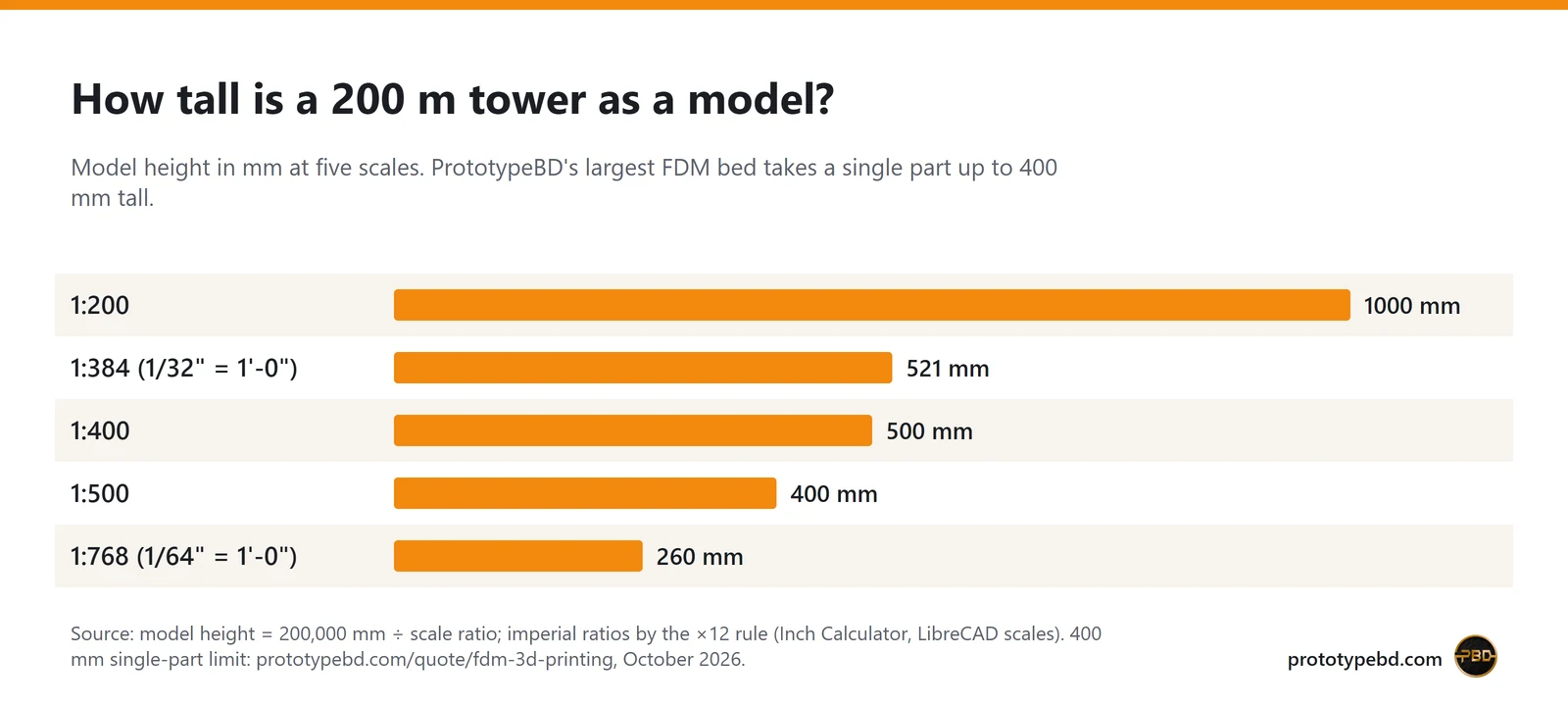
That matters for the posts above. "1/32" on its own reads like 1:32, but a 200 m tower at 1:32 would be over 6 m tall. The towers in the photos fit on a table, which is consistent with reading it as 1/32" = 1'-0" (1:384), which one caption writes as 1/32 = 1'-0''. When you send a file, write the scale out in full, for example tower_1-384_1-32in-1ft.stl, so nobody has to guess.
As a rough guide from the chart: at 1:500 and smaller, a 200 m tower fits in one 400 mm print; at 1:384 to 1:400 it needs one split; at 1:200 it is a multi-part model, and the site base may also be bigger than one bed.
How a tower is split and assembled
Splitting is not a failure; it is how tall models are made. Slicers have tools for it. PrusaSlicer's cut tool cuts a model with a plane at any angle and can add connectors: a plug on one side with a matching socket, a dowel with holes in both halves and a separate pin, or a snap fit, plus a dovetail mode (Prusa, Cut tool). Bambu Studio's cut tool offers the same plug, dowel and snap types (Bambu Lab Wiki).
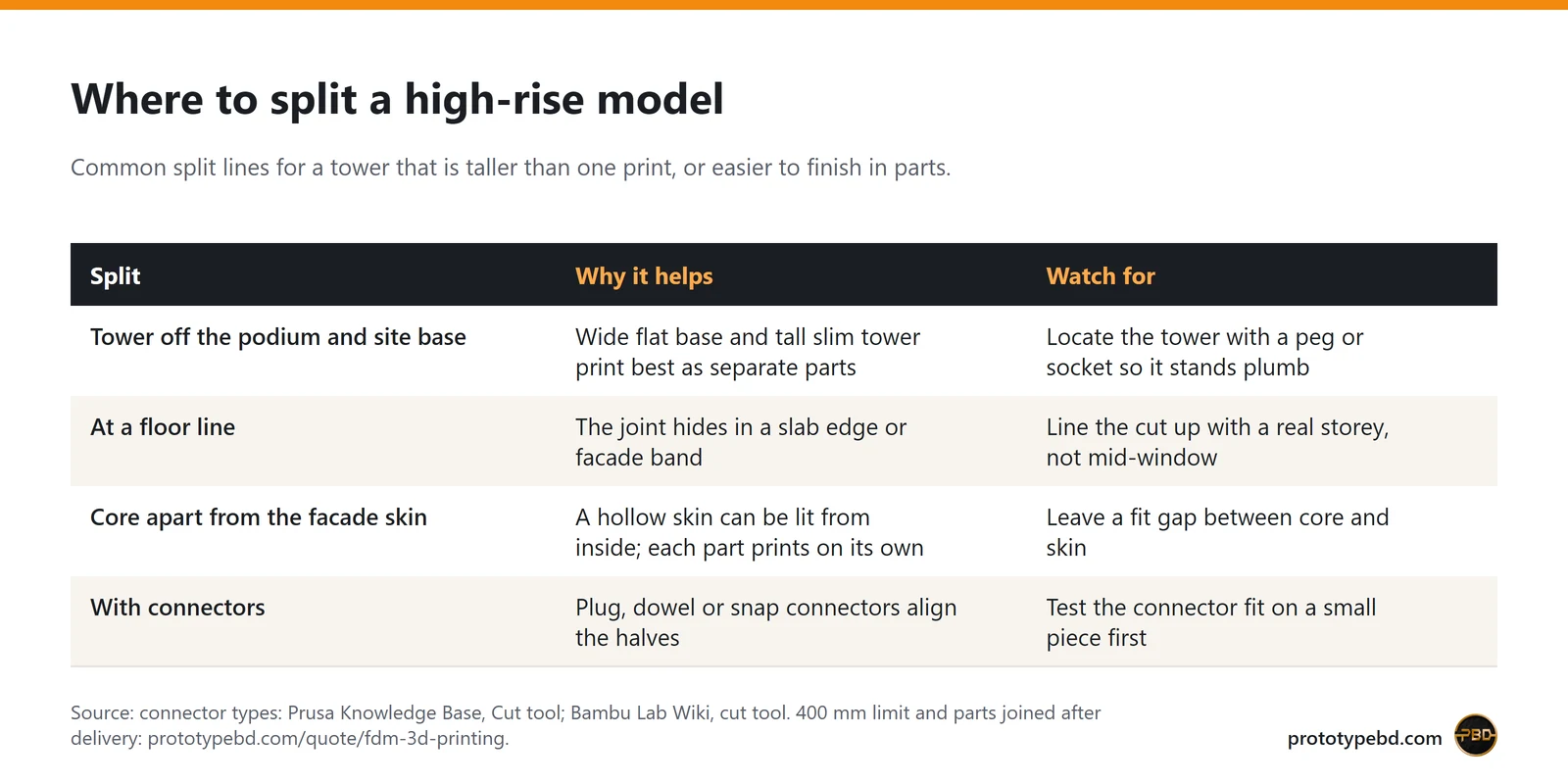
Good split lines follow the architecture:
- Tower off the podium. The podium and site base are wide and flat; the tower is tall and narrow. Separate parts let each print in its best orientation. A peg or socket at the joint keeps the tower plumb.
- At a floor line. If the shaft has to be cut, cut where a slab edge or facade band already makes a line, so the joint reads as part of the design.
- Core apart from the skin. A solid core with a separate lattice or perforated skin is easier to print and clean, and leaves room for light inside.
- Connectors you can test. Leave a small gap between peg and socket. PrototypeBD generally works with 0.1 mm, and with 0.1 to 0.3 mm depending on the material and the printer. Print one small joint first to check the fit before printing the whole tower.
Per the FDM quote page, parts arrive with supports removed and surfaces cleaned; sanding, priming and painting are not included, and sectioned parts are joined by the customer. That is the standard service. PrototypeBD says assembly, painting, LED lighting, and scale figures and trees can be added on request, so if you want the tower joined, lit or painted, ask for it with the quote; otherwise plan glue and joint cleanup into your own model-making time.
FDM or resin for a tower?
The posts mention both: SLA resin for smooth finishes and FDM for durable builds. As a rule of thumb, FDM suits the tall shaft, the podium and the site base, because of build height and price by weight. Resin suits small, very detailed pieces such as a lattice crown, balcony rails or an entrance canopy. PrototypeBD's SLA resin printing page describes resin for fine detail, smooth surfaces and presentation-grade parts. A mixed model, with an FDM tower and resin details, is a reasonable plan; say so when you send the files.
Preparing a tower file for a quote
- Format. STL, 3MF or OBJ get an automatic sliced price on the FDM quote page. STEP and STP files are accepted too, but they are priced by hand. Up to 10 files per quote, each up to 50 MB.
- One file per part. If you have already split the tower, export each part separately and name the files in assembly order.
- Thickness check. Make every slab, mullion and lattice member at least about 1 mm in the print file, whatever the true scale says.
- Units and scale. Export in millimetres at final model size, with the scale in the file name.
- What the price depends on. Model weight, support weight and print time. A tower with many cantilevered floors uses more support and more hours than a straight shaft of the same height.
- Time. The page gives 2–5 working days after the quote is confirmed, with multi-part and very large pieces taking longer.
- Printers. PrototypeBD says most of its prints run on Bambu Lab printers such as the P1S, P2S and X2D, and that large parts go on a Creality Ender-5 Max, which Creality lists with a 400 × 400 × 400 mm build volume.
If you only have sketches or a massing model, the CAD design service can turn them into a printable model. For the wider picture of scales, site models and finishes, read the architectural model 3D printing guide, for jury and thesis work see architecture thesis models, and for the plain blocks around a tower see architectural mass models.
Ready to price a tower? Upload the parts on the FDM 3D printing quote page and note the scale and where you want the splits.
Related articles
Product prototyping with 3D printing: real examples from Bangladesh
Why to prototype before tooling, what form, fit and function prototypes test, and how tight printed fits can be, with eight projects from our Dhaka workshop.
3D Printed Enclosures for Electronics in Bangladesh: Eight Projects and the Design Rules
Eight electronics enclosures PrototypeBD designed or printed, from an IoT gas meter to an MPPT charge controller, and the wall, boss, vent and material rules they show.
3D Printed Robot Parts in Bangladesh: Six Robotics Projects and a Display Model
What PrototypeBD's robotic arm, rover, self-balancing robot, drone and gear-model prints show about orientation, gears, shafts and filament choice for student robotics.
Comments
Loading comments…