
Architectural Model 3D Printing in Bangladesh: Scale, Files and Finish
How to plan a 3D-printed architectural model in Bangladesh: when printing beats hand-making, which scale works, how thin walls can be, how big one piece can be, and what to send.
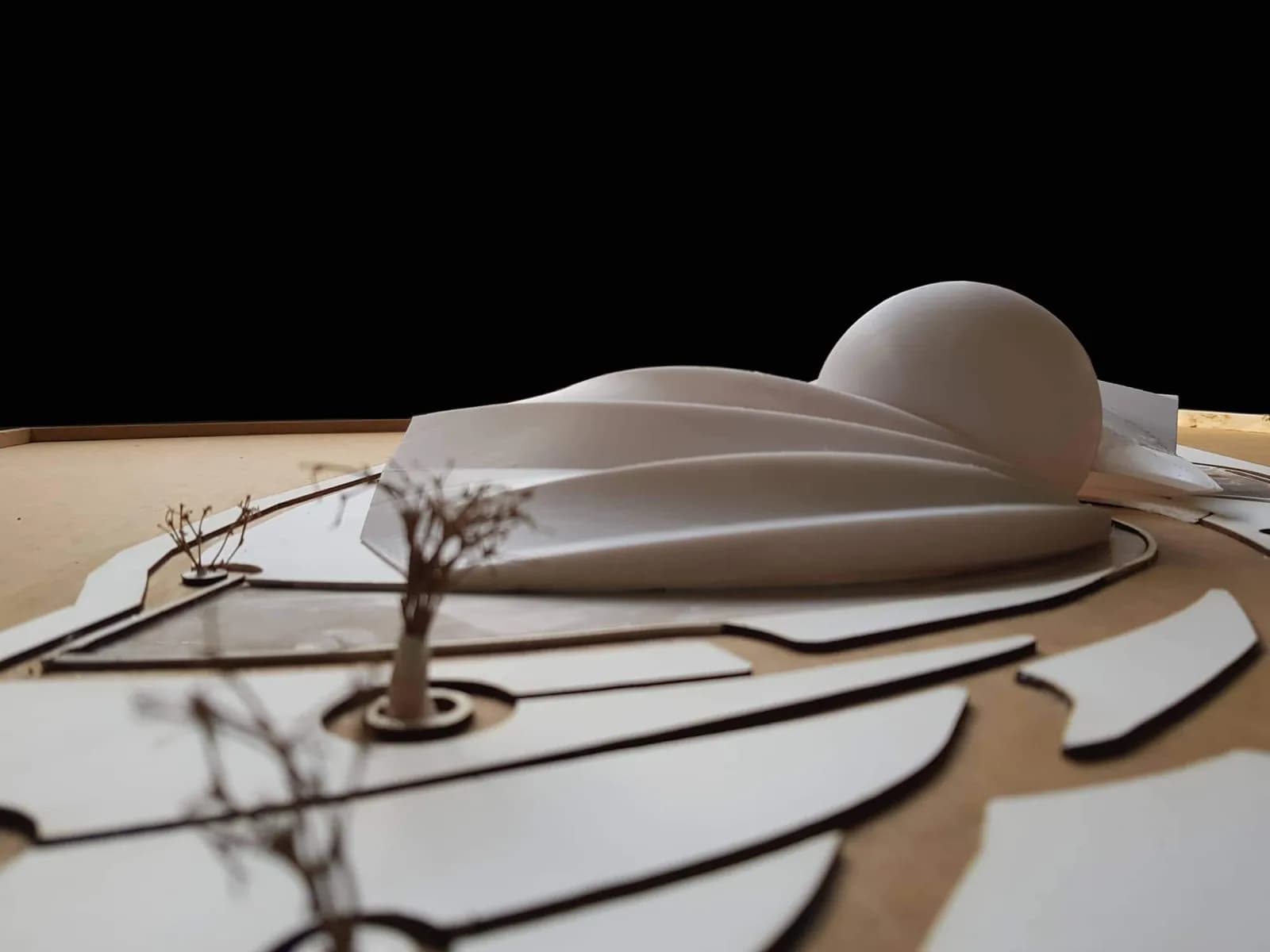
Architectural model 3D printing turns the building you already modelled in SketchUp, Revit or Rhino into a physical model without cutting every wall by hand. The requests behind PrototypeBD's own architecture posts are mostly thesis, jury and academic models, plus presentation models for clients. PrototypeBD has printed architectural models in its Dhaka workshop and posted them on its Facebook Page since 2022: curved shell roofs, site layouts, wood-look concept forms and stacks of mass-model blocks.
This guide is about the decisions that matter before you upload a file: whether printing is the right method at all, which scale to use, how thin a wall can be, how big a single piece can be, which material and finish to choose, and what to send.
In short: use 3D printing for curved, repeated or frequently changing buildings, and sheet material for flat site boards and glazing. Choose 1:500 or 1:200 for mass and site models and 1:100 or 1:50 for one detailed building. Keep every printed wall at least 1 mm thick at model scale, keep each part within the printer's bed (up to 400 mm on PrototypeBD's largest machines), and send a closed solid in millimetres.
When 3D printing beats a hand-made model, and when it does not
Printing is strongest where hand-cutting is weakest:
- Curves and double curves. Shells, domes, twisted towers and organic roofs are slow to fake with card or foam board. A printer builds them layer by layer straight from the CAD geometry.
- Repetition. Twenty identical housing blocks or a facade with hundreds of identical fins take no more modelling effort than one: you draw it once, copy it, and the printer does the repetition.
- Design changes. If the jury or client asks for a taller tower, you change the CAD file and reprint that part instead of rebuilding by hand.
- Accuracy to the drawings. The model comes from the same 3D file as your plans, so the proportions match.
Hand-made methods still win in other places. A flat site board, contour layers and large flat planes are often quicker and cheaper as sheet material, cut by hand or by machine; PrototypeBD also offers laser cutting and CNC 2D cutting for plywood, acrylic and MDF from DXF or SVG files. Clear glazing is better as acrylic sheet than as printed plastic. Many good models combine both: printed buildings on a cut base.
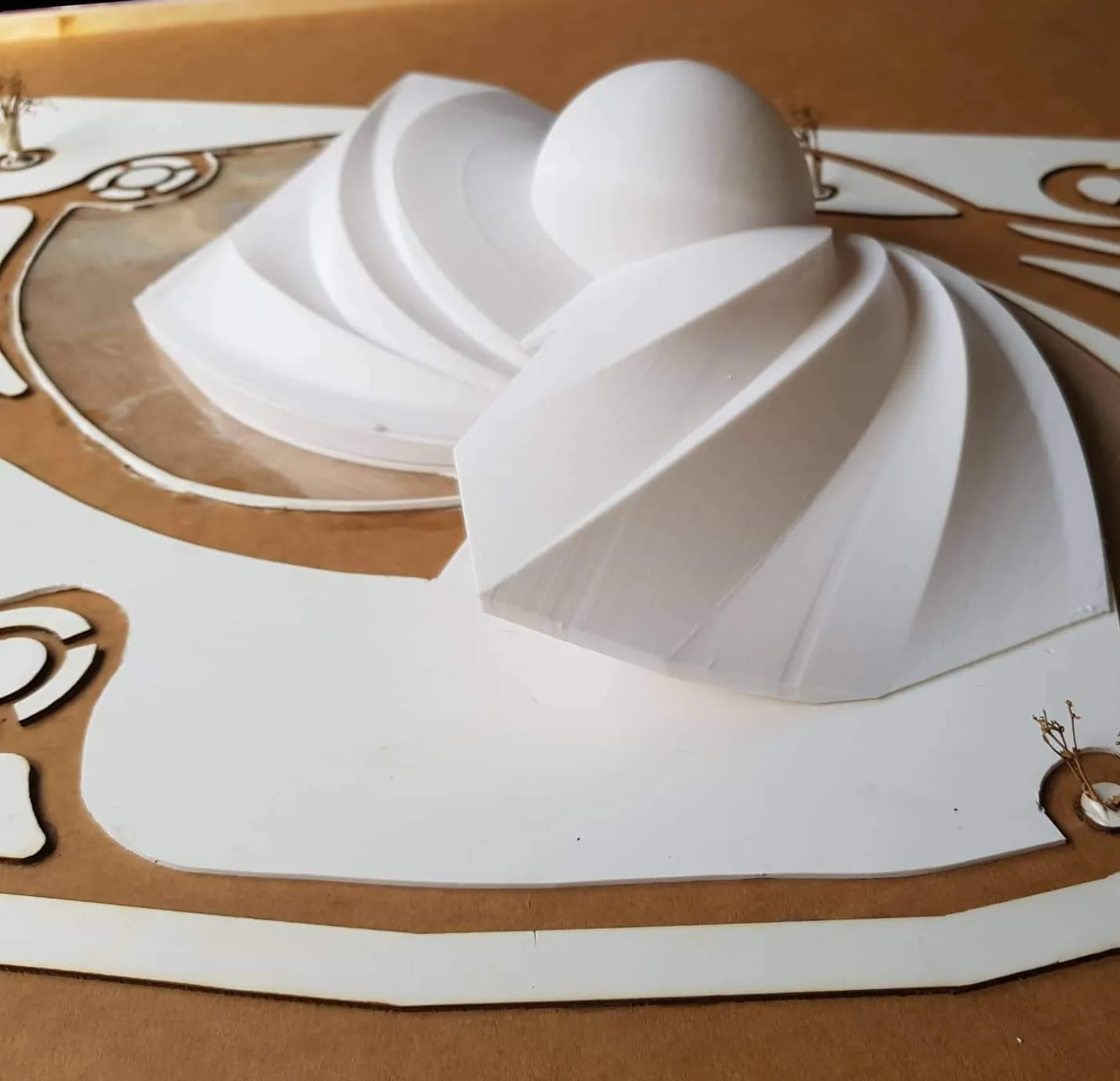
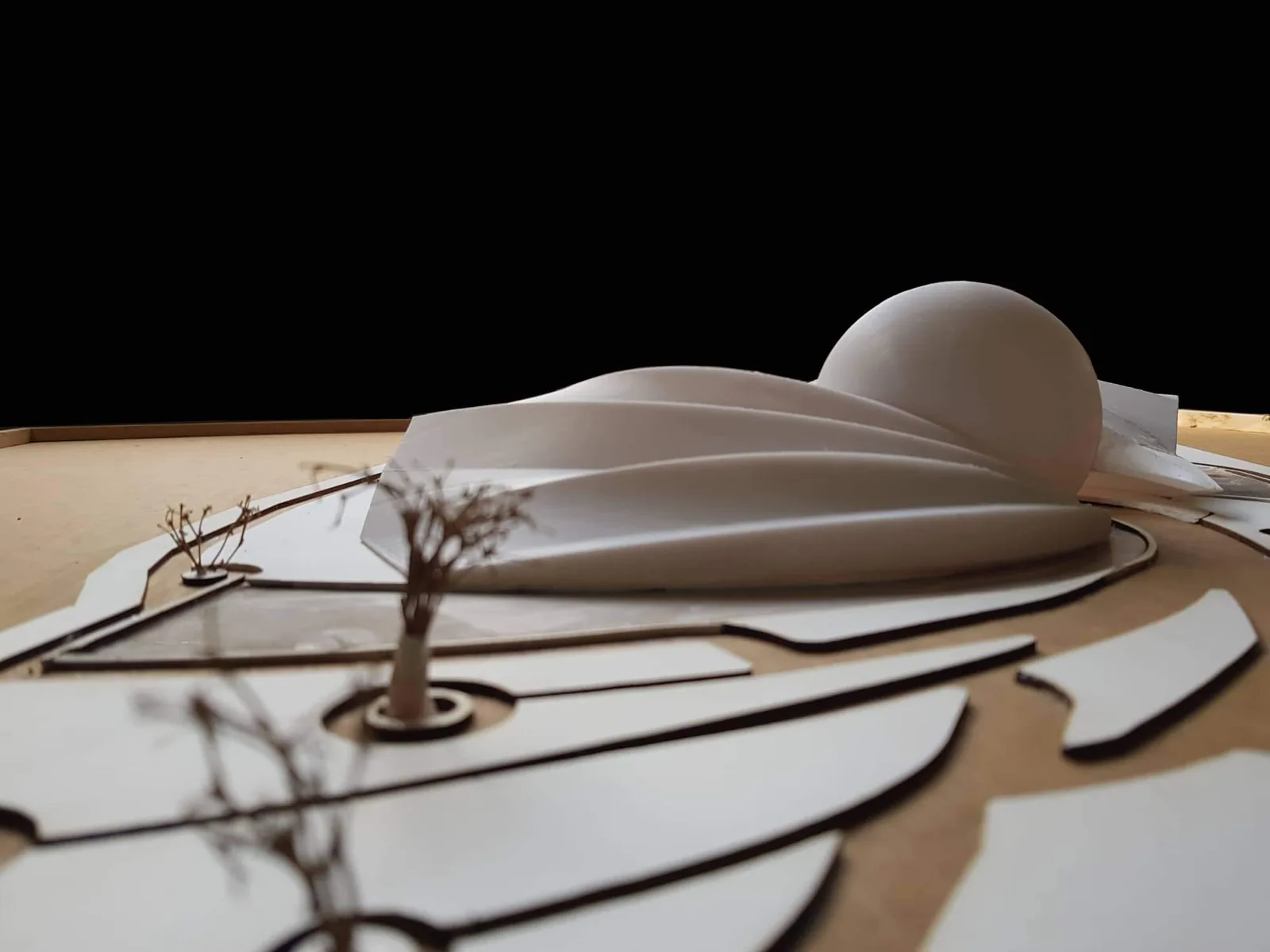
This model also shows the mixed approach. The roof is made of separate printed pieces, two ribbed shells and a dome, that sit on a flat layered site board with model trees set into it. The curved parts come from the printer; the flat base does not need one.
Choose the model type first
The type of model decides the scale, the level of detail and the cost, so settle it before anything else. Model makers usually separate study models, presentation models, interior models and urban or site models.
Mass (massing) models
A mass model is a simplified block model. It shows form, height, spacing and how buildings sit together on a site, so you can study density, circulation, sunlight and open space before the detailed design. Windows, railings and textures are left out on purpose. Mass models print quickly and cheaply because they are simple shapes, and each block can be a separate part that you rearrange while you design. The mass model guide goes into site sizes and scales.
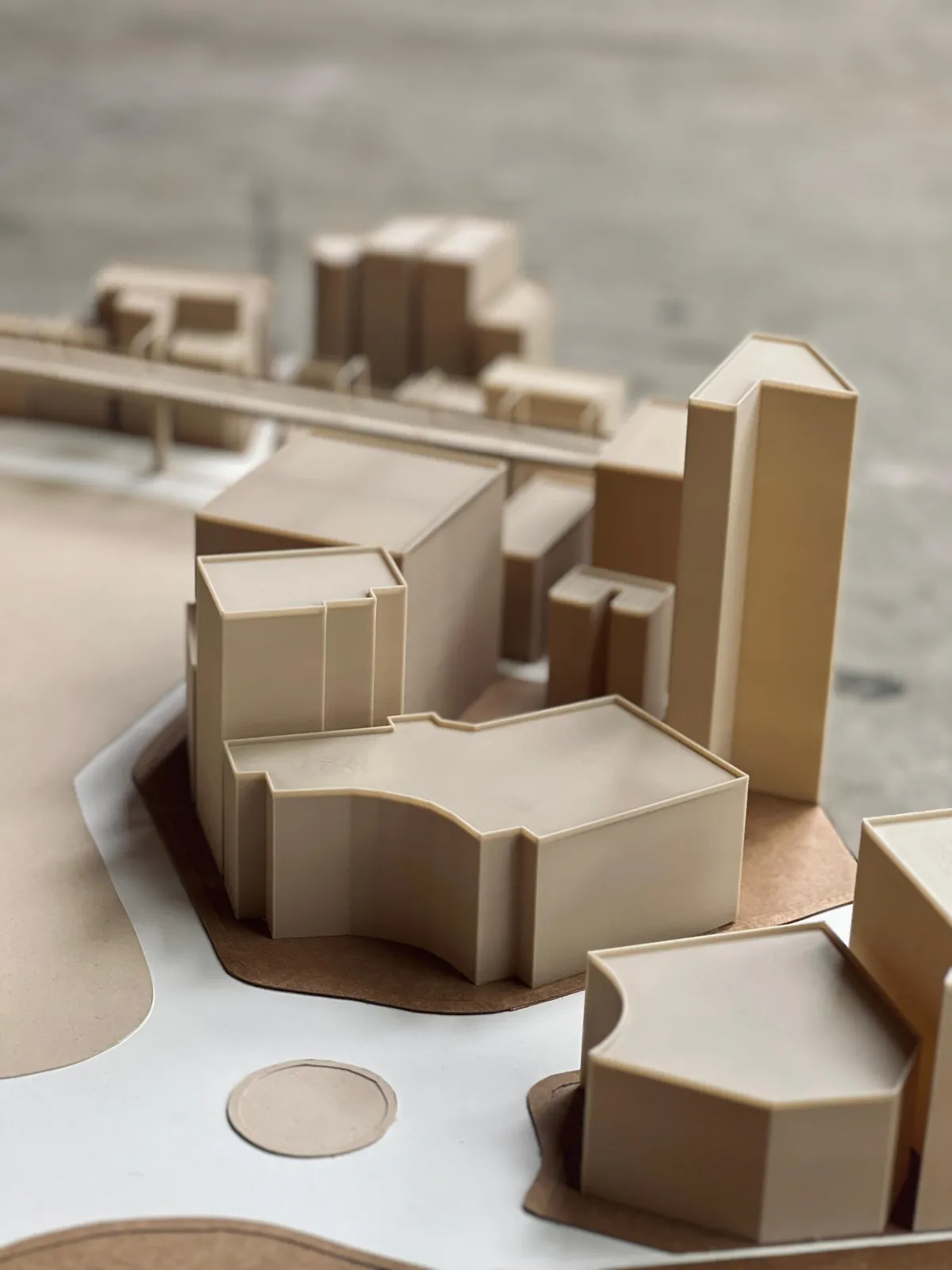
Look closely at the blocks: the walls are plain, and each roof has a thin raised lip along its edge, where the outer wall finishes slightly above the top surface. On a mass model that kind of detail does not matter. On a white presentation model, it and the layer lines every FDM print has are what you sand or prime away.
Concept and study models
These test one idea, such as a roof form, a structural shell or a massing option. They are often printed in one colour, with no base, at a small size, and several versions are made side by side.
Presentation and detailed models
These are the jury and client models: one building with its facade, openings, balconies and a landscaped site. They need a larger scale, more parts and more finishing time, and they cost the most. If your main need is many small details, such as furniture, railings or figures, read the section on SLA below. Very tall buildings and miniature interior furniture each bring their own problems; see the guides to high-rise models and miniature furniture, and, for student work, architecture thesis models.
Pick a scale that the printer can actually make
The scale is a ratio: at 1:100, 1 mm on the model is 100 mm in the real building. Drawings in Bangladesh turn up in both metric and imperial scales. The theatre model above, for example, was posted with the caption Scale = 1/36' = 1'-0", while the lettering on its base reads SCALE = 1/35" = 1'-0". Read as inches to one foot, those are 1:432 (12 × 36) and 1:420 (12 × 35). Neither is one of the standard architect's scales in the reference below, so treat both ratios as our reading of the labels rather than stated figures. If yours use imperial architect scales, convert them first, because every number in your 3D file has to be in one unit. Common pairs from the LibreCAD drawing-scale reference:
| Scale | Imperial equivalent | Typical drawing use | Typical model use |
|---|---|---|---|
| 1:500 | none | Site plans | Urban and site mass models |
| 1:200 | 1:192 = 1/16" = 1'-0" | Floor plans, elevations, site plans | Building groups, mass models with some articulation |
| 1:100 | 1:96 = 1/8" = 1'-0" | Floor plans, elevations | Single-building presentation models |
| 1:50 | 1:48 = 1/4" = 1'-0" | Building sections, plans, elevations | Detailed facades, interiors |
| 1:32 | 3/8" = 1'-0" | Wall and building sections | Interior and detail models |
The "typical model use" column is a convention, not a standard. Follow your studio brief if it gives a scale. If it does not, check two things before you decide.
1. Thin parts must stay printable
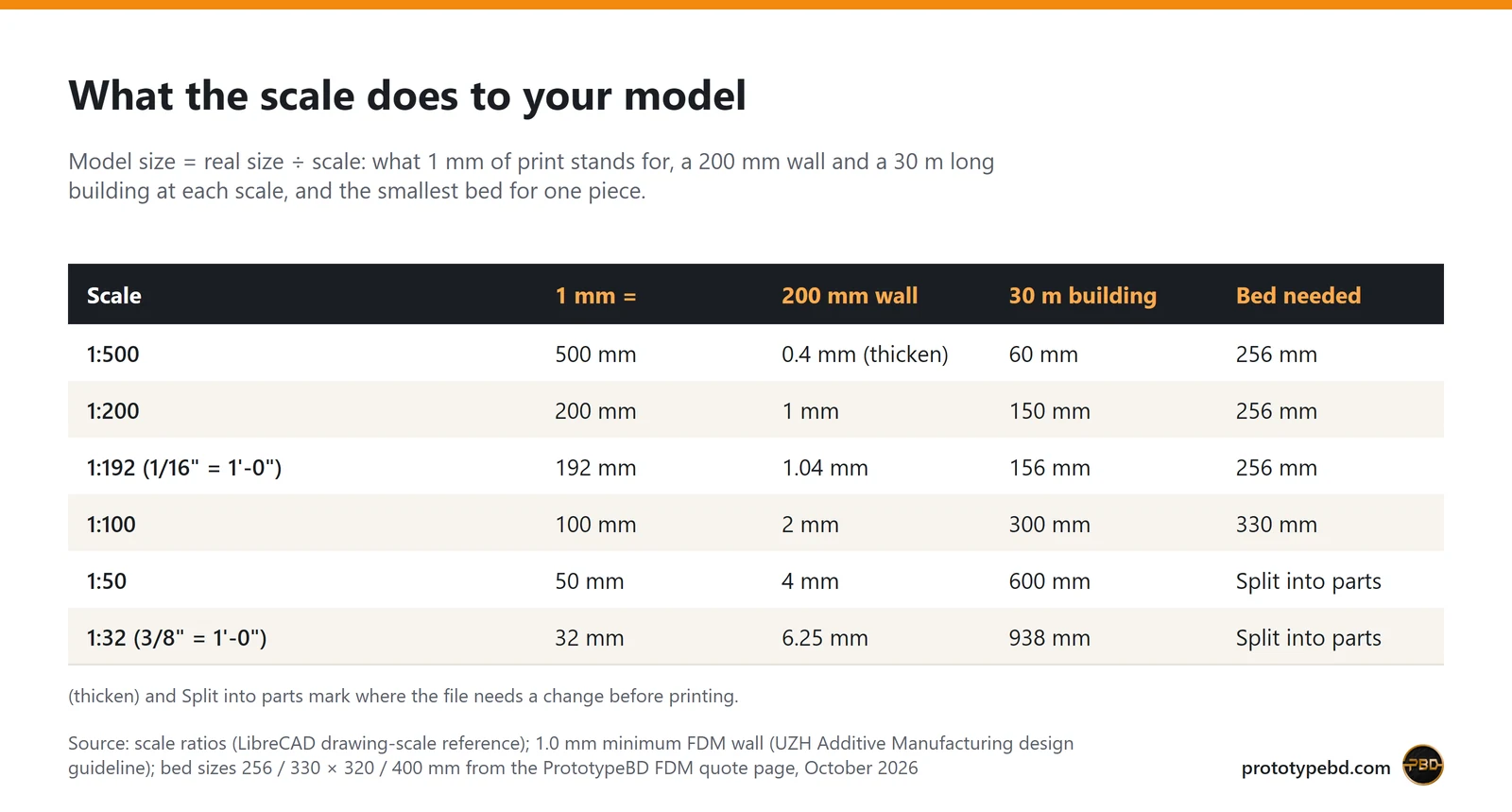
FDM design guides give about 1.0 mm as the minimum wall thickness and 2.0 mm as the smallest reliable feature (UZH Additive Manufacturing design guideline). Divide the real thickness by the scale. A 200 mm wall is 2 mm at 1:100, which is fine, but only 0.4 mm at 1:500, which is too thin. At small scales, thicken walls, merge thin elements into solid blocks or leave them out. A 50 mm balcony rail is 0.5 mm even at 1:100, so on an FDM model, draw it as a solid parapet or plan to add it in resin or wire.
2. The model must fit the machine, or be split
The FDM quote page lists the largest single part each printer takes: 256 × 256 × 256 mm (Bambu Lab A1), 330 × 320 × 325 mm (Bambu Lab A2L) and 400 × 400 × 400 mm on the large-format machines. Bigger objects are printed in sections that you join after delivery. A 30 m long building is 300 mm at 1:100, so it needs the bigger bed, and at 1:50 it is 600 mm and must be split.
A worked example
Say your thesis site is 120 × 80 m with six buildings up to 24 m tall, and the jury wants 1:200. The site becomes 600 × 400 mm, larger than any single print, so make the base from cut board or acrylic and print only the buildings. Each building is at most 120 mm tall at 1:200 (24 m ÷ 200), so height is no problem even on the smallest bed; check each footprint against the bed the same way. A 150 mm external wall would be 0.75 mm, under the 1 mm minimum, so model the blocks as solids or thicken the walls to 200 mm. If the same jury asks for one building at 1:50, that building is now 480 mm tall and has to be printed in two or three stacked sections.
Plan the joints yourself if you can: split at a floor line, a roof edge or a change of material, so the seam hides in the architecture instead of crossing a facade.
Prepare a file that prints
Many problems with architectural prints start in the file, not on the printer. Before you export:
- Make it a closed solid. A printer needs a watertight volume. SketchUp's own 3D printing help says to check that each group shows as a solid in Entity Info, to give walls real thickness instead of single faces, and to make sure the face fronts point outward. Its Solid Inspector extension finds the holes.
- Remove what will not print. Hide or delete 2D linework, imported images, entourage people and cars, and the inside of walls you will never see.
- Check units and scale. Export in millimetres at model size, or tell us the scale you want. A file exported in centimetres or inches arrives 10 or 25.4 times off.
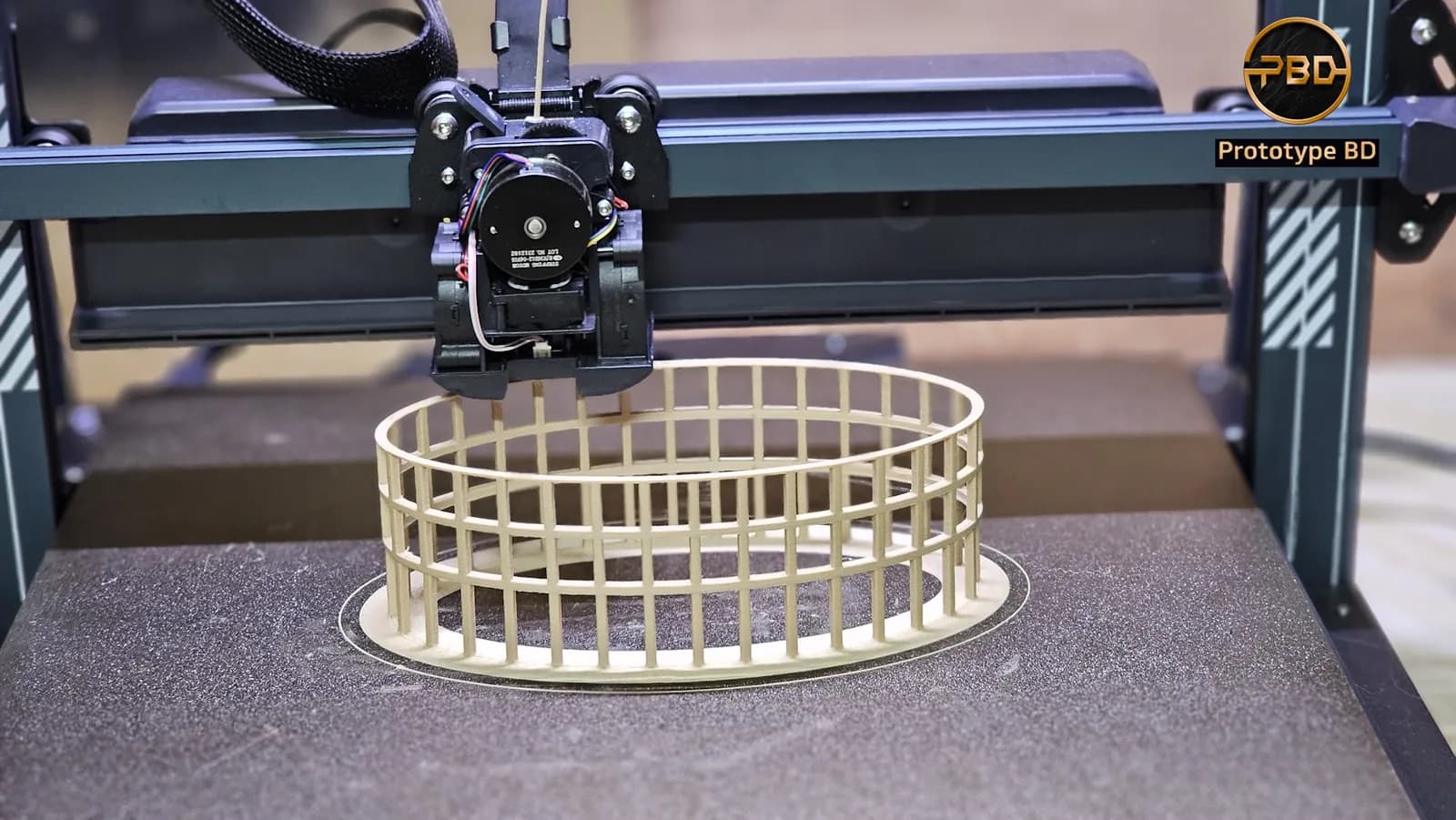
- Watch the overhangs. Surfaces that lean out more than about 45° from vertical need support material (UZH guideline). Cantilevers, deep eaves and floating slabs print with supports underneath, which leave marks. If you can, split such parts so they print flat side down. Supports are not always needed: PrototypeBD printed its 2024 tower models without them by tuning cooling, wall orientation, material choice and print speed, helped by the printers' strong part cooling (more in printing overhangs without supports).
- Separate parts you want in different colours or materials, for example the building, the trees and the base.
The FDM quote tool takes STL, 3MF or OBJ (or STEP/STP, priced by hand) files, several at once with quantities. If your software only exports STEP, convert it to STL first or ask on WhatsApp before uploading. If you only have drawings or a sketch, the CAD design service can build the 3D model first.
Materials and finish
White or grey PLA is the usual choice for presentation and concept models: the quote page calls it the easiest material to print, with the cleanest surface, and it can be primed and painted. The quote tool's materials are PLA, PETG, ABS, ASA, TPU, PA (nylon) and PLA-CF, and for a model that stays on a desk or a jury wall, PLA is normally enough.
Coloured PLA saves painting. The site-model blocks above were printed in one beige colour, and contrasting colours help a site model separate existing buildings from the proposal.
Wood-filled PLA is PLA mixed with fine wood particles. It gives a warm, matte, wood-like surface that suits concept forms and landscape pieces. In 2023 PrototypeBD posted shell forms printed this way:
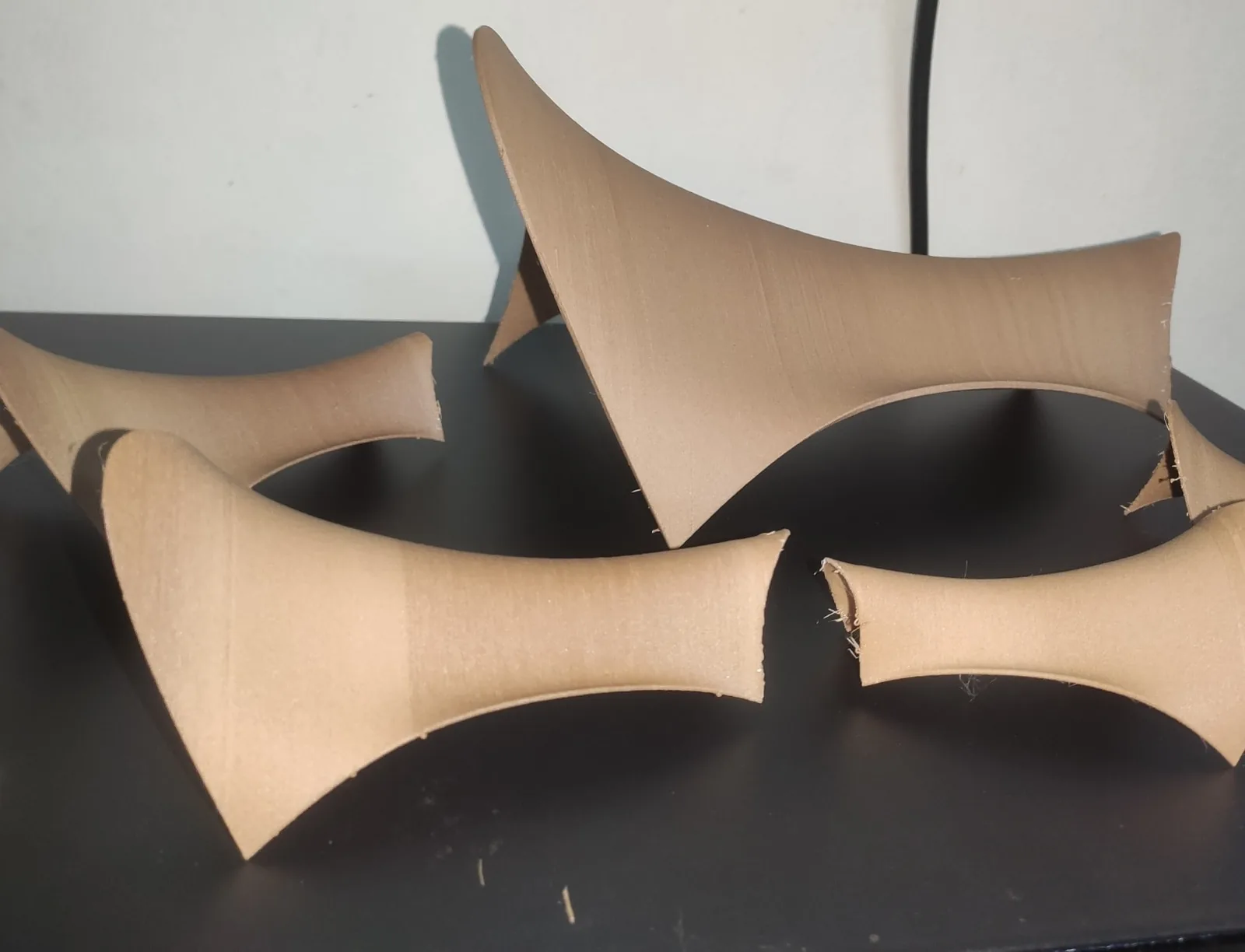
Expect some layer lines on any FDM print. The University of Edinburgh's printer guide lists visible layer lines as the main drawback of FDM, alongside its large build volume and the little post-processing it needs. Light sanding and primer reduce them on flat walls.
When to choose resin (SLA) instead
Resin printing builds much finer detail, so it suits miniature furniture, figures, thin railings and small ornamental parts. Resin prints have to be washed and UV-cured, and the same Edinburgh guide credits FDM, not resin, with the larger build volume. A common approach is FDM for the buildings and the base, and SLA resin printing for the small details that would be lost at 0.4 mm nozzle resolution.
How PrototypeBD prints, fits and finishes the model
The facts in this section come from PrototypeBD itself.
- Printers. Most prints run on Bambu Lab machines such as the P1S, P2S and X2D. Parts too large for those go on a Creality Ender-5 Max, which Creality lists with a 400 × 400 × 400 mm build volume: that is where the 400 mm part limit above comes from.
- Parts that fit together. A building that drops into a socket in the base, a removable roof that shows the interior, or a tower printed in stacked sections all need a small gap between the mating faces. PrototypeBD generally works with 0.1 mm, and with 0.1 to 0.3 mm depending on the material and the printer. If you model the socket yourself, leave a gap in that range and say which parts must fit.
- Finishing on request. Assembly, painting, LED lighting, and scale figures and trees can be added on request. They are not part of a standard print, so ask for them when you send the file, and say what the model is for.
Price and timeline: what decides them
There is no flat price per model. The FDM quote is built from what the slicer measures on your file: the weight of the model, the weight of support material, the print time, and the material and quality preset. On 2026-10-21 the quote page listed PLA at BDT 8 per gram (prototypebd.com, October 2026), with supports and machine time added as separate lines, and a minimum order for very small parts. For architectural models that means:
- simple massing blocks cost little, because they are quick and need almost no support;
- overhangs and cantilevers cost more, because supports are charged by weight;
- a larger scale costs much more than it looks: doubling the scale gives about eight times the volume.
The FDM page gives 2 to 5 working days as the typical turnaround for a normal job, counted from when you confirm the quote, and the quote itself shows the print time. A large, multi-part model takes longer, so upload the file as soon as the design is fixed and say when your jury or submission is.
Checklist before you upload
- Model type chosen: mass, concept or presentation.
- Scale chosen, and every wall at least 1 mm thick at that scale.
- Each part fits within 400 mm, or is split at a sensible joint.
- Every part is a closed solid, exported in millimetres.
- Small details marked for resin, or simplified.
- Colour or material noted for each part.
- Parts that must fit together marked, and any painting, lighting or assembly asked for.
When the file is ready, upload it to the FDM quote tool. The slicer orients the parts, adds supports and gives an itemised price in a few minutes, and the quote PDF is sent to your WhatsApp. Parts are printed in-house in Dhaka, checked by hand and sent by courier anywhere in Bangladesh. If you would rather print at home, the filaments used by the quote tool are stocked in the filament shop, and the filament guide compares them.
Related articles
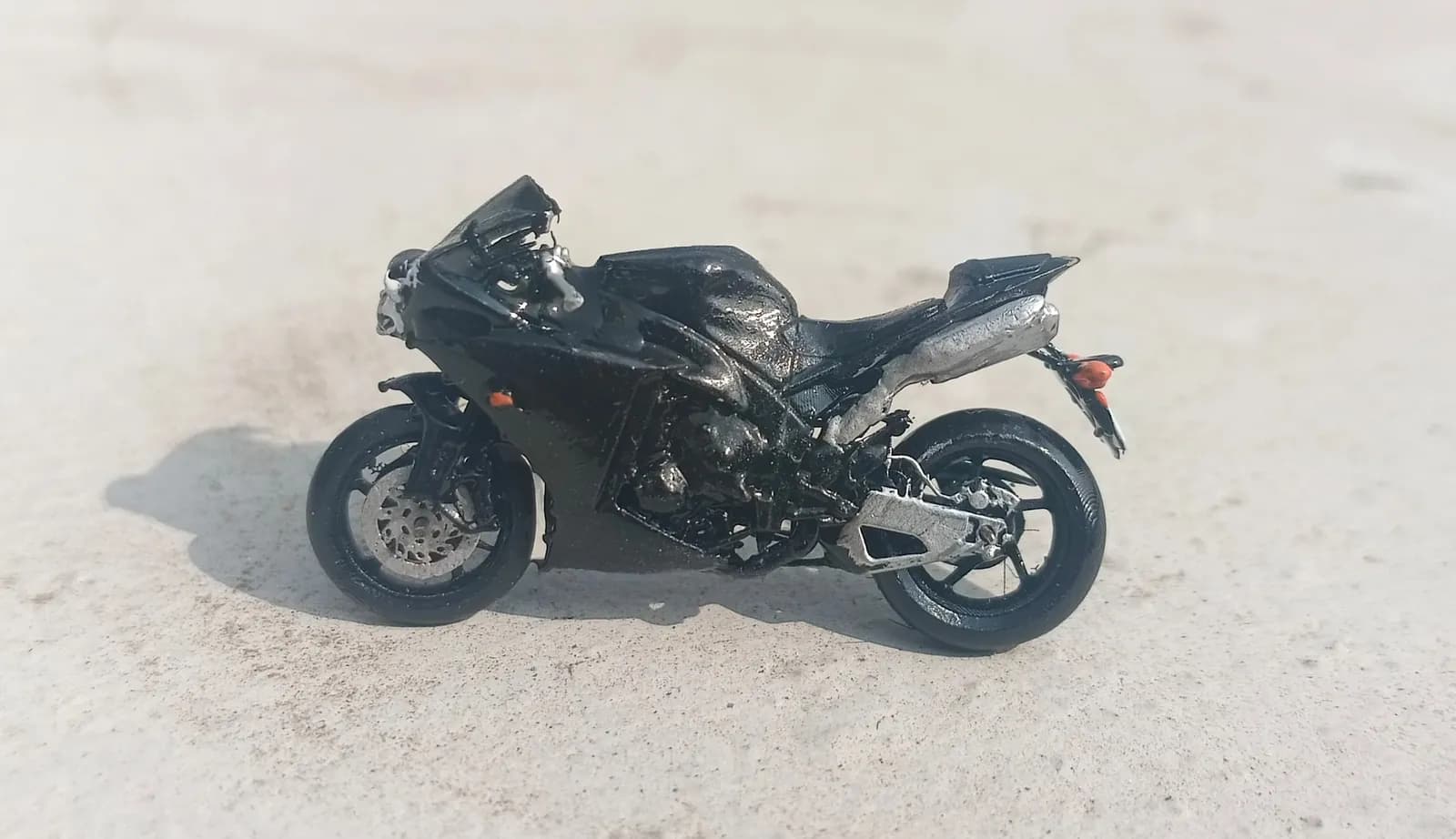
FDM vs SLA: which 3D printing process suits your part
FDM for parts that must work, SLA resin for parts that must look perfect up close. A sourced comparison of detail, strength, size, cost, post-processing and safety, with a checklist.
3D Printer Filament Guide for Bangladesh: PLA, PETG, ABS, ASA, TPU and Composites
Which 3D printer filament to use for which part, how the common materials compare on heat and moisture, and how to store filament in Bangladesh's humid climate.
How to 3D Print Overhangs Without Supports
Why FDM overhangs sag, what the 45° rule really measures, how bridges work, and the design and slicer changes that let you print without supports.
Comments
Loading comments…