
FDM vs SLA: which 3D printing process suits your part
FDM for parts that must work, SLA resin for parts that must look perfect up close. A sourced comparison of detail, strength, size, cost, post-processing and safety, with a checklist.
FDM melts plastic filament into layers and gives tough, cheap, larger parts with visible layer lines. SLA cures liquid resin with light and gives far finer detail (features down to about 0.1 mm vs 2 mm) and smooth surfaces, but parts are smaller, more brittle and cost more. Use FDM for function, SLA for looks.
That one rule covers most jobs, but the borderline cases are where people lose money: a tiny gear that needs both detail and toughness, a display model too big for a resin vat, or a prototype that will sit in the sun. This guide compares FDM vs SLA point by point: detail, surface, strength, size, cost, post-processing and safety. The numbers come from manufacturer and engineering sources, and the examples come from resin jobs PrototypeBD has posted. At the end there is a short checklist for choosing.
How each process builds a part
FDM (fused deposition modelling) pushes a plastic filament through a heated nozzle and lays it down line by line, layer by layer. A typical desktop machine such as the Bambu Lab A1 uses a 0.4 mm nozzle and a 256 × 256 × 256 mm build volume. The materials are ordinary thermoplastics: PLA, PETG, ABS, ASA, TPU, nylon and fibre-filled blends.
SLA (stereolithography) starts with a vat of liquid photopolymer resin. In classic SLA, a UV laser draws each layer on the resin and the light hardens it. As the stereolithography article on Wikipedia notes, other forms of the process build each layer by LCD masking or with a DLP projector. Many desktop "SLA" printers are actually the LCD type, also called MSLA. For example, the Elegoo Saturn 4 Ultra, which PrototypeBD featured on its Facebook Page in 2024, is listed by Elegoo as MSLA, with a 10-inch 12K mono LCD and a 405 nm light source. In everyday use, and on our own service page, "SLA" simply means resin printing, and that is how this article uses it.
Detail and surface finish
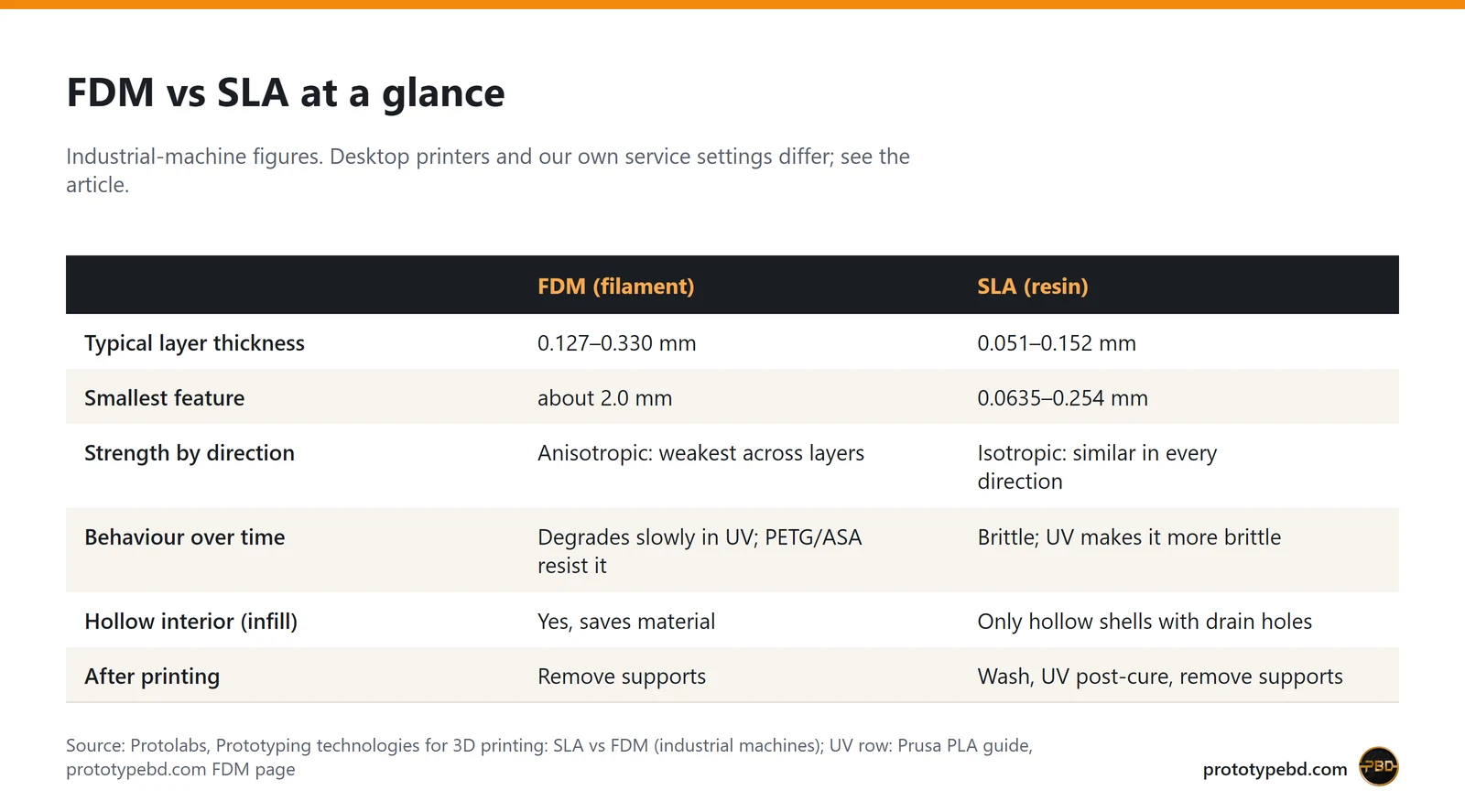
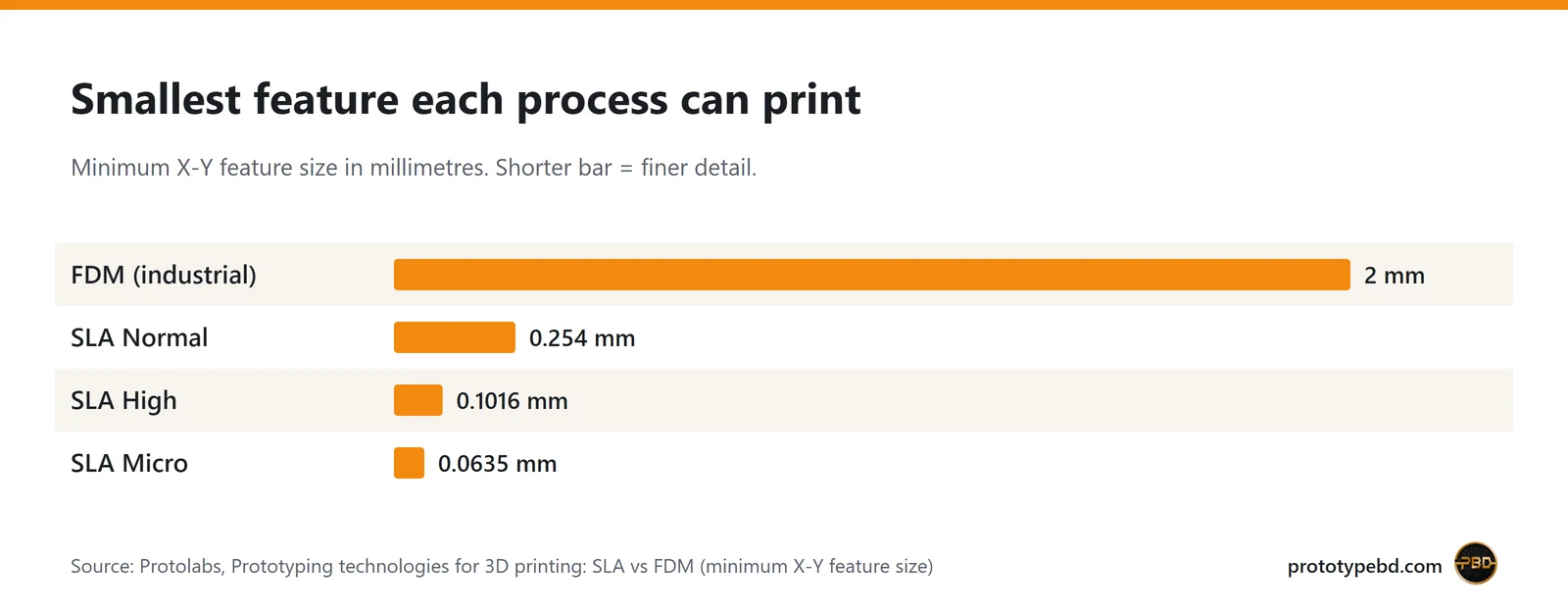
This is where resin wins clearly. Protolabs, a manufacturing service that runs both processes on industrial machines, gives typical layers of 0.051 to 0.152 mm for SLA and 0.127 to 0.330 mm for FDM. The bigger difference is the smallest feature each process can draw. FDM bottoms out at about 2.0 mm on Protolabs' machines, because the extruded line has a width. SLA goes down to 0.254 mm at its normal setting, 0.1016 mm at high resolution and 0.0635 mm at micro resolution.
Desktop machines follow the same pattern. An LCD resin printer's sharpness depends on its screen pixels: Elegoo lists the Saturn 4 Ultra at an XY resolution of 19 × 24 µm and a layer thickness of 0.01 to 0.2 mm. On PrototypeBD's own service pages, the SLA page lists layers down to 25 microns (0.025 mm), while the FDM page runs from 0.12 mm (fine) to 0.2 mm (draft) and holds about ±0.2 mm on most dimensions.
The surface follows from the layers. Protolabs describes SLA parts as smooth enough for cosmetic prototypes and moulds without further work, while FDM layer lines are often very visible. FDM can be sanded and painted to look better, but that is extra work, and PrototypeBD's FDM service delivers parts as they come off the printer, without sanding or painting as standard. Painting, assembly and LED lighting can be added on request.
Strength and how parts age
Here the answer flips. FDM parts are anisotropic: Protolabs notes that they tend to break along layer lines, so a part is weakest when the load pulls the layers apart. You design around that by choosing the print orientation. In return, FDM materials such as PETG, ABS and nylon are tough, and Protolabs calls FDM generally the stronger and more durable process.
Resin parts are highly isotropic, so they are about equally strong in every direction. But standard resins are relatively brittle, and Protolabs warns that further UV exposure makes them more brittle and can discolour them. It positions SLA mainly for prototypes and short-term or single-use parts, with degradation often starting around 8 to 12 months, depending on the environment. Engineering resins (tough, ABS-like) narrow the gap; PrototypeBD's SLA page lists Standard, Tough, ABS-Like and Water-Washable resins.
In practice: a clip, hinge, mount, gear or anything that will be dropped, screwed or flexed belongs in FDM. A part that will sit on a desk, a shelf or a display stand can be resin.
For FDM parts that press or snap together, PrototypeBD generally leaves about 0.1 mm between the mating faces, and 0.1 to 0.3 mm depending on the material and the printer's precision. That figure is for our FDM printers; we have not published one for resin.
Part size
Desktop resin printers are small. The Saturn 4 Ultra's build volume is 218.88 × 122.88 × 220 mm. FDM goes bigger: PrototypeBD's FDM service assigns each part to the smallest printer it fits on, up to a single part of 400 × 400 × 400 mm, and larger objects are printed in sections. Most FDM jobs run on high-end Bambu Lab printers such as the P1S, P2S and X2D; the largest parts go on a Creality Ender-5 Max, which Creality lists with a 400 × 400 × 400 mm build volume. A model bigger than a resin vat can be split too, but every joint is extra finishing work. A large part with one small detailed area is often best made as an FDM body with a resin insert.
What drives the cost
FDM is the cheaper process per part. Filament costs less than resin, and an FDM part can be hollow inside: the slicer fills the interior with a light infill pattern. Protolabs points out that resin parts cannot use infill effectively, because the inside would trap liquid resin, so resin parts are printed solid or hollowed with drain holes, which adds design and cleaning work.
PrototypeBD's FDM quote shows the cost drivers openly. The slicer measures four things on your file: the model weight, the weight of the supports, the print time and the quality preset (layer height and infill). The page's worked example is a 40 g PLA bracket at ৳8 per gram, which is ৳320 in material before supports and machine time are added (prototypebd.com, October 2026). So for FDM, fewer supports, sensible infill and a part designed to lie flat all lower the price.
Resin adds costs that FDM does not have: washing, UV curing and removing the many small support pillars by hand. Our FDM page sums it up: resin parts are smaller, more brittle and cost more per part. A resin price is therefore always worked out for the actual part, not per gram from a table.
Post-processing and safety
An FDM part is close to finished when it leaves the printer. You remove the supports, and that is it unless you want to sand or paint.
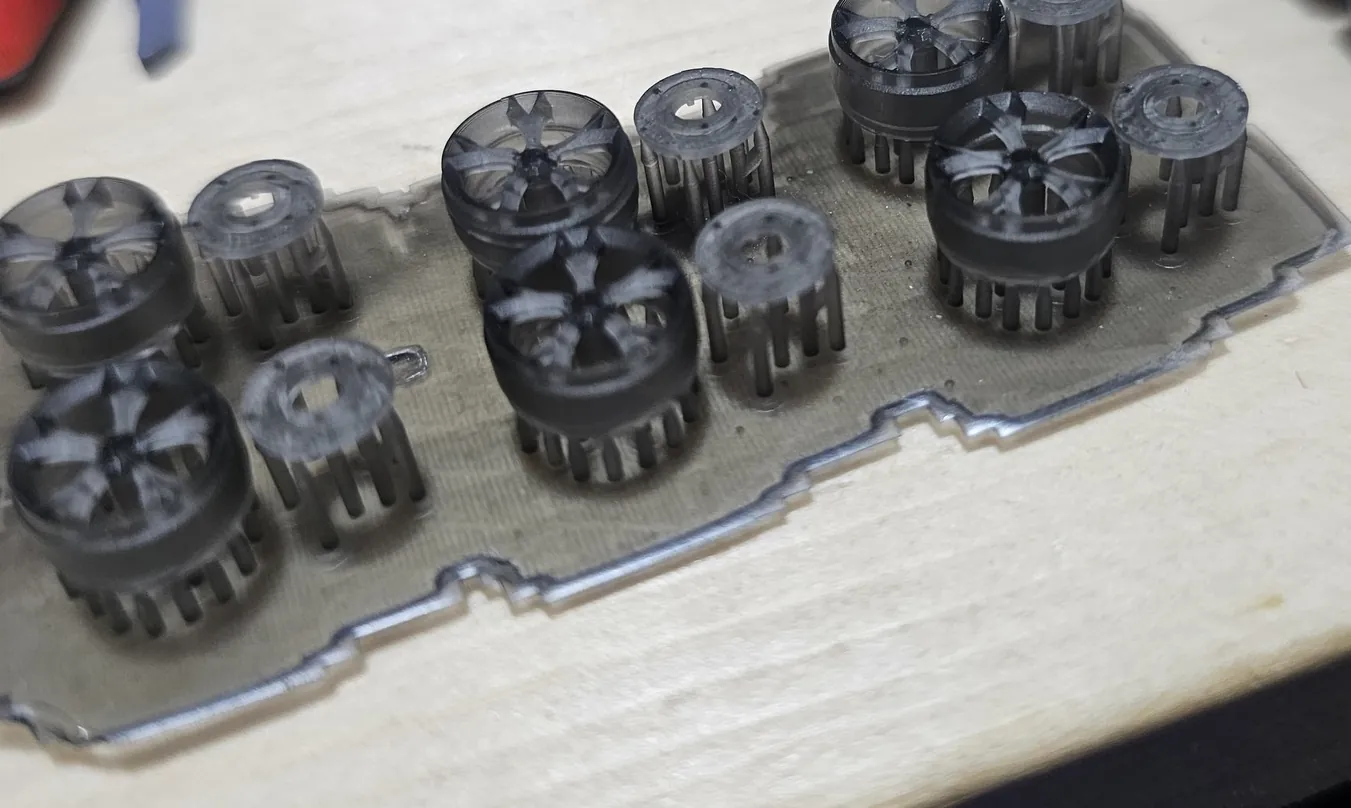
A resin part is not. Wikipedia lists the steps as washing, drying, curing and possibly removing support material, and Protolabs adds that a UV post-cure is what locks in the material's mechanical properties. Support pillars also leave small marks where they touched the part, which is why resin parts are oriented so those marks land on hidden faces. The wheel photo above shows this: the parts stand on rows of thin pillars on a shared raft, and each pillar has to be clipped off and its mark cleaned.
Uncured resin also needs careful handling, which matters if you are thinking of buying a resin printer for home use. Resin maker Ameralabs' safety guide recommends:
- nitrile gloves at least 0.15 mm thick, and never touching uncured resin with bare skin, because sensitisation to acrylates is usually permanent;
- safety glasses, and ventilation that exhausts to outdoor air rather than relying on a carbon filter alone;
- washing skin that touches resin with soap and water, not with IPA or acetone;
- never pouring liquid resin or used IPA down the drain: cure waste resin first, and collect used solvent for proper disposal.
FDM is far less demanding at home. Ventilate when you print ABS or ASA, but there is no liquid chemistry to manage. That difference is one reason many people print FDM themselves and order resin parts from a service.
What our resin jobs show
PrototypeBD's Facebook posts show the jobs resin is used for. In a March 2026 post about calibrating its resin printers for surface finish and dimensional accuracy, PrototypeBD lists product prototyping, engineering parts, industrial design models, miniatures and detailed components, and custom mechanical parts. Two earlier posts show typical work:
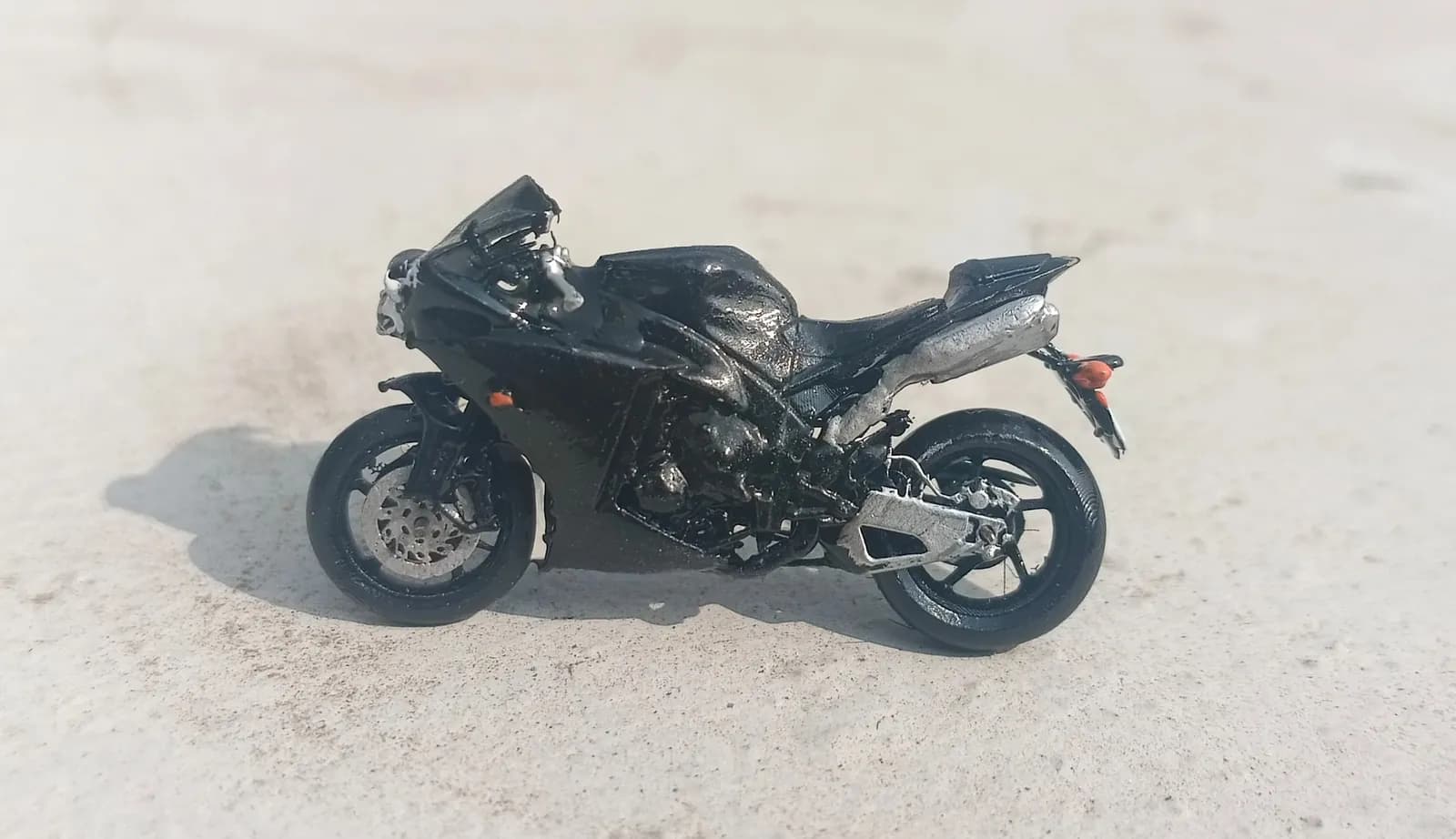
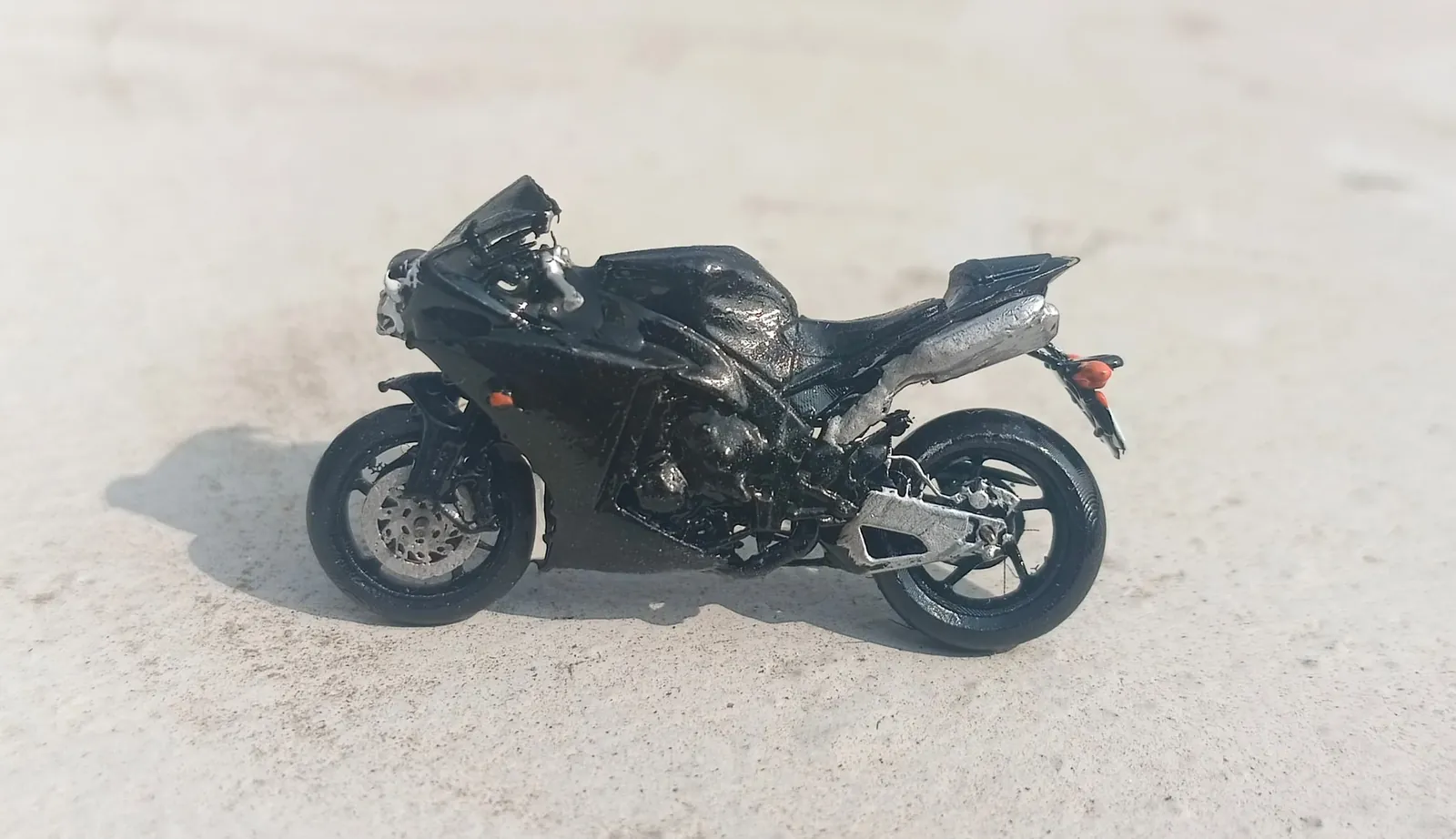
- Miniature bike (November 2024). Printed on an SLA resin printer; the post points to the frame and the tiny wheels. The photos show a model small enough to sit in the palm of a hand.
- Wheels for die-cast cars (February 2025). Custom resin wheels as upgrades for scale model cars, aimed at hobbyists and collectors.
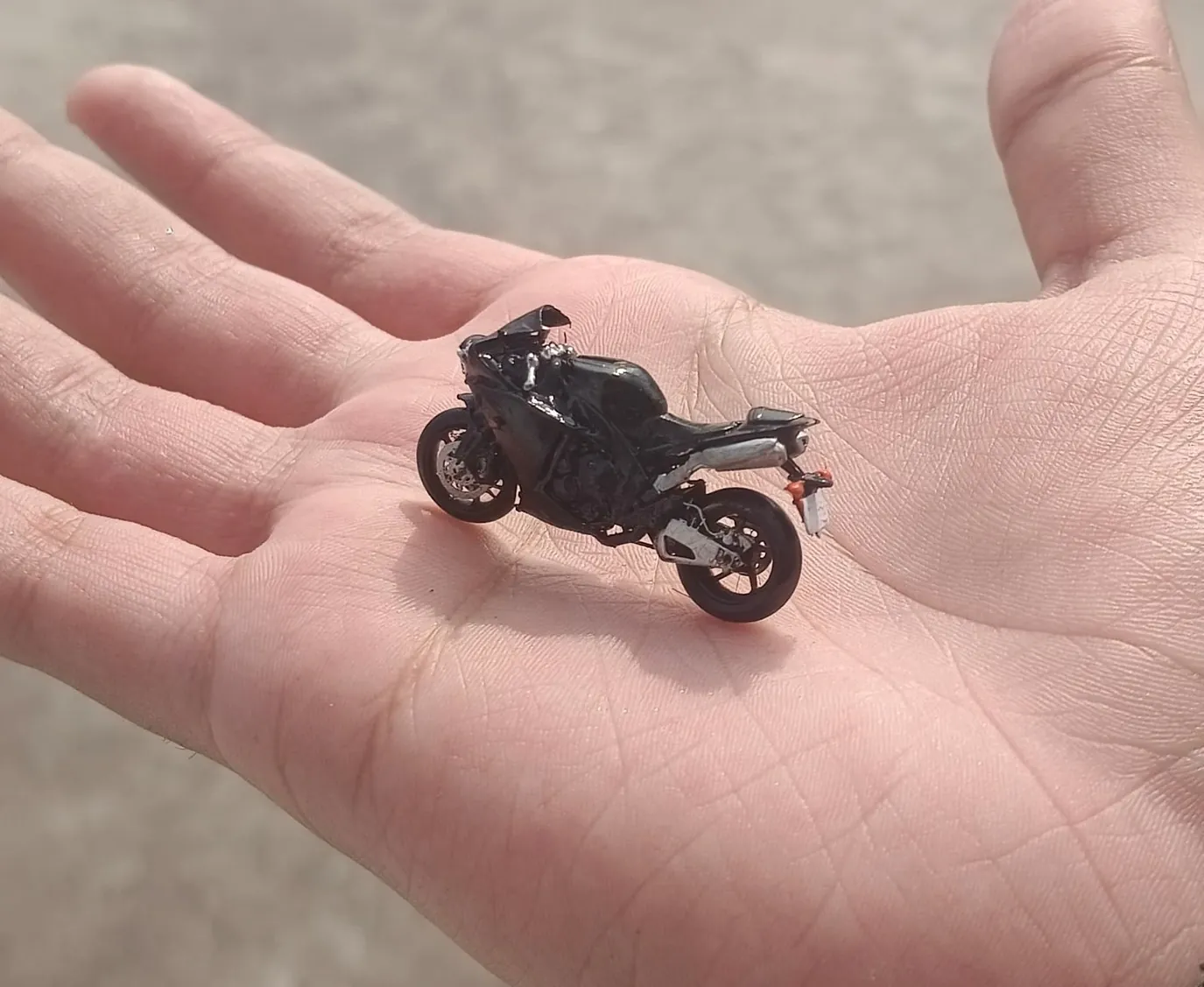
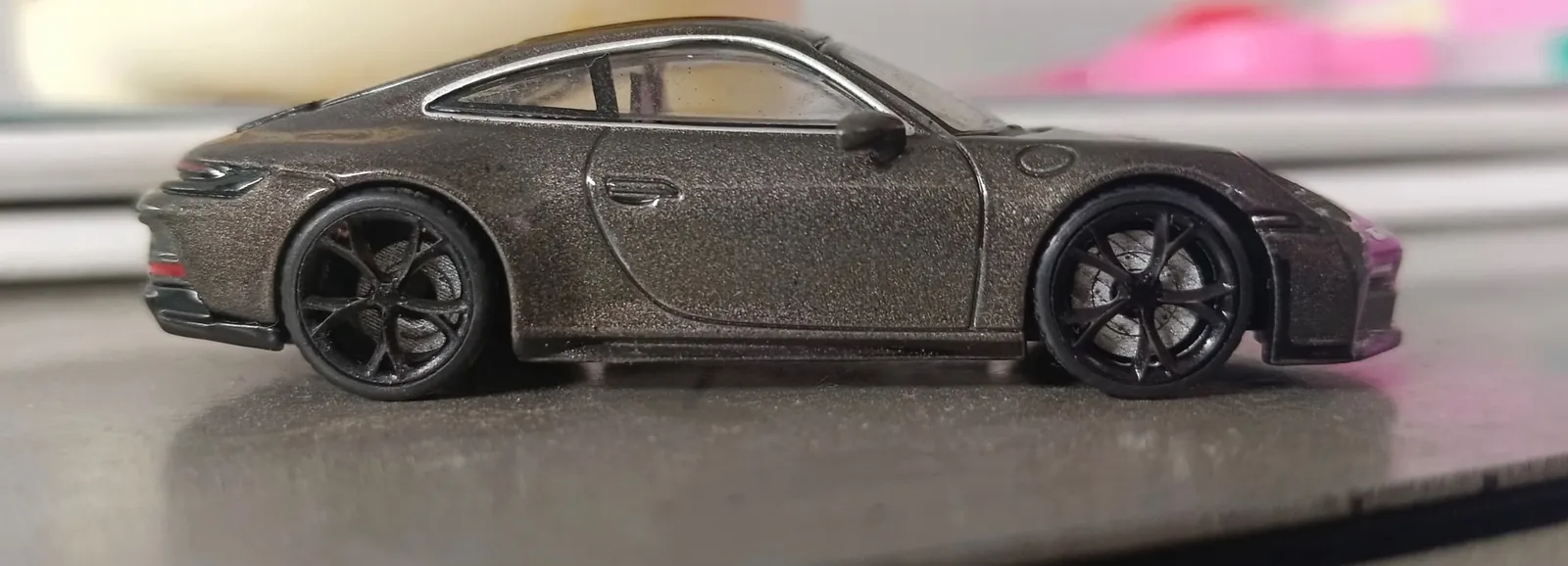
These jobs share three traits: they are small, the detail is the point, and nobody will put a load on them. Those are the signs that a job belongs in resin.
Quick checklist: FDM or SLA?
Choose FDM if any of these is true:
- the part carries a load, takes screws, snaps, bends or may be dropped;
- it is larger than a desktop resin vat (the Saturn 4 Ultra's is about 22 × 12 cm), or it is one of many copies where the price per part matters;
- it will be used outdoors or in sunlight (pick PETG or ASA; the filament guide for Bangladesh compares them);
- it is a fit check or an early prototype, where speed and price matter more than looks.
Choose SLA (resin) if:
- the part is small and the detail is the point: miniatures, figurines, jewellery masters, scale-model parts;
- it has features under about 2 mm, such as thin spokes, fine text or small pins;
- the surface must look smooth without sanding, as for a presentation model or a mould master;
- the part will be handled gently and kept mostly out of the sun.
Mixed cases are common. A product prototype often starts in FDM to test fit and function, and moves to resin once the shape is fixed and a presentation version is needed. Our product prototyping examples show how such rounds work.
Getting either one printed
For FDM, upload STL, 3MF or OBJ files on the FDM 3D printing page for an automatic sliced price; STEP and STP files are accepted too and priced by hand. For resin, upload an STL on the SLA resin printing page. If you only have a sketch or a photo, the CAD design service can turn it into a printable model first. And if you are not sure which process fits, ask us on WhatsApp before you order: the right choice usually comes down to how the part will be used.
Related articles
3D Printer Filament Guide for Bangladesh: PLA, PETG, ABS, ASA, TPU and Composites
Which 3D printer filament to use for which part, how the common materials compare on heat and moisture, and how to store filament in Bangladesh's humid climate.
How to 3D Print Overhangs Without Supports
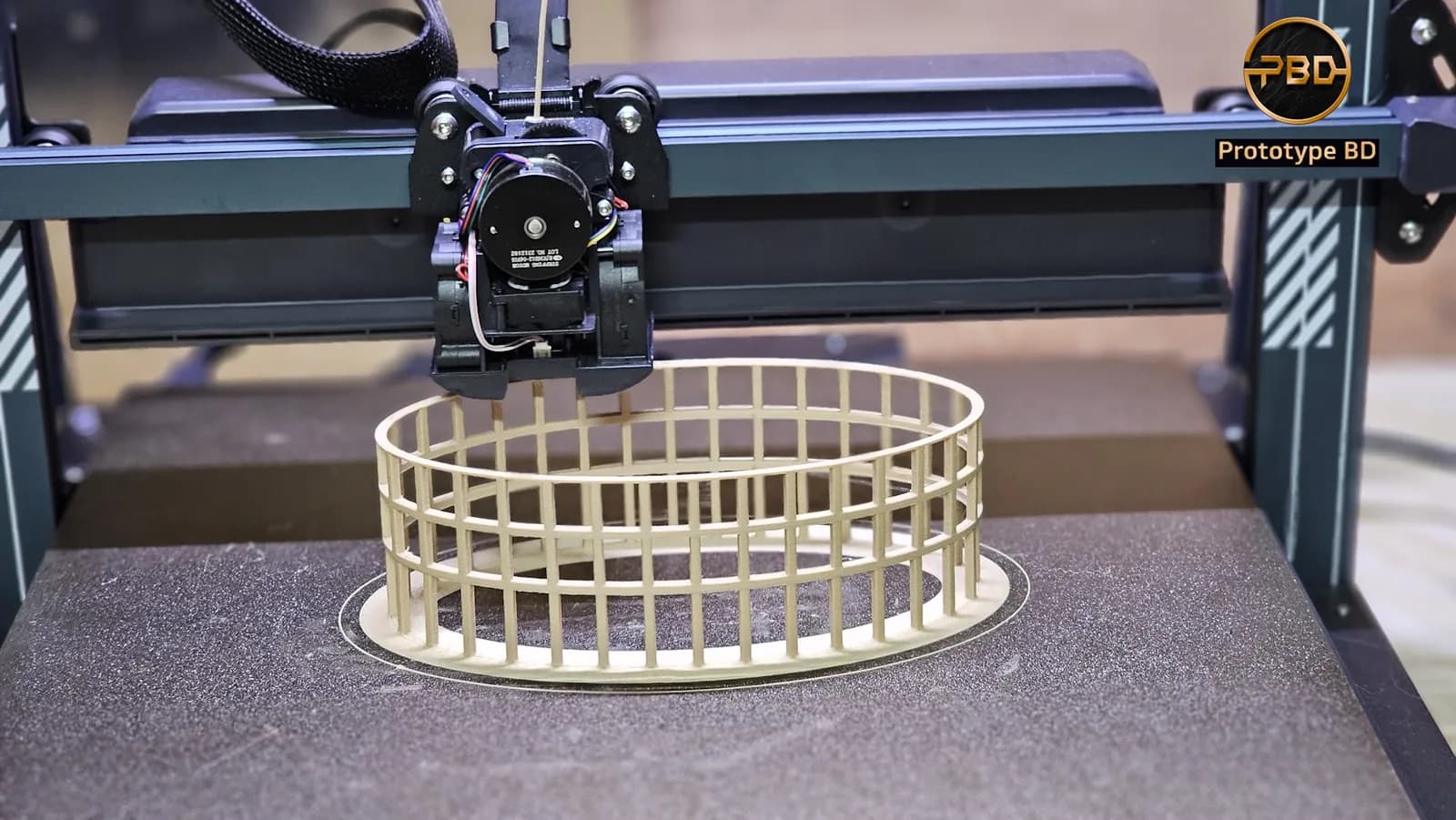
Why FDM overhangs sag, what the 45° rule really measures, how bridges work, and the design and slicer changes that let you print without supports.
Architectural Model 3D Printing in Bangladesh: Scale, Files and Finish
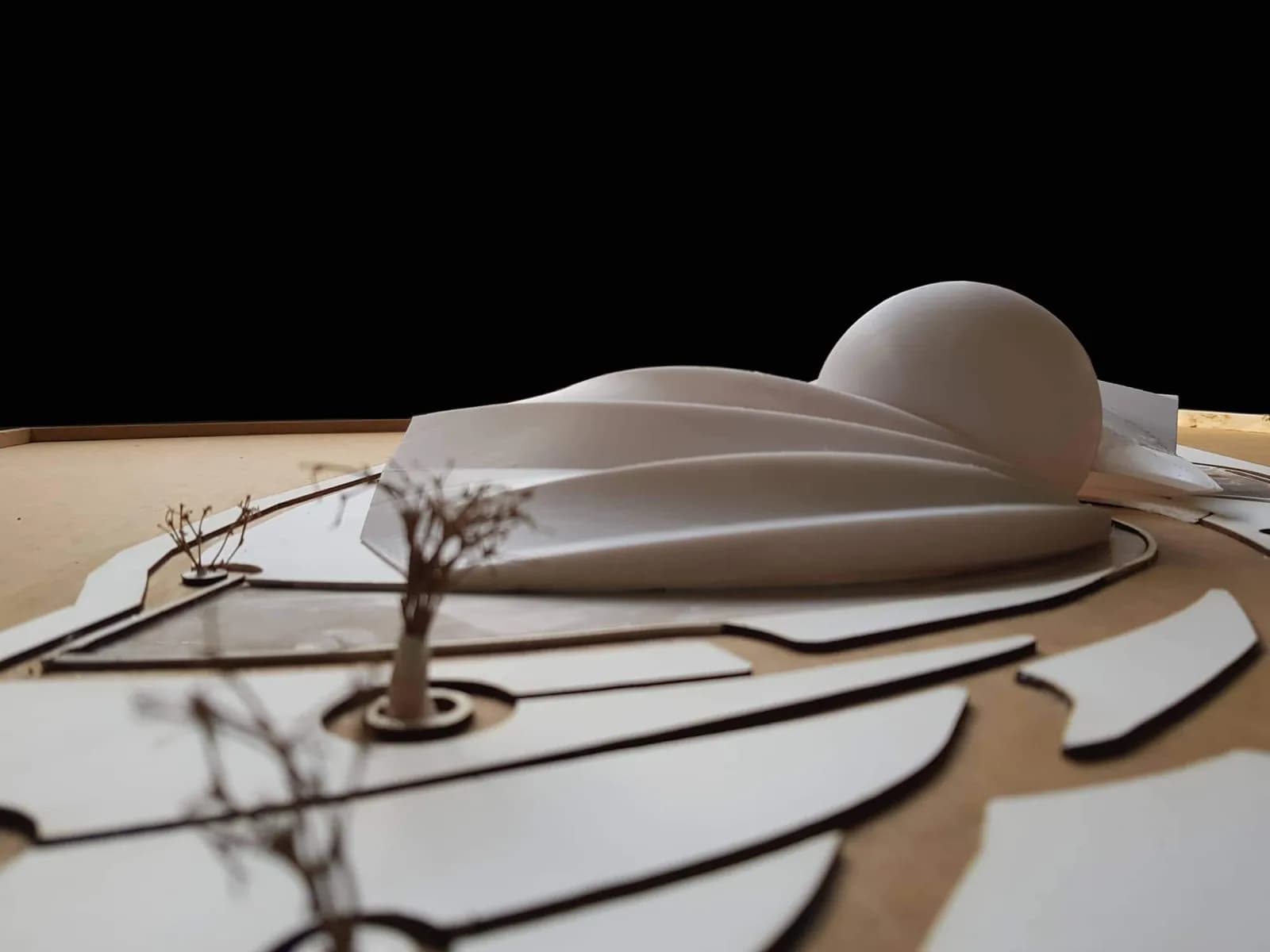
How to plan a 3D-printed architectural model in Bangladesh: when printing beats hand-making, which scale works, how thin walls can be, how big one piece can be, and what to send.
Comments
Loading comments…