
Diode Laser Engraver Buying Guide: What to Check Before You Buy
Optical vs electrical watts, work area, materials a diode laser can and can't handle, safety, air assist, accessories and software, with the AlgoLaser machines we stock.
A diode laser engraver is the most common first laser for makers and small shops: it is compact, runs from a normal socket and can engrave wood, leather and coated metal, and cut thin wood and dark acrylic. Choosing one is harder than it looks, because the headline wattage, the working area and the list of "supported materials" often don't mean what they seem to. This diode laser engraver buying guide explains what to check before you buy: real laser power, work area, materials, safety, air assist, accessories and software.
Short answer: compare optical output power, not electrical input. Match the working area to your largest regular job. Accept that a blue diode laser won't cut metal or clear acrylic. Budget for air assist, ventilation and eye protection from day one. A 5–10 W machine suits engraving and thin cuts. A 20 W class machine with air assist is the one to choose when you need to cut more often or work faster. Our own picks: the AlgoLaser DIY KIT MK3 (15 W) for hobby use, and the Bambu Lab R1 for production (details below).
What our September 2026 video shows
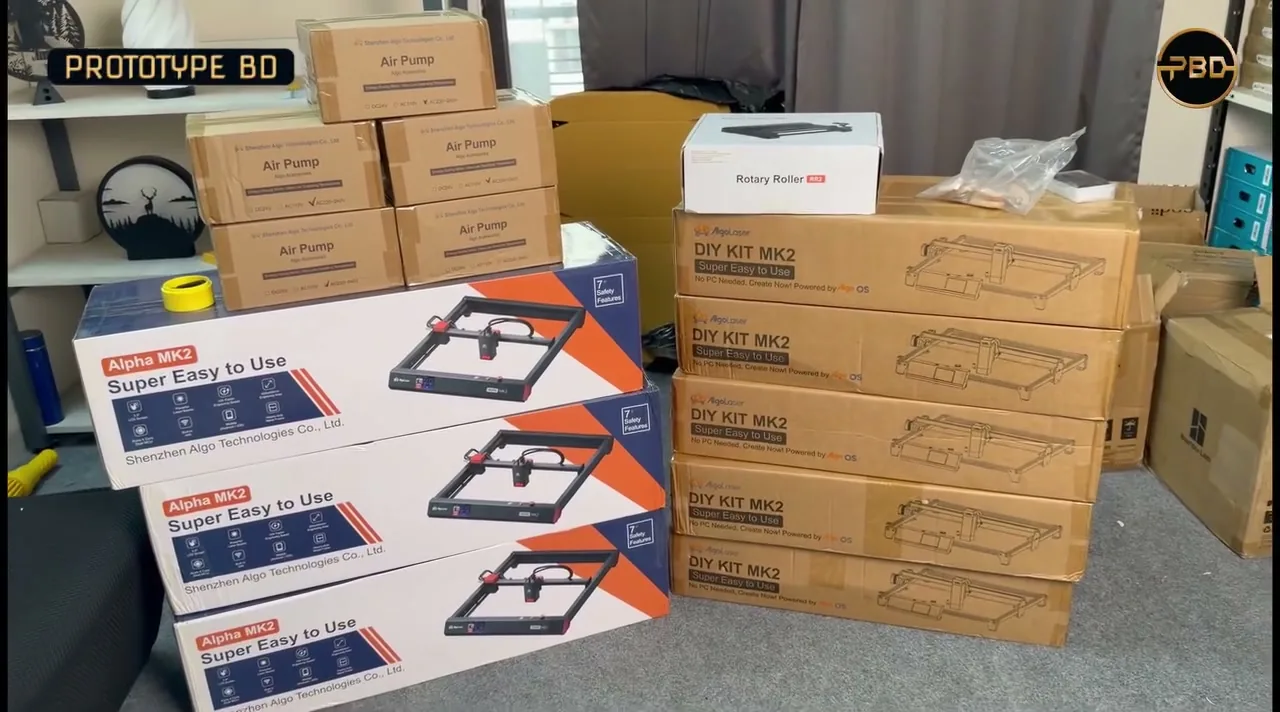
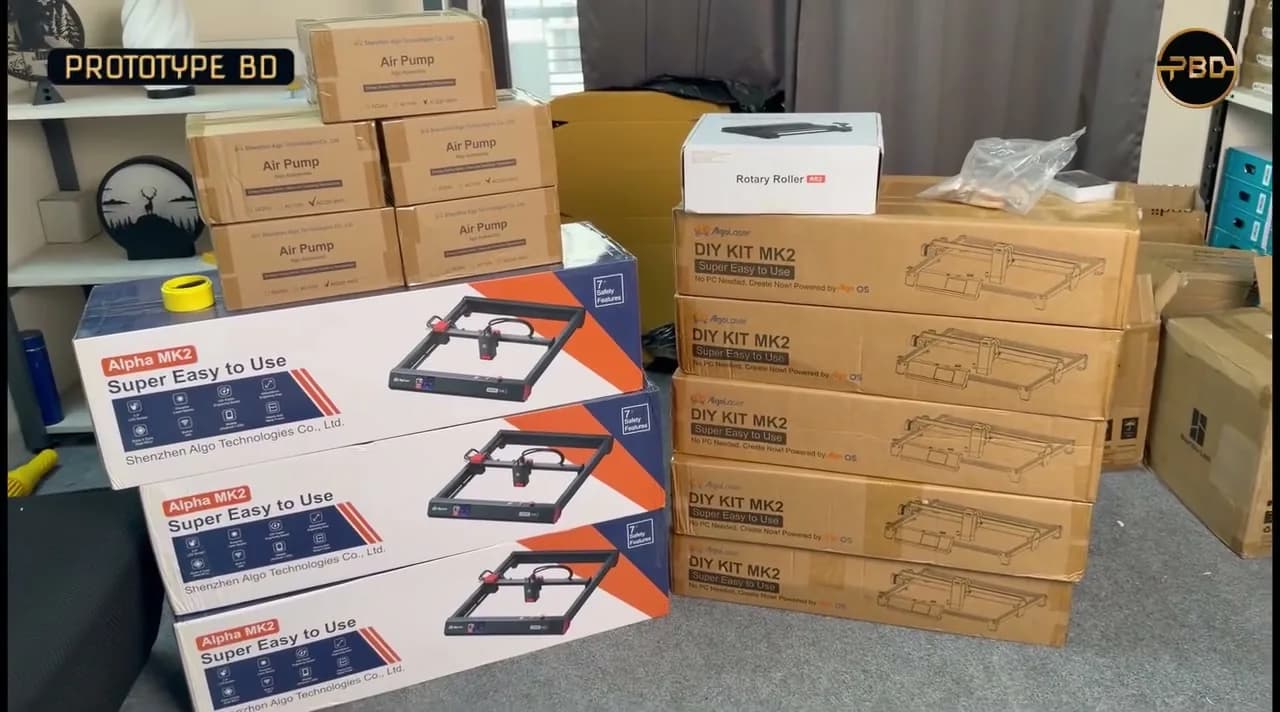
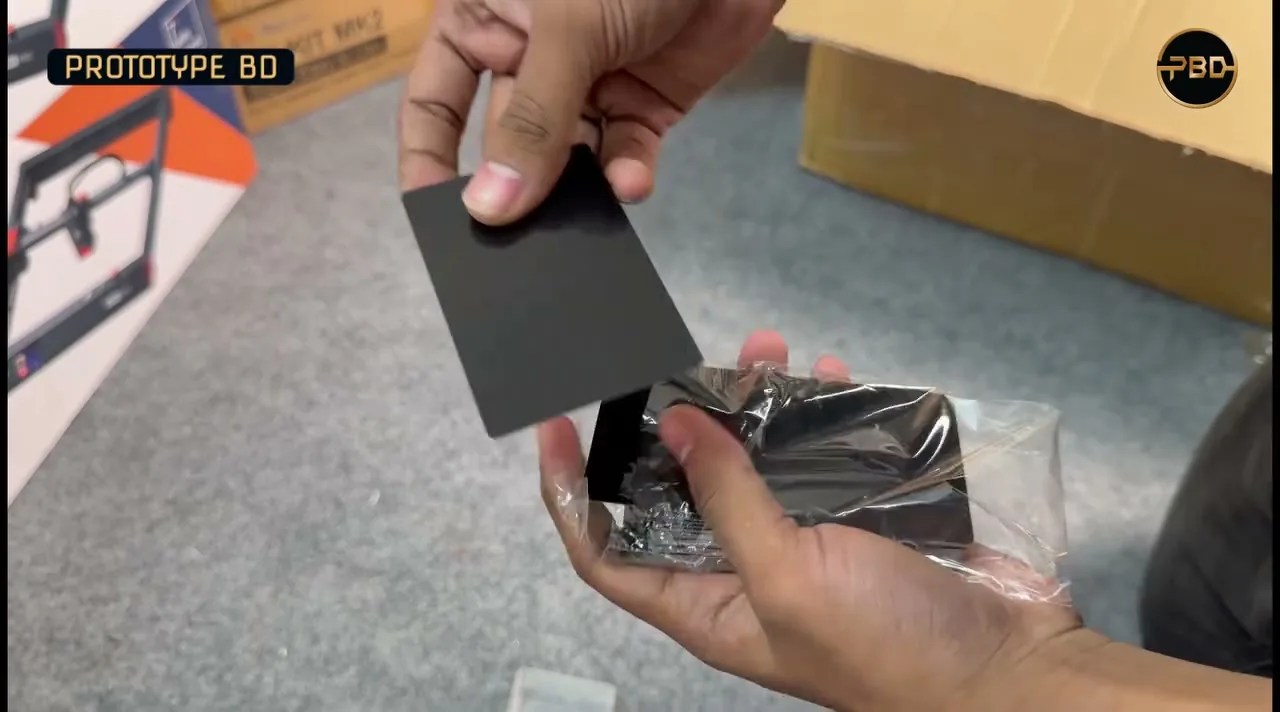
In September 2026 we posted a video about the AlgoLaser machines we sell. It covers the DIY KIT MK2 (5 W and 10 W), the DIY KIT MK3 (15 W) and the Alpha MK2 (20 W), and work on wood, acrylic, leather and stainless steel. It also shows air assist and a rotary roller. The footage was filmed in our stock room: stacks of Alpha MK2 and DIY KIT MK2 boxes, DIY KIT MK3 boxes, AlgoLaser air pumps and a Rotary Roller are opened on camera, along with engraving blanks such as metal business cards and small wooden pieces.
1. Laser power: optical watts, not electrical watts
The number in a laser's name is the first thing to check. There are two very different figures:
- Electrical (input) power is what the laser module or the whole machine draws from the power supply.
- Optical (output) power is the light that actually reaches the material. That is what engraves and cuts.
Mr Beam gives an example from its own product: a laser cutter run from a 90 W power supply whose laser head has 10 W of optical output. The company warns not to confuse the two numbers (Mr Beam). Some sellers name a module after its electrical draw, so a "40 W" listing may have far less optical power. Look for the words "optical power" or "output power" on the spec sheet.
The AlgoLaser listings on our site give the module output in milliwatts: 5,000 mW and 10,000 mW for the DIY KIT MK2's blue modules (DIY KIT MK2 listing). AlgoLaser's own article lists its 10 W, 20 W and 40 W modules as "≥10W", "≥20W" and "≥40W" optical power (AlgoLaser).
What more power buys you
More optical power mainly means thicker cuts and faster work. AlgoLaser says its 10 W module cuts 6 mm basswood, 5 mm pine and 3.5 mm acrylic in one pass, and its 20 W module cuts 12 mm basswood and 10 mm pine (AlgoLaser). These are the manufacturer's figures for ideal settings, not our test results. Expect less with denser wood, a dirty lens or no air assist.
More power is not automatically better for fine engraving. Spot size matters too. AlgoLaser lists a 0.05 × 0.1 mm spot for its 10 W module and a larger 0.15 × 0.12 mm spot for its 20 W module (AlgoLaser). If most of your work is photos, logos and text on small items, a lower-power module with a smaller spot can be the better tool.
2. Working area and frame type
The working area is the largest size the laser head can reach. Measure your typical job and add a margin. A small, sealed machine like the AlgoLaser Pixi has a 100 × 100 mm area, which suits small items such as keychains and tags. The open-frame DIY KIT MK2 lists 400 × 435 mm, and the DIY KIT MK3 lists 400 × 400 mm (Pixi, DIY KIT MK2, DIY KIT MK3 listings).
Open-frame machines can often be extended. AlgoLaser sells an extension kit for the DIY KIT MK2 and gives a maximum expanded area of 400 × 880 mm (AlgoLaser). Raisers lift the frame so you can engrave taller objects underneath it. Check that an extension or raiser kit exists for the exact model before you plan around it.
The trade-off: an open frame is cheaper and handles big or tall pieces, but it leaves the beam, smoke and any flame exposed. An enclosed machine contains them. More on that under safety.
3. Materials: what a diode laser can and can't do
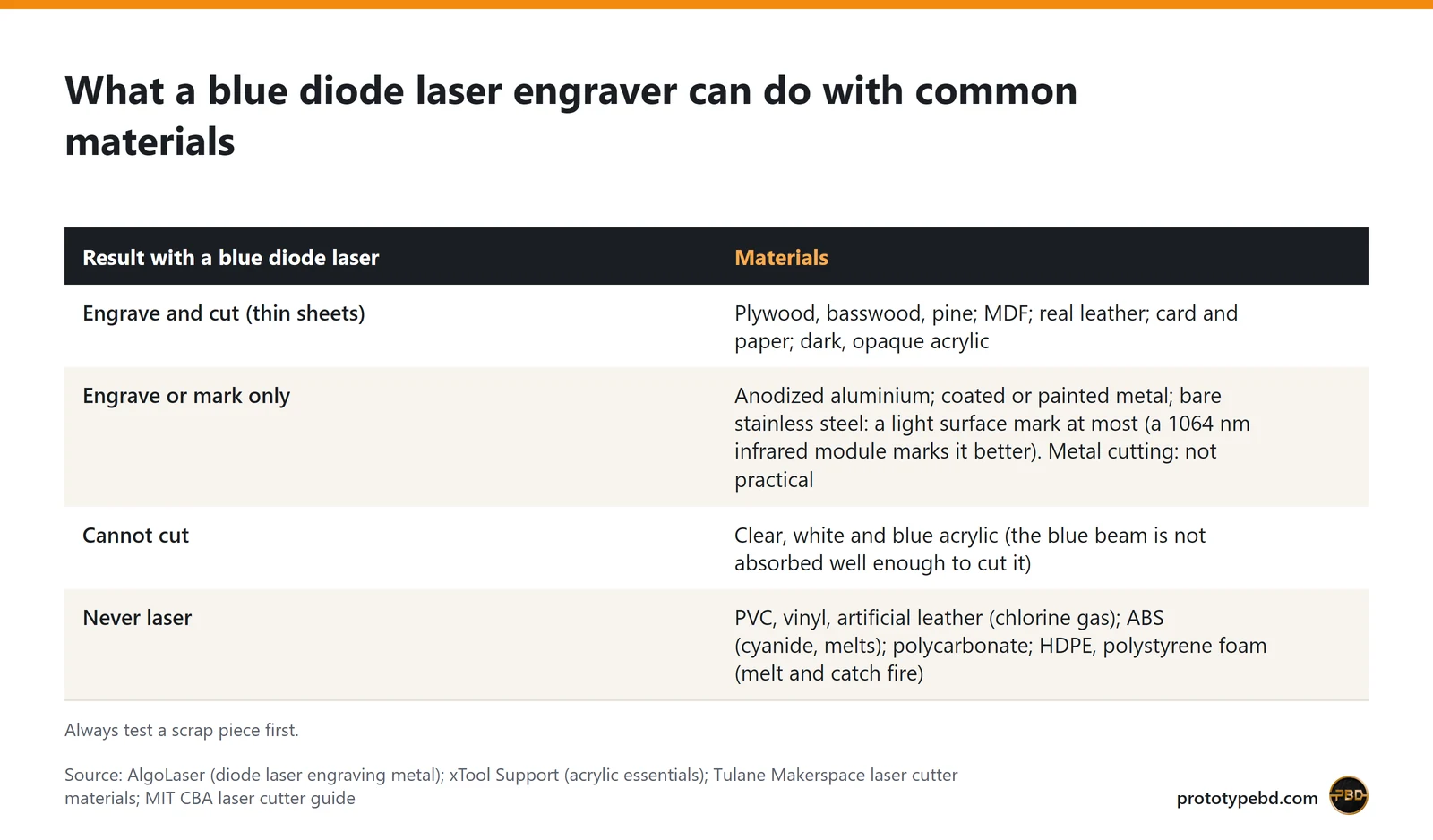
A diode laser works by heating whatever absorbs its blue light. That explains most of its limits.
Wood, leather, card and dark acrylic
Wood, plywood and real leather engrave well, and thin sheets cut cleanly with enough passes. Dark, opaque acrylic absorbs blue light and can be cut. Our laser cutting and engraving service works with wood, acrylic, leather and paper.
Clear, white and blue acrylic
xTool's support article is blunt: with a blue diode laser, you cannot cut clear, white or blue acrylic (xTool). The light passes through or is not absorbed well enough. If clear acrylic parts are central to your business, a diode laser is the wrong tool. Plan to outsource those parts or look at a different laser type.
Metal
A blue diode laser does not cut metal. AlgoLaser says diode results on metal are often limited: good on coated and anodized metals, while bare metal needs a marking spray, and the marks are very shallow. Its infrared 1064 nm modules can mark many bare metals, including stainless steel, but even those can only cut very thin foil, if at all (AlgoLaser). That is why the DIY KIT MK2 and Alpha MK2 listings offer a separate 2 W 1064 nm option (DIY KIT MK2, Alpha MK2 listings). If you want to engrave steel tumblers, cards or tags, ask which module the machine has.
Materials you must never laser
Some plastics give off dangerous gases. MIT's laser cutter guide says never to cut PVC or chlorinated plastic, because it releases chlorine gas (MIT). Tulane's makerspace list also bans vinyl and artificial leather (chlorine gas), ABS (cyanide gas, melts), polycarbonate, HDPE and polystyrene foam. The list calls foam "the #1 material that causes laser fires" (Tulane Makerspace). If you don't know what a sheet is made of, don't put it under the laser.
4. Safety: laser class, eyes, fumes and fire
Laser class
Laser products carry a hazard class. UC Berkeley's safety office describes Class 4 lasers as above 500 mW: a hazard to eyes and skin from the direct beam, and possibly from diffuse reflections and fire. A Class 1 product may contain a more powerful laser that you can't reach during normal use (UC Berkeley EHS). A 5–20 W engraver module is far above 500 mW. An open-frame machine therefore needs the precautions below, while a well-designed enclosure with an interlock can make the whole product much safer.
Read the class claim carefully. Our Alpha MK2 listing notes that the manufacturer's FDA Class I claim applies to the enclosed version only, and the Pixi listing quotes the manufacturer's Class I claim for that sealed machine (Alpha MK2, Pixi listings).
Eye protection
Never look at the beam or its reflection without protection. xTool tells users to wear eyewear rated for 190–460 nm and 800–1100 nm whenever the laser is active (xTool). Check that your glasses state a rating for your laser's wavelength. Blue modules and 1064 nm infrared modules need protection at different wavelengths. A CO2 laser such as the Bambu Lab R1 works at about 10.6 µm, far from a blue diode's band, so it needs different eyewear again: CO2 safety glasses are made for the 10.6 µm wavelength (Epilog Laser), and they are not a substitute for glasses rated for a blue diode.
Fumes and ventilation
Engraving creates smoke and fumes. xTool recommends ventilation through a window or an air purifying system, and an enclosure around the whole laser to contain debris (xTool). In a small Dhaka room or flat, plan an exhaust duct to a window before the machine arrives.
Fire
Both MIT and xTool say: never leave the laser unattended while it is running (MIT, xTool). xTool also recommends keeping a CO2 fire extinguisher or a fire blanket within arm's reach (xTool). Keep paper and offcuts away from the bed, and check the honeycomb or base plate for built-up residue.
5. Air assist: the add-on you will want
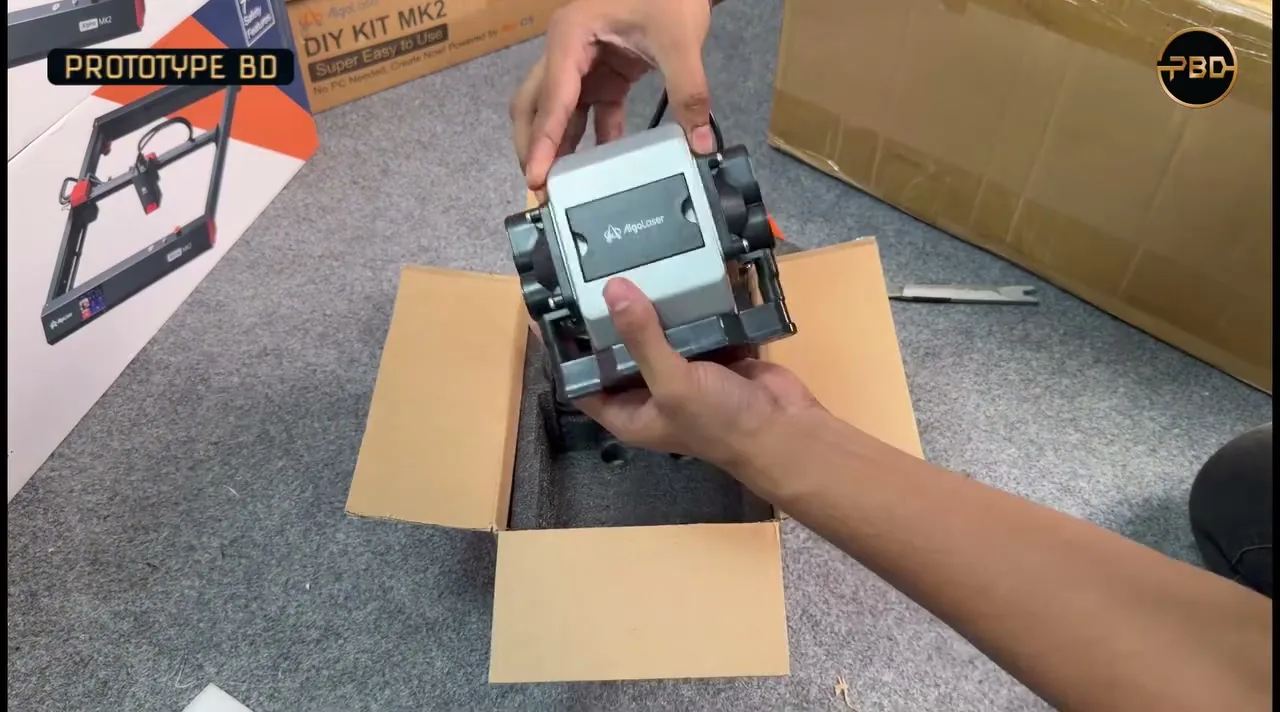
Air assist blows a stream of air at the point where the beam hits the material. xTool says it clears debris, smoke and fumes from the cut, which prevents flare-ups and reduces charring. It does not clean the air, so it doesn't replace a purifier or ventilation (xTool). In practice, air assist gives cleaner cut edges and helps with thicker wood.
Check whether a machine includes it. Our Alpha MK2 listing says the open-frame 20 W version has an integrated air pump and the 10 W version doesn't. The DIY KIT MK3 listing says in its title that the air pump is not included (Alpha MK2, DIY KIT MK3 listings). Add the pump to your budget if it's missing.
6. Accessories that change what you can make
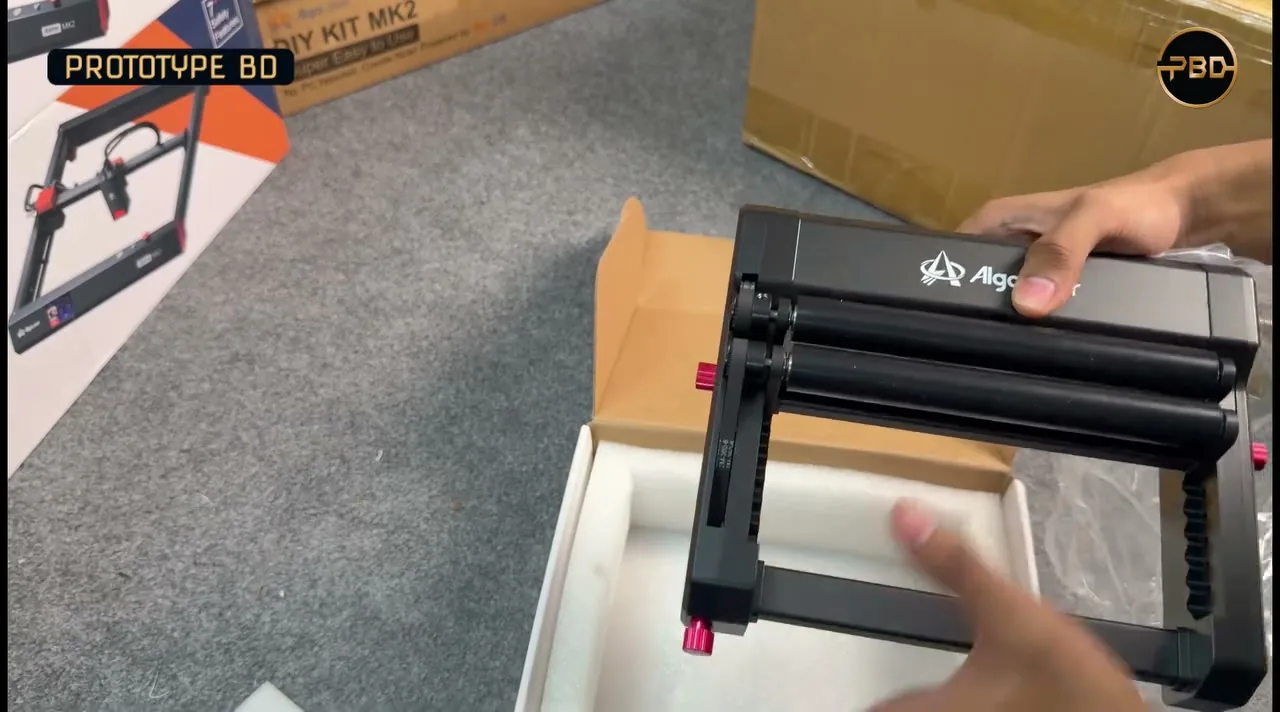
- Rotary roller or chuck: turns cylindrical items such as tumblers, bottles and rolling pins under the beam so you can engrave around them. A roller rests the item on turning rollers; a chuck clamps it at one end. Check the diameter range the accessory supports.
- Honeycomb platform: a raised metal grid that holds the work off the solid base; the size should match your working area.
- Raisers: lift an open frame to engrave tall objects.
- Extension kit: lengthens the frame for long signs and panels.
- Enclosure: contains light, smoke and debris, and can connect to an exhaust duct.
- Camera: lets you see where the design will land on an irregular piece.
Our June 2026 post listed AlgoLaser options in these groups: a 400 × 400 mm honeycomb platform, air assist kit, universal raisers, Smart Enclosure 2.0, a rotary chuck, a rotary roller, a LightBurn camera set and the DIY KIT MK2 extension kit. Ask us which of these are in stock before you order.
7. Software and control
Many current machines have a touchscreen or app, so simple jobs need no computer. For more control you'll use desktop software:
- LaserGRBL is free, open-source Windows software for engravers based on Grbl v0.9 and v1.1 firmware (LaserGRBL).
- LightBurn is paid, with a one-time licence and a 30-day trial, for Windows and macOS (LightBurn). Its documentation says most entry-level diode lasers use GCode-based controllers, which work with the cheaper Core licence (LightBurn docs).
The AlgoLaser listings on our site name touchscreen, app, LaserGRBL and LightBurn control, with Wi-Fi and USB connections (DIY KIT MK2 listing). For any other brand, check that it runs GRBL or another controller your preferred software supports.
The AlgoLaser engravers on our site (October 2026)
For comparison, here are the four diode laser engravers listed on prototypebd.com on 21 October 2026. Specs come from our listings. Prices start from about BDT 35,000 (October 2026) and depend on the machine and laser module; ask us for the current price of the version you want.
| Machine | Laser options (listing) | Working area |
|---|---|---|
| AlgoLaser Pixi | 3 W, 5 W, 10 W; 1.5 W 1064 nm | 100 × 100 mm, enclosed; we keep 1 unit in stock, and it can also be pre-ordered |
| AlgoLaser DIY KIT MK2 | 5 W, 10 W; 2 W 1064 nm | 400 × 435 mm, open frame |
| AlgoLaser DIY KIT MK3 | 8 W, 15 W, 20 W | 400 × 400 mm, open frame; air pump not included |
| AlgoLaser Alpha MK2 | 10 W, 20 W, 40 W; 2 W 1064 nm; enclosed 20 W / 40 W | 400 × 410 mm (20 W open frame) |
All engravers we stock are on the laser engravers category page, and the AlgoLaser brand page collects the brand's products. Stock changes; message us on WhatsApp or use the product page to check the version you want.
Which kind of buyer are you?
Each point below is our general guidance; the recommendations in bold are the PrototypeBD owner's own picks.
- Hobby and gifts: mostly engraving on wood, leather and coated items. A 5–10 W blue module and a mid-size open frame or a small enclosed machine is enough. Spend the savings on ventilation and glasses. PrototypeBD recommends the AlgoLaser DIY KIT MK3 with the 15 W module for hobby use. It gives headroom beyond engraving: the manufacturer-listed single-pass cutting figures on our listing for the 15 W module are 5 mm basswood plywood, 4 mm birch plywood and 2 mm MDF, on a 400 × 400 mm work area. The listing says the air pump is not included, so budget for one.
- Small business: repeat orders such as keychains, name plates and wooden signs. Cutting speed starts to matter, so look at the 10–20 W class with air assist, a honeycomb bed and a rotary if you'll engrave tumblers. An enclosure makes long runs in a shared space much more practical.
- Production: long daily runs and thicker cuts. Look at the highest-power module you can ventilate properly, an enclosure, and a camera for fast placement. If most jobs are clear acrylic or bare metal, a diode laser is the wrong choice. Our recommendation for production: the Bambu Lab R1. Its main laser is a 55 W CO2 laser, not a diode. Bambu Lab says it cuts and engraves wood, clear acrylic and leather, and rates the machine Class 1 under IEC 60825-1 in standard enclosed use; with the riser base or auto-feed accessory it becomes a Class 4 device that needs CO2 laser-safety eyewear (Bambu Lab). It is not listed on prototypebd.com, so ask us about availability.
Buyer's checklist
- Is the power figure optical output, and is it stated in W or mW of light?
- Does the working area fit your biggest regular job? Is there an extension kit?
- Which materials will you cut, not just engrave? Clear acrylic and metal rule out a blue diode.
- Is air assist included, or do you need to buy a pump?
- Where will the smoke go? Plan the exhaust duct or purifier now.
- Do you have glasses rated for your laser's wavelength, and a fire extinguisher or blanket nearby?
- Which software will you use, and does the controller support it?
- Do you need a rotary for cylinders?
FAQ
Can a 10 W diode laser cut acrylic?
Dark, opaque acrylic, yes, in thin sheets. AlgoLaser quotes 3.5 mm acrylic in one pass for its 10 W module (AlgoLaser). Clear, white and blue acrylic, no (xTool).
Can a diode laser engrave stainless steel?
A blue diode leaves at best a shallow mark on bare metal, usually with a marking spray. A 1064 nm infrared module marks stainless steel directly (AlgoLaser). Neither cuts steel plate.
Do I need an enclosure?
Not strictly, but it contains the beam, smoke and debris (xTool). Without one, everyone in the room needs eye protection while the laser runs, and you need separate ventilation.
Buy a machine, or order the parts
If you've decided on a machine, browse the laser engravers we stock, or message us on WhatsApp to ask about accessories and stock. If you only need a few pieces, a machine may not be worth it: send your DXF, SVG, AI or PNG file through our laser cutting and engraving quote page. For large flat parts in plywood, MDF or foam, the CNC 2D cutting service may suit better.
Related articles
Budget 3D Printer in Bangladesh: 2026 Buying Guide
What a first 3D printer should do in 2026, what PrototypeBD stocks and what it costs, which filaments suit an open-frame printer, and when ordering prints is the better choice.
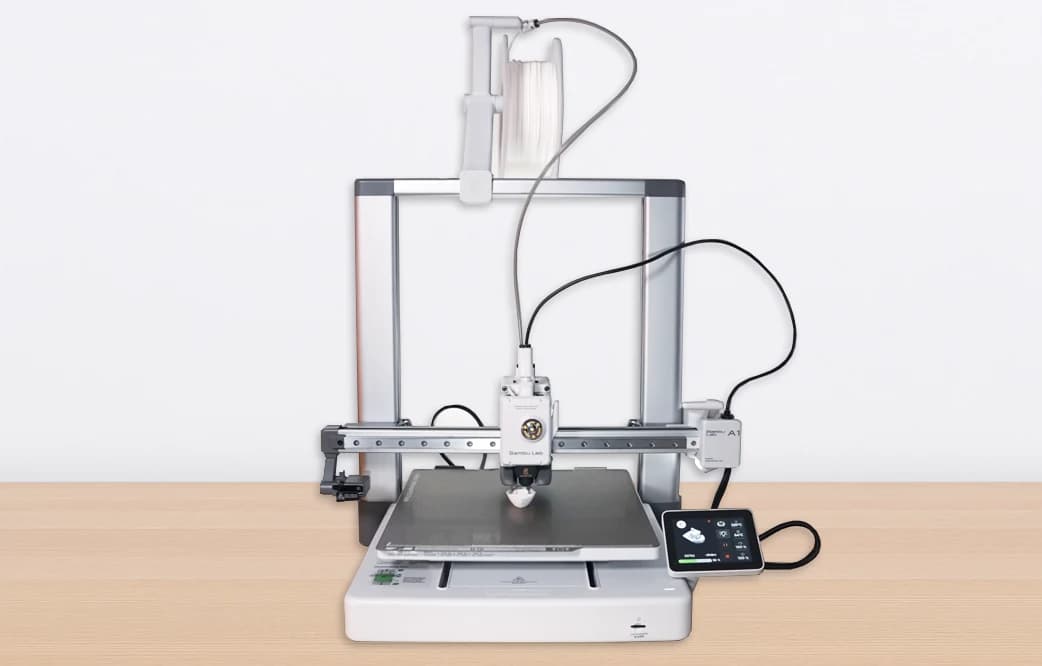
Bambu Lab A1 Chinese vs Global Version: Which Should You Buy in Bangladesh?
The A1 China and Global versions are the same printer, but the China unit is region-locked: no Handy app or cloud outside China, and no Bambu cross-regional warranty. Here is what that means in Bangladesh.
Comments
Loading comments…