
3D Printed Robot Parts in Bangladesh: Six Robotics Projects and a Display Model
What PrototypeBD's robotic arm, rover, self-balancing robot, drone and gear-model prints show about orientation, gears, shafts and filament choice for student robotics.
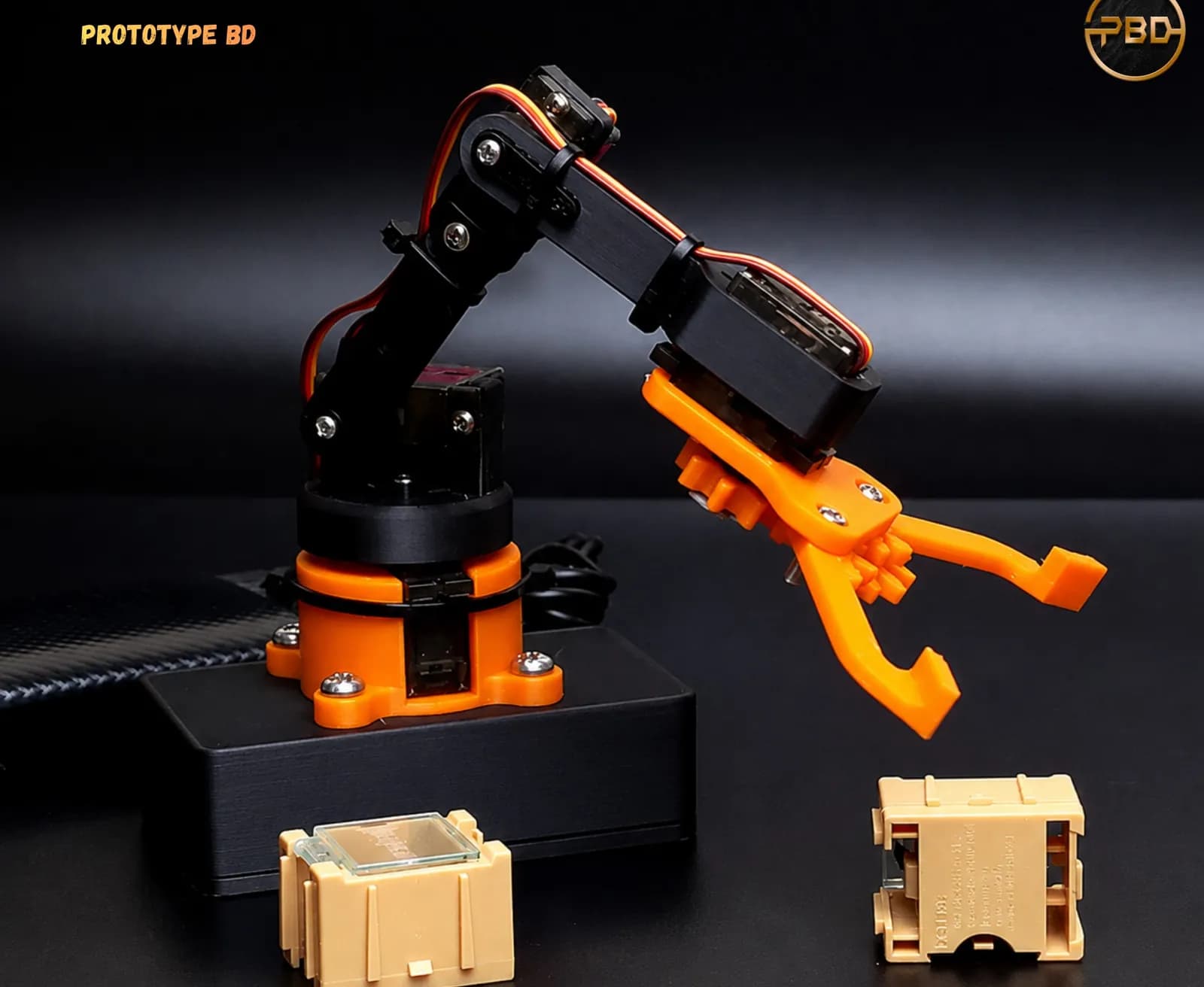
Robotics teams, final-year engineering students and university clubs in Bangladesh often reach the same point: the electronics and code work on the bench, but the arm, chassis or gearbox still has to be made. 3D printed robot parts are the usual answer, because one printer can make brackets, gears, housings and grippers from the same file you designed in CAD. Since 2022 PrototypeBD has printed parts for robotic arms, a self-balancing robot, a rover, a drone body, a gear teaching model and a detailed robot figure, and posted them on its Facebook Page. This case study looks at what those projects show, then turns it into practical advice on orientation, gears, shafts, screws and material choice. Where a post or the part itself names the designer, we credit them.
The short answer: for student robots, print arm links and gears lying flat so loads run along the layers, design 0.2 to 0.4 mm of backlash into printed gears, use D-shafts or heat-set inserts instead of plain press fits, and choose PETG over PLA for load-bearing parts and PETG or ASA for parts that get warm. The sources for each point are below.
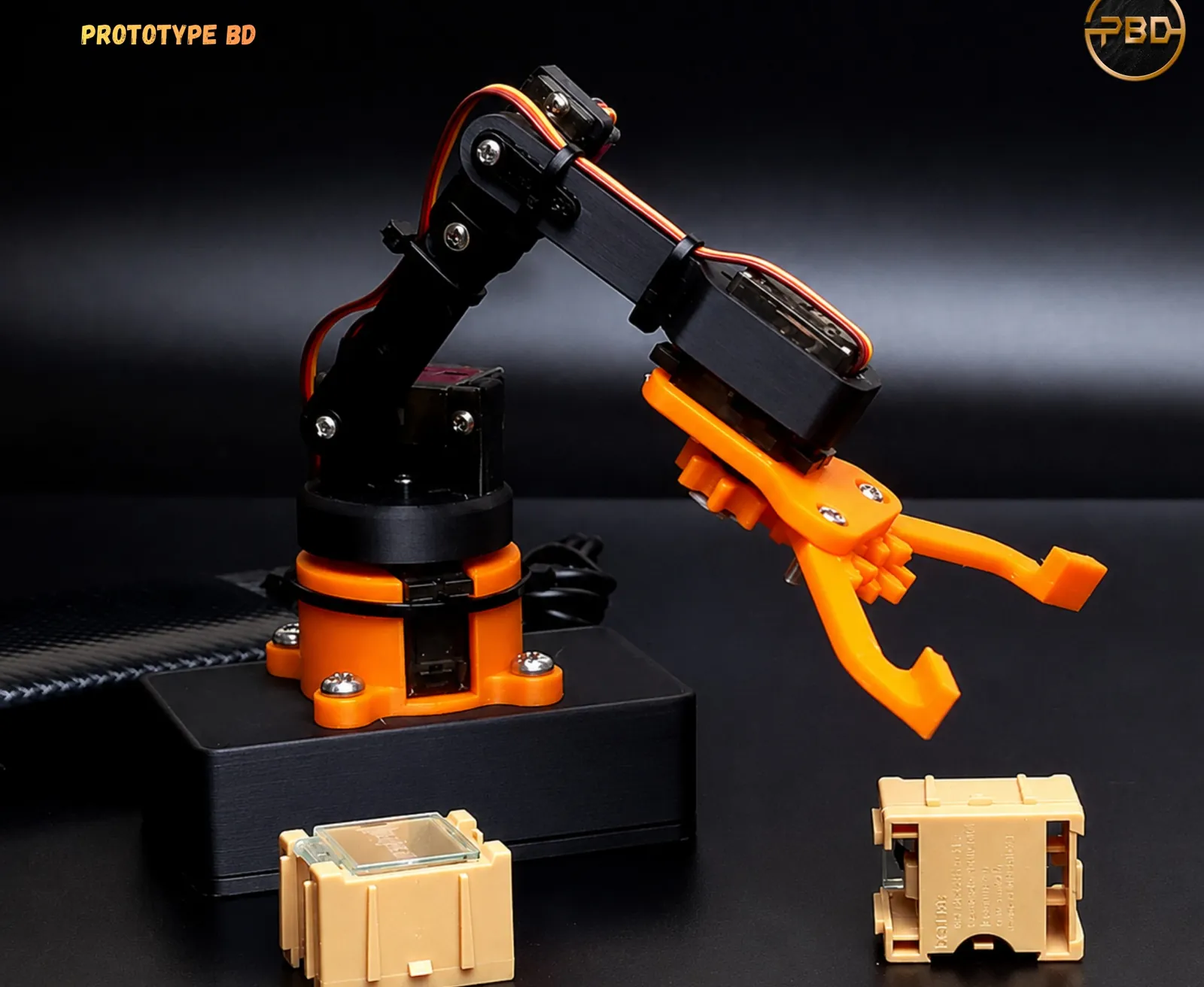
Six robotics projects and a display model from PrototypeBD's posts
Each row below is based only on what the post's caption and photos show. Where a caption doesn't say the material, size or print time, this article doesn't guess it.
| Project (post date) | What the post and photos show |
|---|---|
| Robotic arm, complete build (July 2026) | Individual printed components, then the finished arm. The post says it was designed, printed, assembled and brought to life by PrototypeBD. The parts include links, servo mounts, a rotating base, a gripper and small spur gears. |
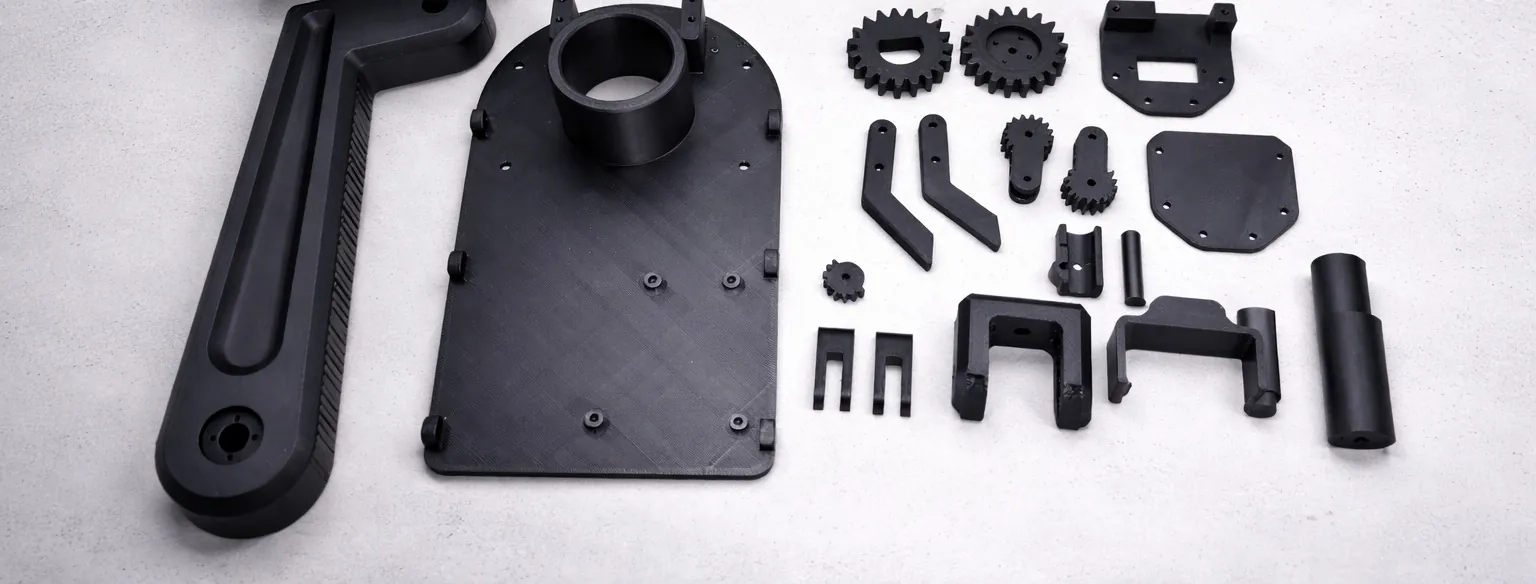
| Robotic arm components, matte black (March 2026) | Designed by Emre Kalem, whose name is embossed on the housing, and 3D printed by PrototypeBD: a full set of arm parts with a matte black finish, including a base plate, long links, joints, spur gears, a hand wheel and a housing. |
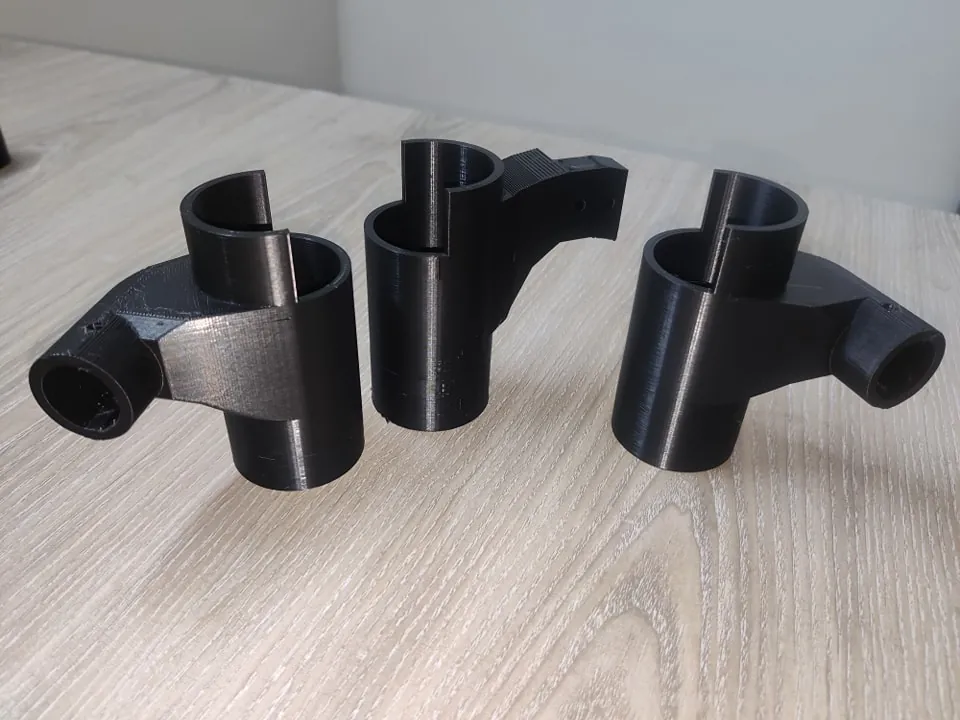
| Mars rover parts (December 2023) | A batch of black tube connectors, brackets and mounting plates for a rover project. |
| Self-balancing Arduino robot (December 2024) | Designed by Toprak Kara and 3D printed by PrototypeBD, with slots for an Arduino Micro, two geared DC motors, an L298N motor driver, an MPU6050 gyro and a battery, printed in five colours. |
| Drone prototype (November 2025) | A drone with a fully 3D printed frame, which the post describes as lightweight yet durable. |
| Gear mechanics teaching model (February 2025) | A client design printed by PrototypeBD: a colourful hand-cranked model with spur, helical, worm and bevel gears and an overall 144:1 input-to-output ratio. |
| Detailed robot figure (November 2022) | A display model, a high-poly design supplied by the customer, printed with its small surface details. |
The functional projects need different things. The arm needs stiff links and accurate servo pockets. The rover needs connectors that fit real tubes. The self-balancing robot needs a body that holds its electronics in the right places. The teaching model needs gears that mesh smoothly. The sections below go through each of these.
Robotic arm links: print orientation decides strength
An FDM print is built from stacked layers, and the bond between layers is its weakest direction. The Polymaker wiki puts it simply: prints are usually weakest along the Z axis, so orient the part so the biggest stresses run along X and Y, parallel to the layers. Bambu Lab's filament guide shows how big that difference is. It lists the impact strength of each filament tested along the layers (XY) and across them (Z):
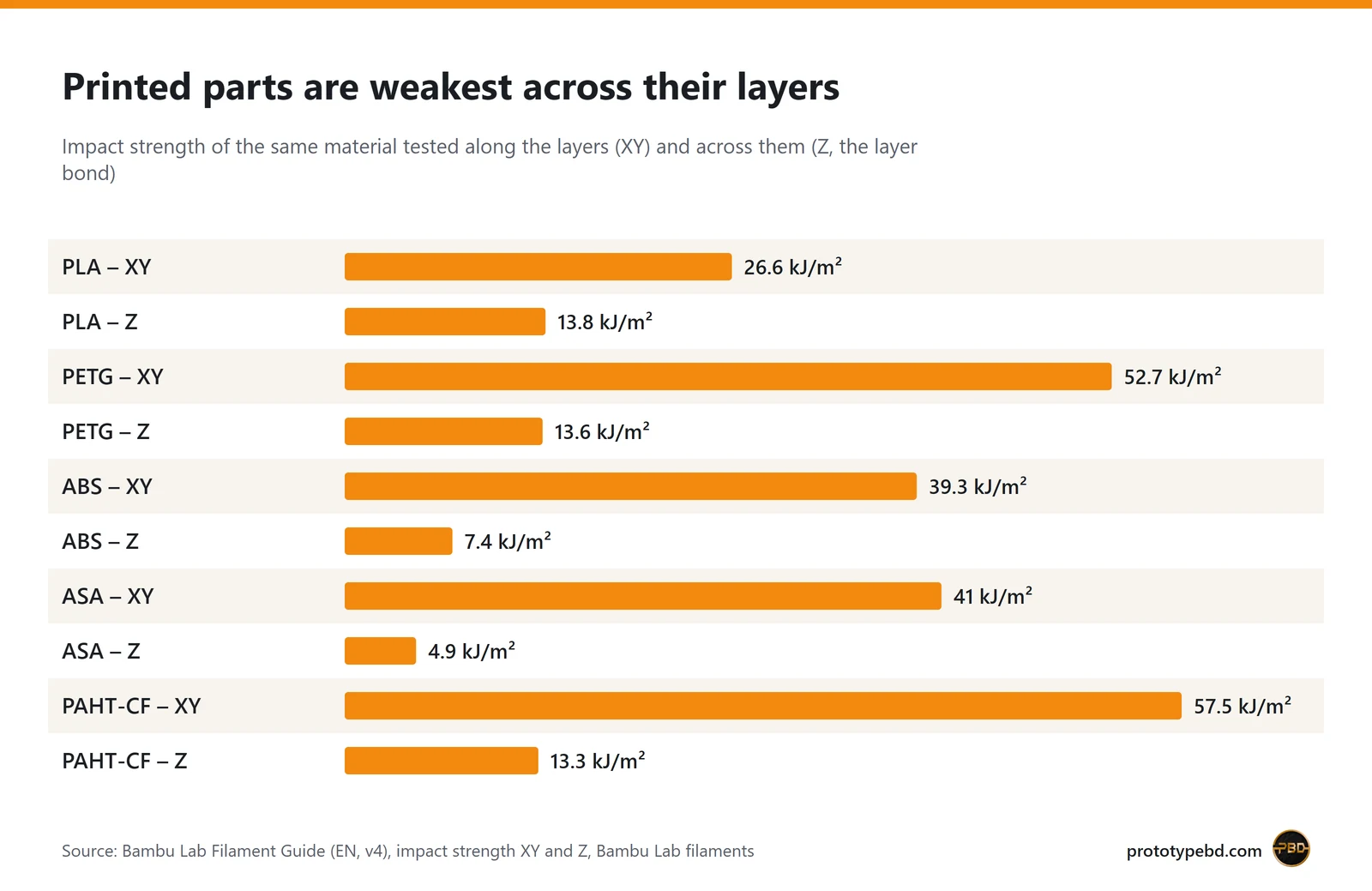
PLA drops from 26.6 to 13.8 kJ/m², PETG from 52.7 to 13.6, and ABS from 39.3 to 7.4. For a robot this has direct consequences:
- Lay arm links flat. A link bends along its length when the arm lifts something. Printed flat, that bending runs along the layers. Printed standing up, the same load tries to peel the layers apart. Digi-Key's maker blog uses a hook as the example: one printed standing up is more likely to snap than one laid flat.
- Watch the joints, not just the links. A servo horn mount or a clamp boss that sticks up from a flat part is loaded across its layers. Add a fillet where it meets the plate, or redesign it so the load presses into the part rather than pulling on the boss.
- Add walls before infill. The same Digi-Key article recommends 3 to 5 walls for structural parts instead of the usual 2, because the outer shell carries most of the load. Raising infill alone gives smaller gains.
Gears: what the teaching model shows about ratios
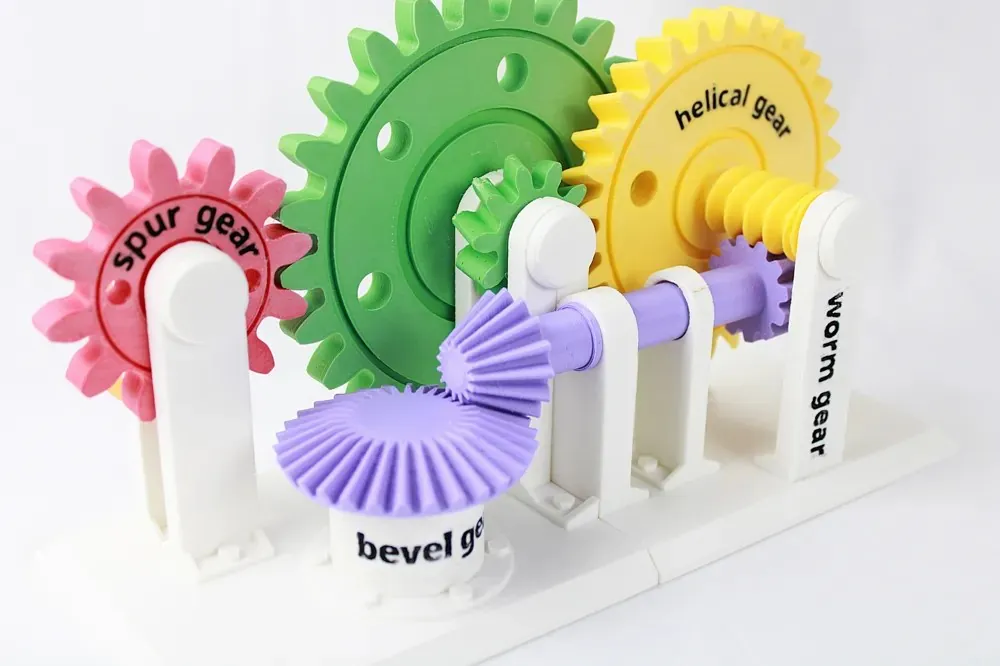
A teaching model like this makes gear ratios visible. Two rules explain a number like 144:1. For one pair of gears, the ratio is the number of teeth on the driven gear divided by the teeth on the driving gear. When several stages are connected in series, the total reduction is the product of the stages. A worm drive is the extreme case: its reduction is the number of wheel teeth divided by the number of worm starts, so a single-start worm turning a 36-tooth wheel gives 36:1. Add a 4:1 spur stage after it and you reach 144:1. That combination is only an illustration; the post doesn't list the model's tooth counts.
Printing gears that actually work in a robot needs a few extra rules. Sovol's gear guide gives figures that suit a standard 0.4 mm nozzle:
- Design in backlash. Printed teeth come out slightly fat, so zero clearance binds. Sovol suggests offsetting each tooth flank by 0.1 to 0.2 mm, for 0.2 to 0.4 mm of total clearance in the mesh, and testing a pair first.
- Don't make teeth too small. A module of 1.5 to 2.0 is the practical range for a 0.4 mm nozzle, and tooth count matters too: for a standard 20° spur gear, 17 teeth avoids undercut in theory, while Sovol treats 12 to 14 as the practical minimum.
- Print gears flat with solid teeth. With the shaft axis vertical the tooth profile is most accurate. Use 4 to 6 walls so the teeth are nearly solid, and move the Z seam away from the meshing faces (Sovol).
- Pick the material for the job. Sovol describes PLA as strong and accurate but brittle, suited to low-speed prototypes and fit tests, and PETG as more ductile and suitable for functional gearboxes. For motor-driven gears under real load, a reinforced nylon is the step up (see the material table below).
Shafts, bearings and screws
Most failures in printed robot parts happen where plastic meets metal: a motor shaft, a bearing, a screw. Three habits help:
- Don't rely on a plain press fit for anything that turns under load. Plastic creeps under constant stress, so a smooth printed bore on a round shaft loosens over time. Sovol recommends D-shafts, square drives, keyways or heat-set inserts with set screws instead.
- Use heat-set inserts for screws you will tighten more than once. CNC Kitchen's rules: a blind hole about 1 mm deeper than the insert, a straight (not tapered) bore, and usually no chamfer. Printed holes come out smaller than in CAD, so find the right diameter with a test print for your material and orientation. On resin prints the inserts can't be melted in and must be glued (CNC Kitchen).
- Start from a known clearance. For a servo pocket, a bearing seat or a snap-on bracket, PrototypeBD's starting point is 0.1 mm of clearance, widened up to 0.3 mm when the filament or the printer calls for it. Print one test fit before a whole batch. Gear meshes are a separate case and need the larger backlash given above.
- Plan for undersized holes. PrototypeBD's FDM printing page states about ±0.2 mm on most dimensions and notes that holes print slightly undersize and are best drilled or reamed. For a bearing seat or a tube socket, print a small test ring first, or leave the hole a little small and ream it to fit.
Electronics bodies: the self-balancing robot
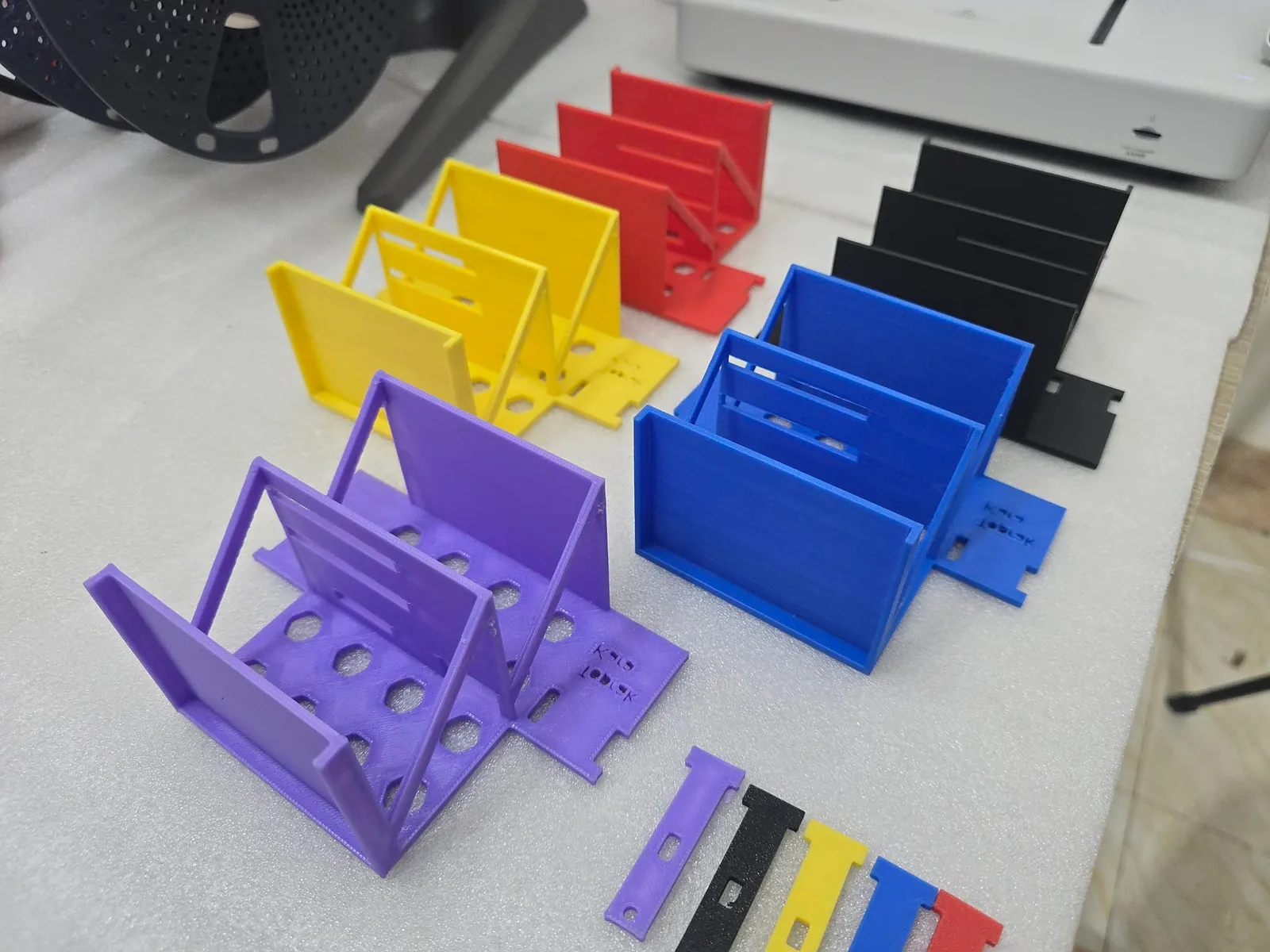
The self-balancing robot, designed by Toprak Kara and 3D printed by PrototypeBD, is a good example of a body designed around its parts. Its designer's name is printed into the parts themselves, and the post lists slots for an Arduino Micro, two geared DC motors, an L298N motor driver, an MPU6050 gyro and a battery. When you design your own:
- Measure the real boards and motors, not only their datasheet drawings, and leave clearance around them for the ±0.2 mm print tolerance.
- Mount the gyro board firmly. A balancing robot reads its tilt from the sensor, so a loose or flexible mount works against the control loop.
- Think about heat. Motors, motor drivers and batteries get warm, and a robot left in a car or in the sun in Dhaka gets warmer. Bambu Lab lists PLA's heat deflection temperature at 57 °C, PETG at 69 °C, ABS at 87 °C and ASA at 100 °C (all at 0.45 MPa). For a part that sits near a hot driver or outdoors, PETG or ASA is a safer choice than PLA.
Choosing a filament for robot parts
PrototypeBD's FDM service lists PLA, PETG, ABS, ASA, TPU, PA (nylon) and PLA-CF. The figures below are Bambu Lab's published values for its own versions of these materials (PA shown as PAHT-CF, a carbon-fibre reinforced nylon); other brands and grades differ.
| Material | Impact XY (kJ/m²) | Impact Z (kJ/m²) | Heat deflection, 0.45 MPa | Where it fits in a robot |
|---|---|---|---|---|
| PLA | 26.6 | 13.8 | 57 °C | Fit tests, teaching models, indoor brackets with light loads |
| PETG | 52.7 | 13.6 | 69 °C | Tougher brackets, chassis plates, functional gearboxes |
| ABS | 39.3 | 7.4 | 87 °C | Warmer parts near motors; needs an enclosed printer |
| ASA | 41.0 | 4.9 | 100 °C | Outdoor robots and rovers, parts in sunlight; needs an enclosed printer |
| TPU 95A | 125.2 | 88.7 | not listed | Flexible parts: tyres, bumpers, grip pads, vibration mounts |
| PLA-CF | 23.2 | 7.8 | 55 °C | Stiff, light links and frames (bending modulus 3950 MPa vs 2750 MPa for PLA), but more brittle (Z impact 7.8 kJ/m²) |
| PAHT-CF | 57.5 | 13.3 | 194 °C | Gears and load-bearing parts under real torque or heat; needs an enclosed printer |
Source: Bambu Lab Filament Guide. Bambu Lab's material table recommends an enclosed printer for ABS, ASA, PA and their carbon- or glass-filled versions, to stop warping and layer separation, and the filament guide lists drying before use as required for nylon and TPU. Nylon takes up water from the air (PAHT-CF 0.88 % and PA6-CF 2.35 % at saturation in Bambu's figures), which matters in a humid city like Dhaka. Our filament guide for Bangladesh covers storage, and the filament category lists what is in stock if you print yourself.
Drones and display robots
The drone prototype post describes a fully 3D printed frame made to be lightweight yet durable, for R&D, academic projects and custom drone builds. A printed frame lets a team change arm length, motor mounts or the electronics bay between test flights without waiting for a new carbon plate. The trade-off is the one shown in the chart: a crash load across the layers is where a printed arm breaks, so orient arms flat and keep the motor mounts thick.
The detailed robot figure from 2022 is the opposite case: a display model where surface detail matters more than strength. FDM handles it at fine layer heights (PrototypeBD's FDM page lists 0.12 to 0.2 mm). For very small figures with fine detail, resin printing is the better fit; see the SLA printing page.
Sending a robotics project for printing
If you have the CAD files, the FDM 3D printing quote page is the fastest route:
- Export each part as STL, 3MF or OBJ. These get an automatic sliced price. STEP and STP files are accepted too, but they are priced by hand.
- Upload up to 10 files per quote, each up to 50 MB, and choose the material. The quote PDF arrives on WhatsApp.
- Check the size. An arm link or a chassis plate normally fits on the Bambu Lab P1S, P2S or X2D printers that handle most jobs (X2D launch release). A larger frame, such as a rover deck, can go on the Creality Ender-5 Max in one piece up to 400 × 400 × 400 mm (Creality); anything bigger is printed in sections that you join.
- Expect raw parts. Supports are removed and surfaces cleaned, but parts are not sanded, primed or painted. Most jobs finish in 2 to 5 working days after you confirm; multi-part orders take longer. If you want the robot delivered built, as the July 2026 arm was, assembly is available on request, and so is painting; both are quoted separately from the print.
If your team only has a sketch, a photo of a mechanism or a hand drawing, the CAD design service turns it into printable 3D files first. For more examples of PrototypeBD's prototype work outside robotics, see product prototyping with 3D printing.
Related articles
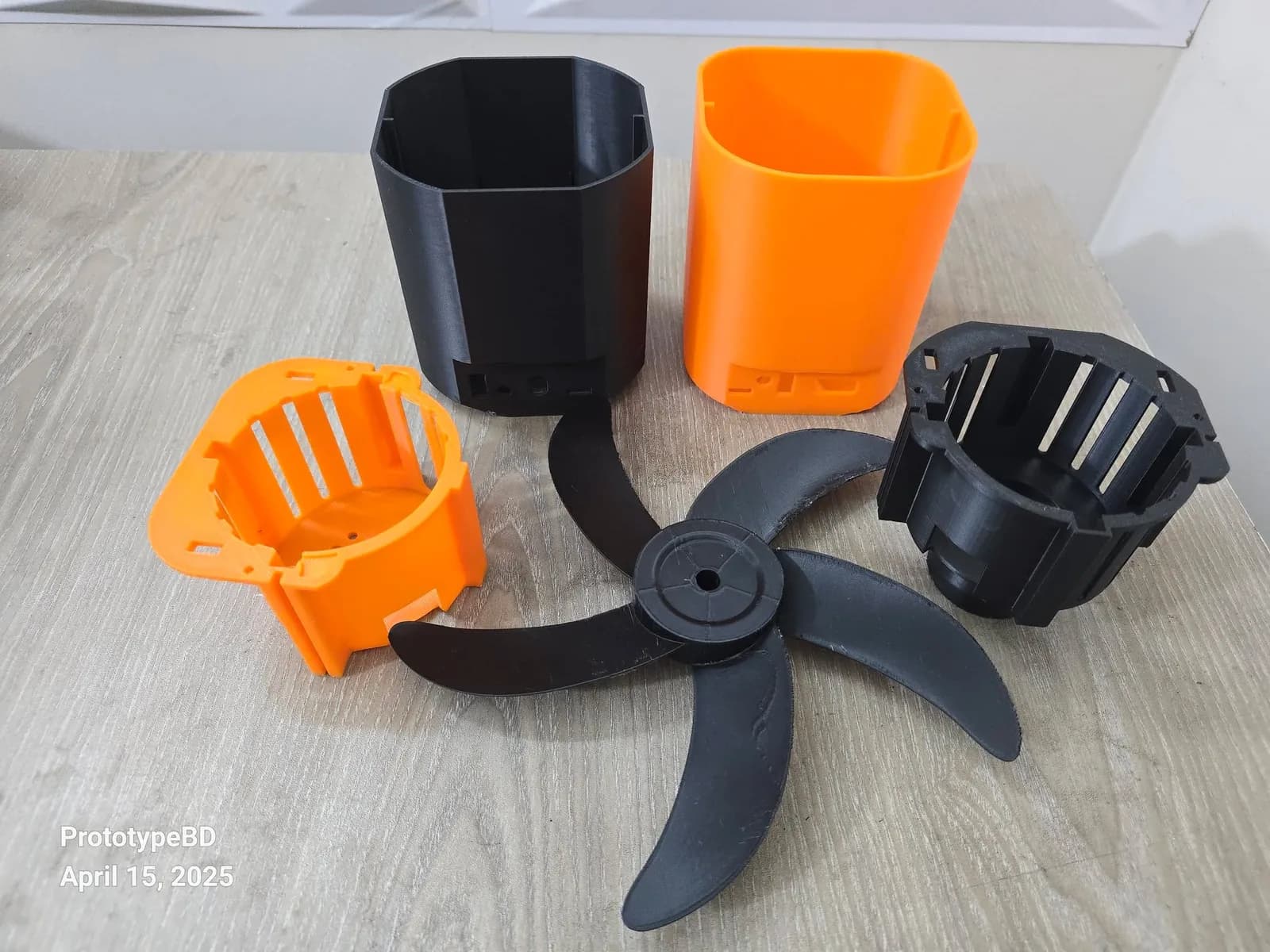
Product prototyping with 3D printing: real examples from Bangladesh
Why to prototype before tooling, what form, fit and function prototypes test, and how tight printed fits can be, with eight projects from our Dhaka workshop.
3D Printed Enclosures for Electronics in Bangladesh: Eight Projects and the Design Rules
Eight electronics enclosures PrototypeBD designed or printed, from an IoT gas meter to an MPPT charge controller, and the wall, boss, vent and material rules they show.
Architecture Thesis Models in Bangladesh: What 3D Printing Adds
Thesis and jury models PrototypeBD printed from 2023 to 2025: the scales students used, site vs building models, section and split models, and how to prepare your file.
Comments
Loading comments…