
Budget 3D Printer in Bangladesh: 2026 Buying Guide
What a first 3D printer should do in 2026, what PrototypeBD stocks and what it costs, which filaments suit an open-frame printer, and when ordering prints is the better choice.
Updated October 2026. This guide replaces an article first published on prototypebd.com in September 2025. The models, specifications and prices were re-checked for this version; the 2025 price ranges no longer apply.
If you are looking for a budget 3D printer in Bangladesh, the useful question is no longer "which printer is cheapest" but "which printer will produce good parts without weeks of tuning". In 2026 an entry-level FDM printer is expected to level its own bed, set its own nozzle height and print PLA at high speed out of the box. This guide explains what to look for, what PrototypeBD actually stocks today, what it costs to run, and when ordering printed parts makes more sense than buying a machine.
The short answer
For a first printer, an open-frame machine with full automatic calibration and a build area of about 250 mm is the practical choice. The printer PrototypeBD currently lists in its 3D printers category is the Bambu Lab A1:
- Global version: BDT 50,000 (prototypebd.com, October 2026); this is the version PrototypeBD stocks
- Chinese version: BDT 45,000 (prototypebd.com, October 2026); available on pre-order only, with the same 1-year PrototypeBD warranty service
The Chinese unit may not bind to a global Bambu account; the differences are covered in Bambu Lab A1 Chinese vs Global.
A note on where the printer comes from: PrototypeBD is not a Bambu Lab authorized seller. It imports the Global variant (UK version), which is the version it stocks, and gives its own 1-year warranty service. The China version is available on pre-order only and carries the same 1-year PrototypeBD warranty service.
The Bambu Lab A1 mini and the Creality Ender-3 V3 SE, both covered in the 2025 article, are not listed on prototypebd.com at the moment. They are still compared below because buyers see them advertised elsewhere.
If your budget stretches beyond an entry-level machine, the Bambu Lab P2S is PrototypeBD's best-selling Bambu Lab printer. It is not listed on prototypebd.com yet, so ask the team through the contact page or on WhatsApp, or check the 3D printers category later.
What "budget" should mean in 2026
Most printers in this class share the same layout: an open frame and a "bed-slinger" motion system, where the bed moves front to back and the print head moves left, right and up. That design keeps cost down. The differences that matter for a first-time owner are elsewhere:
- Calibration. Manual bed levelling and Z-offset setting are the most common cause of failed first layers. The A1 calibrates bed level, Z-offset, vibration (input shaping) and flow dynamics automatically, according to Bambu Lab's A1 page. The Ender-3 V3 SE uses a CR Touch probe for levelling and a strain sensor for automatic Z-offset (Creality specifications).
- Build volume. It decides the largest single part you can print. Splitting a model into pieces is always possible, but it costs time and adds glue lines.
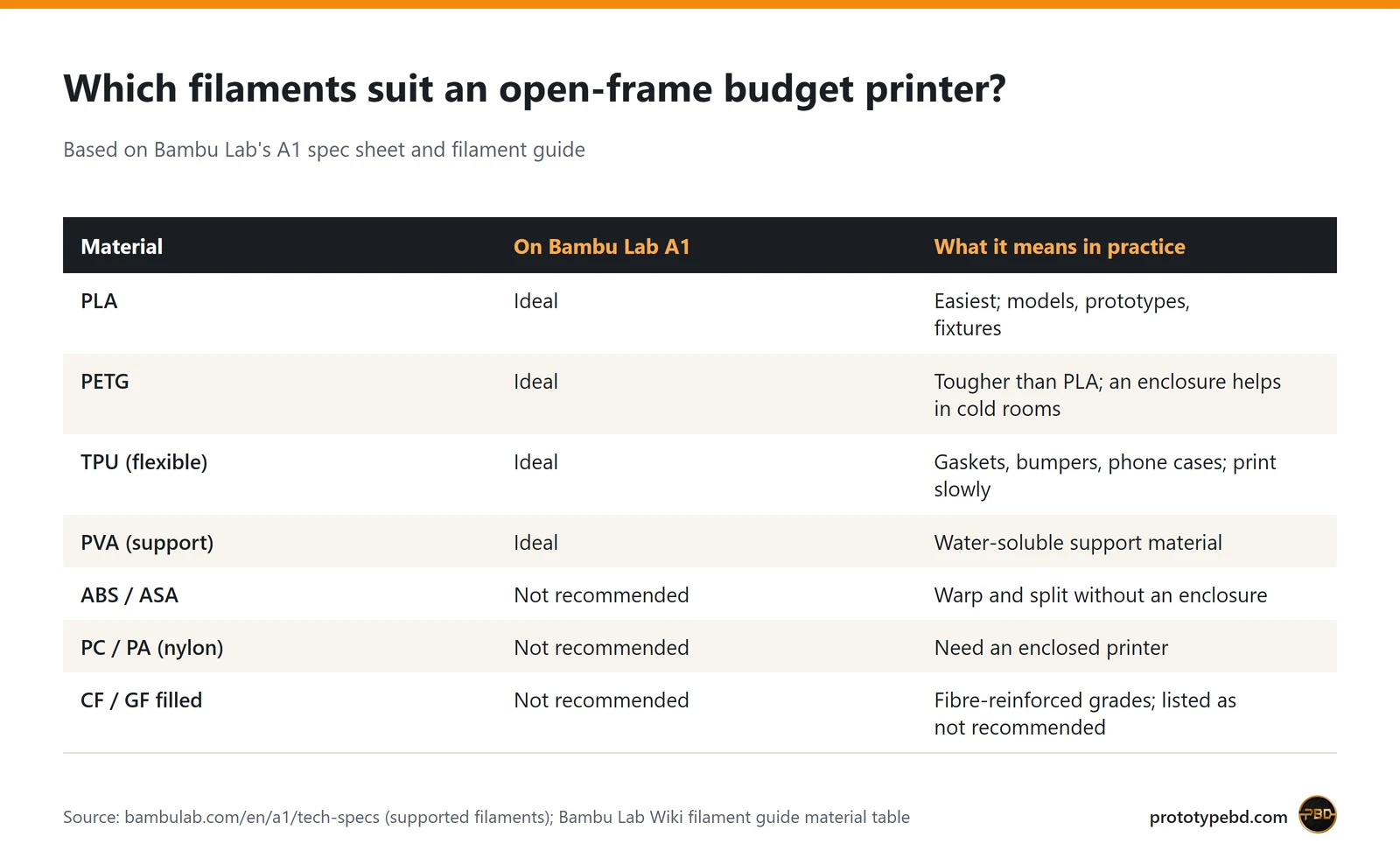
- Materials. An open frame handles PLA, PETG and TPU well. ABS, ASA, nylon and polycarbonate need an enclosed printer.
- Software and support. The slicer, firmware updates and the availability of spare nozzles and build plates matter more over two years than a headline speed figure.
Budget FDM printers compared
All figures below are manufacturer specifications, linked in the source row. Maximum speeds are best-case values for the motion system; real print speeds depend on the material, the model and the quality you want.
| Specification | Bambu Lab A1 | Bambu Lab A1 mini | Creality Ender-3 V3 SE |
|---|---|---|---|
| Build volume | 256 × 256 × 256 mm | 180 × 180 × 180 mm | 220 × 220 × 250 mm |
| Max toolhead speed | 500 mm/s | 500 mm/s | 250 mm/s |
| Max acceleration | 10,000 mm/s² | 10,000 mm/s² | 2,500 mm/s² |
| Max nozzle temperature | 300 °C | 300 °C | 260 °C |
| Max bed temperature | 100 °C | 80 °C | 100 °C |
| Nozzles | 0.4 mm included; 0.2/0.6/0.8 optional; quick-swap hotend | 0.4 mm included; 0.2/0.6/0.8 optional | 0.4 mm brass |
| Automatic calibration | Bed level, Z-offset, vibration, flow | Bed level, Z-offset, vibration, flow | Bed level (CR Touch), Z-offset |
| Multi-colour option | AMS lite (sold separately) | AMS lite (sold separately) | No |
| Input voltage | 100–240 VAC, 50/60 Hz | 100–240 VAC, 50/60 Hz | 100–120 / 200–240 VAC |
| Max / rated power | 1300 W at 220 V (max) | 150 W (max) | 350 W (rated) |
| Net weight | 8.3 kg | 5.5 kg | 7.3 kg |
| Listed on prototypebd.com (Oct 2026) | Yes, BDT 45,000–50,000 | No | No |
| Source | bambulab.com | bambulab.com | creality.com |
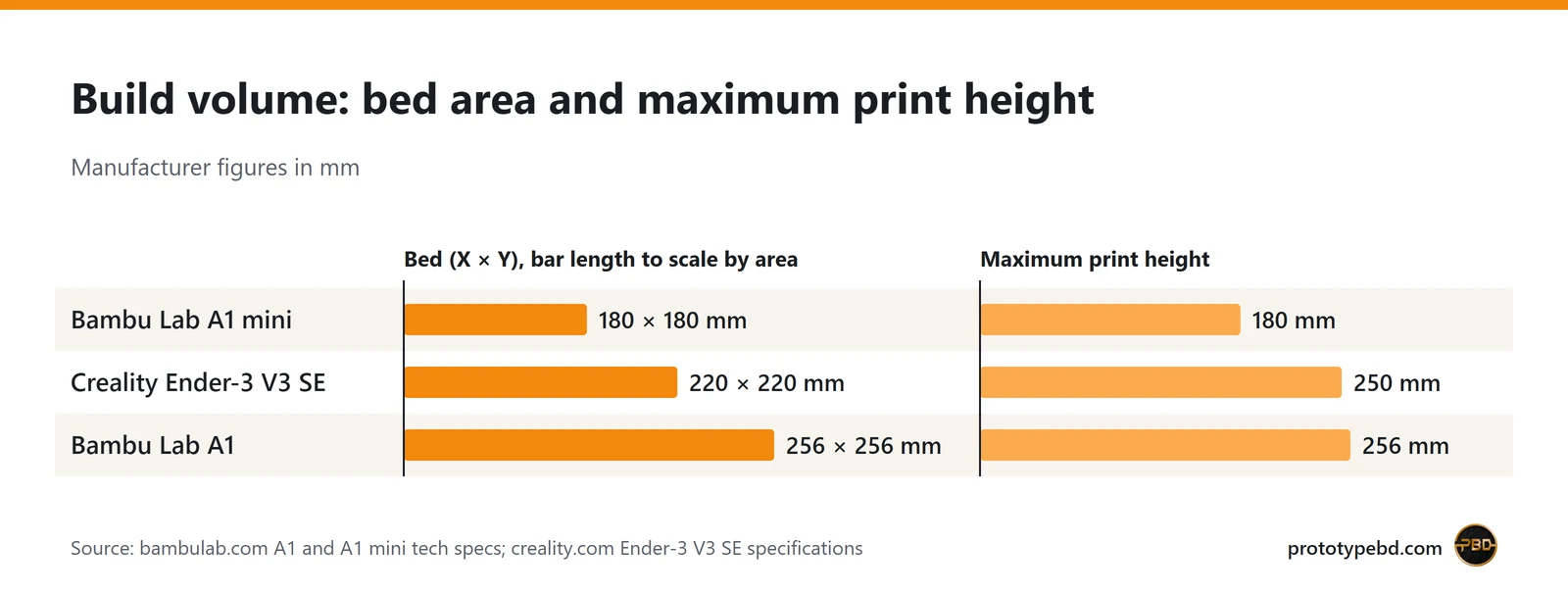
The A1's 256 × 256 mm bed has roughly 35% more area than a 220 × 220 mm bed and about twice the area of the A1 mini. For architectural models, enclosures and organisers, that extra area is often what lets a part print in one piece.
Six checks before you buy
1. Measure what you actually want to print
List three or four real parts and check their largest dimension. If most of them fit within 180 mm, a smaller printer is enough; if several are close to 250 mm, choose the larger bed.
2. Match the printer to the material
Bambu Lab rates PLA, PETG, TPU and PVA as "ideal" on the A1 and lists ABS, ASA, PC, PA and carbon- or glass-fibre filled polymers as "not recommended" (A1 specifications). Its filament guide explains why: these materials need higher bed and chamber temperatures to avoid warping and layer separation, which means an enclosed printer.
3. Plan for humidity
This is general filament practice rather than a printer feature: PETG, TPU and especially nylon absorb moisture from the air, and wet filament causes stringing, bubbles and weak layers. In Bangladesh's humid months, keep open spools in a sealed box with desiccant and dry them before printing if quality drops. PLA is the most forgiving.
4. Think about power
All three printers accept 220–240 V mains. Bambu Lab lists power-loss recovery in the A1 specifications; it can resume a print after a short outage, but recovery is not guaranteed on every model or after a long cut. If you plan to run a UPS, size it for the heating load: Bambu Lab gives a maximum power of 1300 W at 220 V for the A1 (a peak rating, not the typical draw).
5. Check the software and the space
The A1 works with Bambu Studio, the Bambu Handy app and MakerWorld; Bambu Lab also documents a LAN-only mode for owners who prefer not to use the cloud. Its "silent mode" is rated under 48 dB (Bambu Lab). A bed-slinger needs clear space behind and in front for the moving bed, so leave room beyond the 465 × 410 mm frame footprint.
6. Ask about parts and service
Nozzles, build plates and PTFE tubes are consumables. Before buying from any seller, ask how spare parts and warranty claims are handled locally. PrototypeBD's A1 listing asks buyers to keep the invoice and serial number for warranty and service support. PrototypeBD is not a Bambu Lab authorized seller: it imports the Global variant (UK version) and gives its own 1-year warranty service, so a warranty claim on a printer bought there goes to PrototypeBD rather than to Bambu Lab. The China version, sold on pre-order only, carries the same 1-year warranty service.
What else you need, and what printing costs
The printer is not the full budget. A practical starter list:
- Filament. Start with PLA. Bambu Lab PLA Basic is BDT 1,650 per 1 kg refill (prototypebd.com, October 2026); the version with a spool is listed at BDT 1,850. Other filaments are in the filament category.
- A dry box or sealed container with desiccant for open spools.
- Isopropyl alcohol and a lint-free cloth to clean fingerprints off the PEI build plate, which is the usual cause of parts not sticking.
- A spare 0.4 mm nozzle once you print regularly.
- Basic finishing tools: flush cutters, a deburring tool and sandpaper.
Material cost is easy to estimate from the slicer, which reports the weight of every print. At BDT 1,650 per kilogram, PLA works out at about BDT 1.65 per gram:
| Example print | Weight (from slicer) | PLA cost at BDT 1,650/kg |
|---|---|---|
| Small bracket or phone stand | 30 g | about BDT 50 |
| Desk organiser | 150 g | about BDT 250 |
| Large enclosure or display model | 500 g | about BDT 825 |
These are material costs only; electricity, failed prints, wear parts and your time come on top.
What you can make with a budget printer
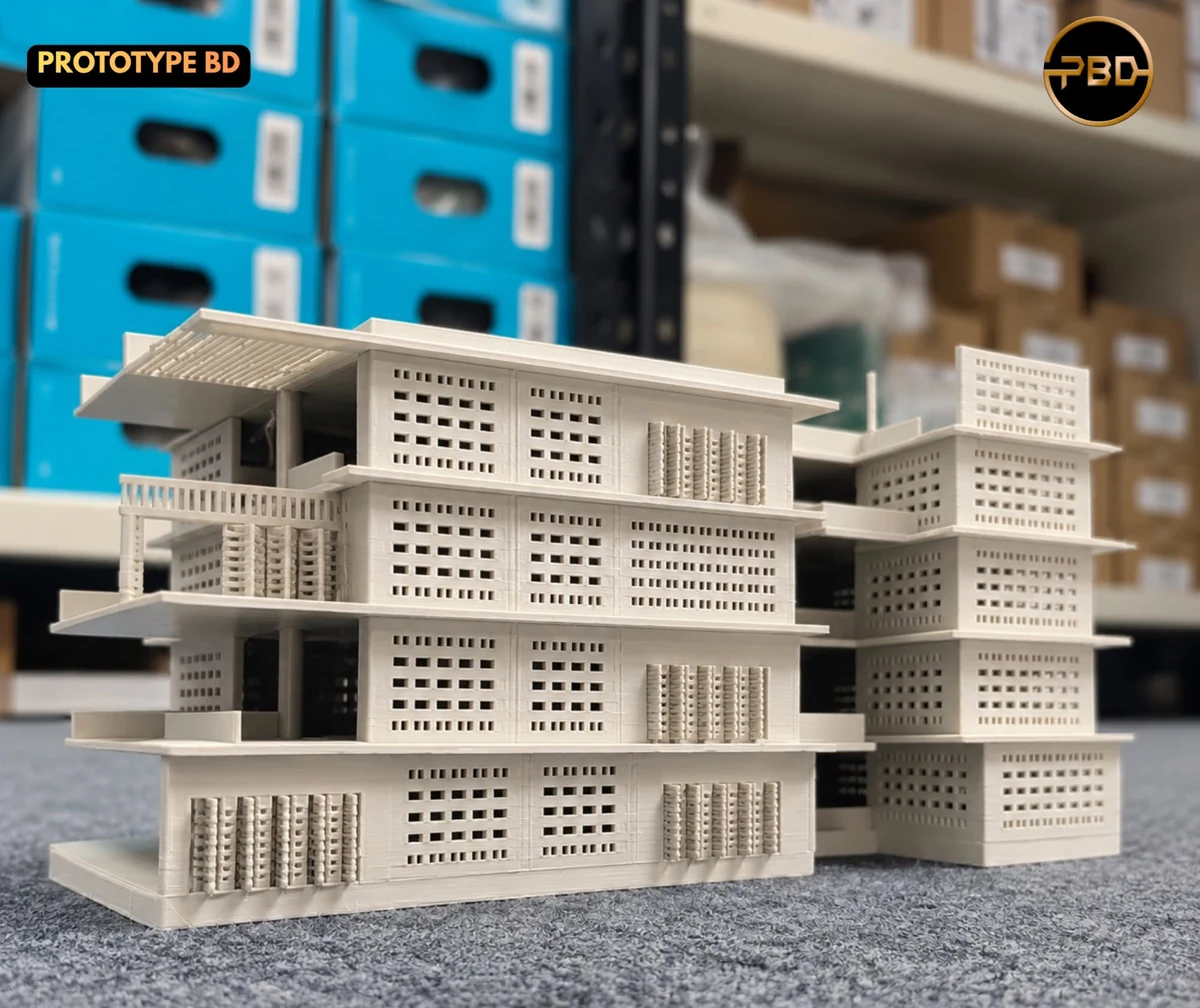
Within the PLA/PETG/TPU range, an entry-level printer covers most everyday work: architectural massing and facade models, product prototypes, electronics and IoT enclosures, jigs and fixtures, replacement knobs and clips, cable and pegboard organisers, cosplay parts and gifts. For students, it is a direct way to test a CAD design before committing to a final version.
When ordering prints is the better choice
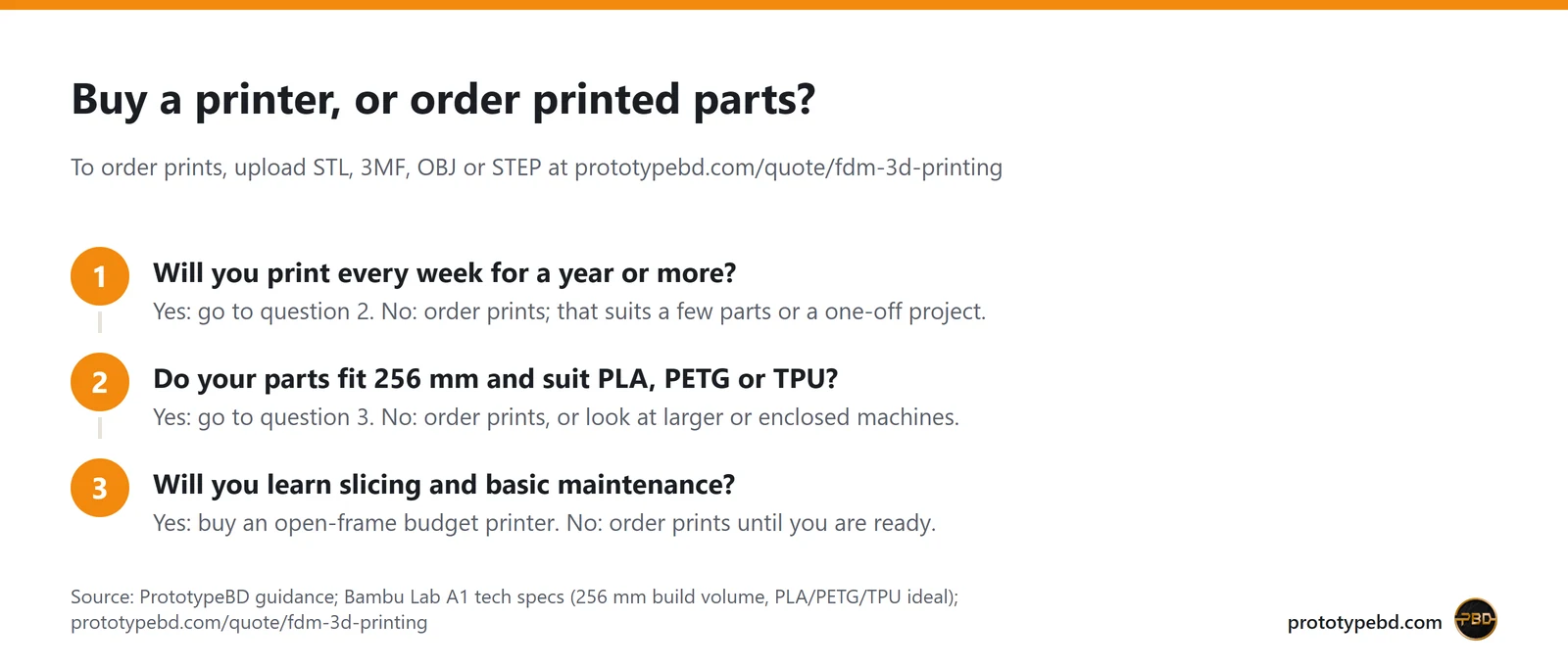
A printer pays off when you print often. For one project, a few functional parts or a material an open-frame printer cannot handle, ordering prints is usually cheaper and faster than buying a machine and learning to tune it. PrototypeBD's FDM 3D printing quote page accepts STL, 3MF and OBJ files (STEP and STP files are accepted too, but staff price them by hand), slices them automatically and returns a price; materials offered there include PLA, PETG, ABS, ASA, TPU, PA and PLA-CF. Parts are printed in-house, checked and sent by courier across Bangladesh. PrototypeBD's own print farm runs mostly on Bambu Lab printers such as the P1S and P2S, and large parts are printed on a Creality Ender-5 Max, which Creality specifies with a 400 mm cube build volume.
FAQ
Is the Bambu Lab A1 good for a complete beginner?
It is one of the easier printers to start with because it automates levelling, Z-offset, vibration and flow calibration. You still need to learn a slicer, keep the build plate clean and store filament properly.
Can a budget printer print ABS or nylon?
Not reliably on an open frame. Bambu Lab lists ABS, ASA, PC, PA and fibre-filled materials as not recommended on the A1. Use PETG for tougher parts, or order ABS, ASA or PA parts through the FDM quote service.
Does the A1 work on Bangladesh's 220 V supply?
Yes. Bambu Lab specifies 100–240 VAC at 50/60 Hz. A stable socket and, if outages are frequent, a suitably sized UPS are worth planning for.
Which filament should I buy first?
PLA. It prints at low temperatures, rarely warps and is the cheapest way to learn. Move to PETG when you need more toughness or heat resistance, and to TPU for flexible parts.
Is PrototypeBD an authorized Bambu Lab seller?
No. PrototypeBD imports the Global variant (UK version) of Bambu Lab printers and gives its own 1-year warranty service. The China version, available on pre-order only, carries the same 1-year PrototypeBD warranty service.
Can I print multi-colour parts?
The A1 supports Bambu Lab's AMS lite for multi-colour printing, sold separately by Bambu Lab. It is not currently listed on prototypebd.com, so ask PrototypeBD about availability.
Next step
If the checks above point to buying, see the current price and stock of the Bambu Lab A1 at PrototypeBD and add a few kilograms of PLA filament. If you only need parts, upload your model on the FDM 3D printing quote page and get a price before you decide. Deciding between the two A1 versions? Read Bambu Lab A1 Chinese vs Global. Questions about spares can go to the team through the contact page.
Related articles
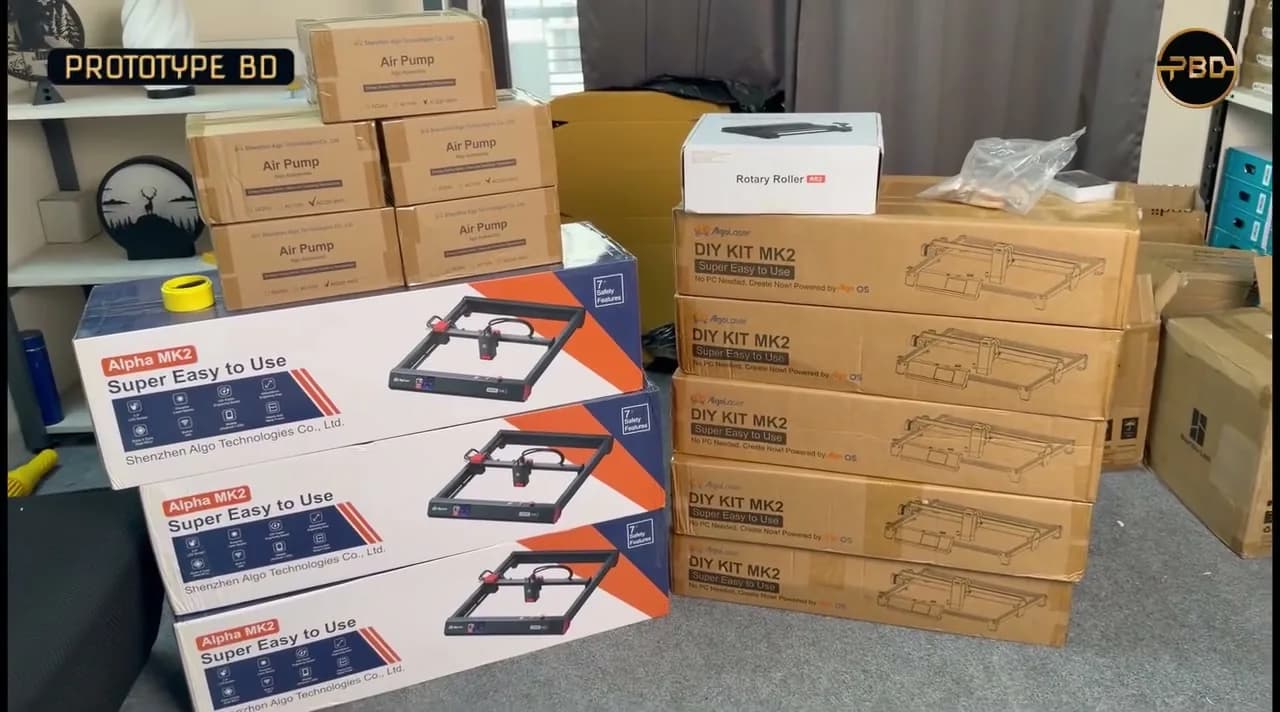
Diode Laser Engraver Buying Guide: What to Check Before You Buy
Optical vs electrical watts, work area, materials a diode laser can and can't handle, safety, air assist, accessories and software, with the AlgoLaser machines we stock.
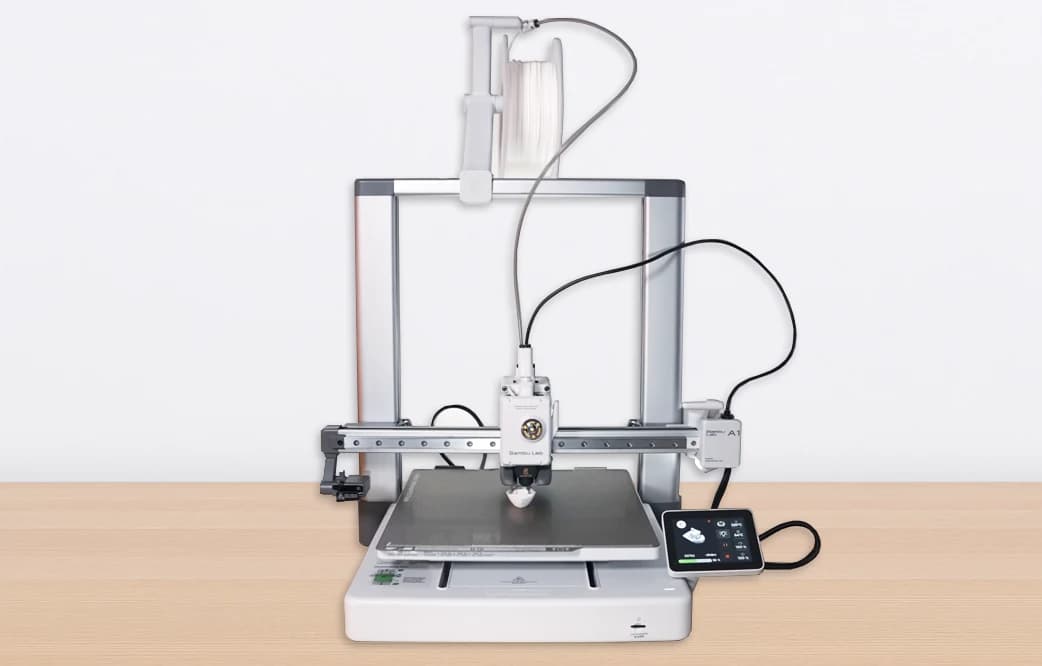
Bambu Lab A1 Chinese vs Global Version: Which Should You Buy in Bangladesh?
The A1 China and Global versions are the same printer, but the China unit is region-locked: no Handy app or cloud outside China, and no Bambu cross-regional warranty. Here is what that means in Bangladesh.
Comments
Loading comments…