
Bambu Lab A1 Chinese vs Global Version: Which Should You Buy in Bangladesh?
The A1 China and Global versions are the same printer, but the China unit is region-locked: no Handy app or cloud outside China, and no Bambu cross-regional warranty. Here is what that means in Bangladesh.
Updated October 2026. This guide replaces an article first published on PrototypeBD in 2025; the facts, prices and policy quotes below were checked again in October 2026.
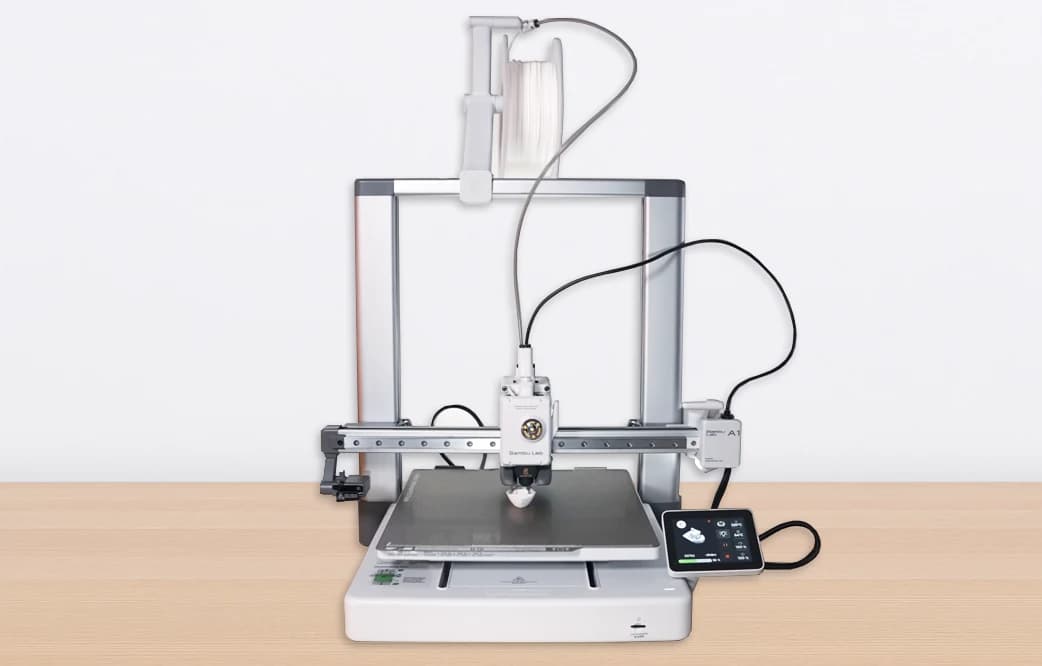
The Bambu Lab A1 is sold in Bangladesh in two forms: the Global version and the cheaper China (mainland) version. The question behind "Bambu Lab A1 Chinese vs Global" is simple: is the lower price worth what you give up? The short answer is that the printer hardware is the same machine, but the China unit is tied to Bambu Lab's China region. Outside China that costs you the account-based features (Bambu Handy app, cloud printing, remote camera) and the normal warranty path. It still prints well over local Wi-Fi or from a microSD card.
Short answer
- Buy the Global version if you want the Bambu Handy phone app, want to start or watch prints away from home, or want to use MakerWorld from your phone.
- The China version can make sense if you will only print from Bambu Studio on your own network (LAN mode) or from a microSD card, and the seller in Bangladesh will support the printer itself.
- At PrototypeBD the difference is BDT 5,000: Global at BDT 50,000 and China version at BDT 45,000 (prototypebd.com, October 2026). PrototypeBD stocks the Global (UK) version; the China version is available on pre-order only and carries the same 1-year PrototypeBD warranty service.
- PrototypeBD is not a Bambu Lab authorized seller. It imports the Global variant (UK version), which is the version it stocks, and gives its own 1-year warranty service. The China version is available on pre-order only and carries the same 1-year PrototypeBD warranty service.
What is actually different?
Bambu Lab publishes one A1 specification sheet: 256 × 256 × 256 mm build volume, all-metal hot end up to 300 °C, 0.4 mm nozzle included, heated bed up to 100 °C, 500 mm/s maximum toolhead speed and 10,000 mm/s² acceleration (Bambu Lab A1 tech specs). There is no separate, weaker "China spec". We found no owner comparison specific to the A1. Owners comparing China-locked and Global units of Bambu's H2D report no difference in print quality (community report on the H2D, Bambu Lab forum), which is what you would expect when the hardware is identical.
The difference is in the region the printer belongs to. Bambu Lab's own Warranty Statement says that its whole printer range "has strict regional usage restrictions" and asks buyers to purchase the version for their own country or region. Otherwise, it warns, you may be unable to bind the printer to your account and unable to use cloud printing, remote control outside the local network and remote video outside the local network (Bambu Lab Warranty Statement).
Bambu accounts are regional too. The Bambu Studio setup wizard asks for a login region first, and the wiki notes that an account registered in one region (North America, in its example) cannot log in when the region is set to Chinese Mainland (Bambu Studio quick start). A user in China describes the result: China-region printers can only be bound to the China version of the Bambu Handy app, which uses a mobile-number account, and the international app shows a "different servers" error when you try to bind one (community report, Bambu Lab forum).
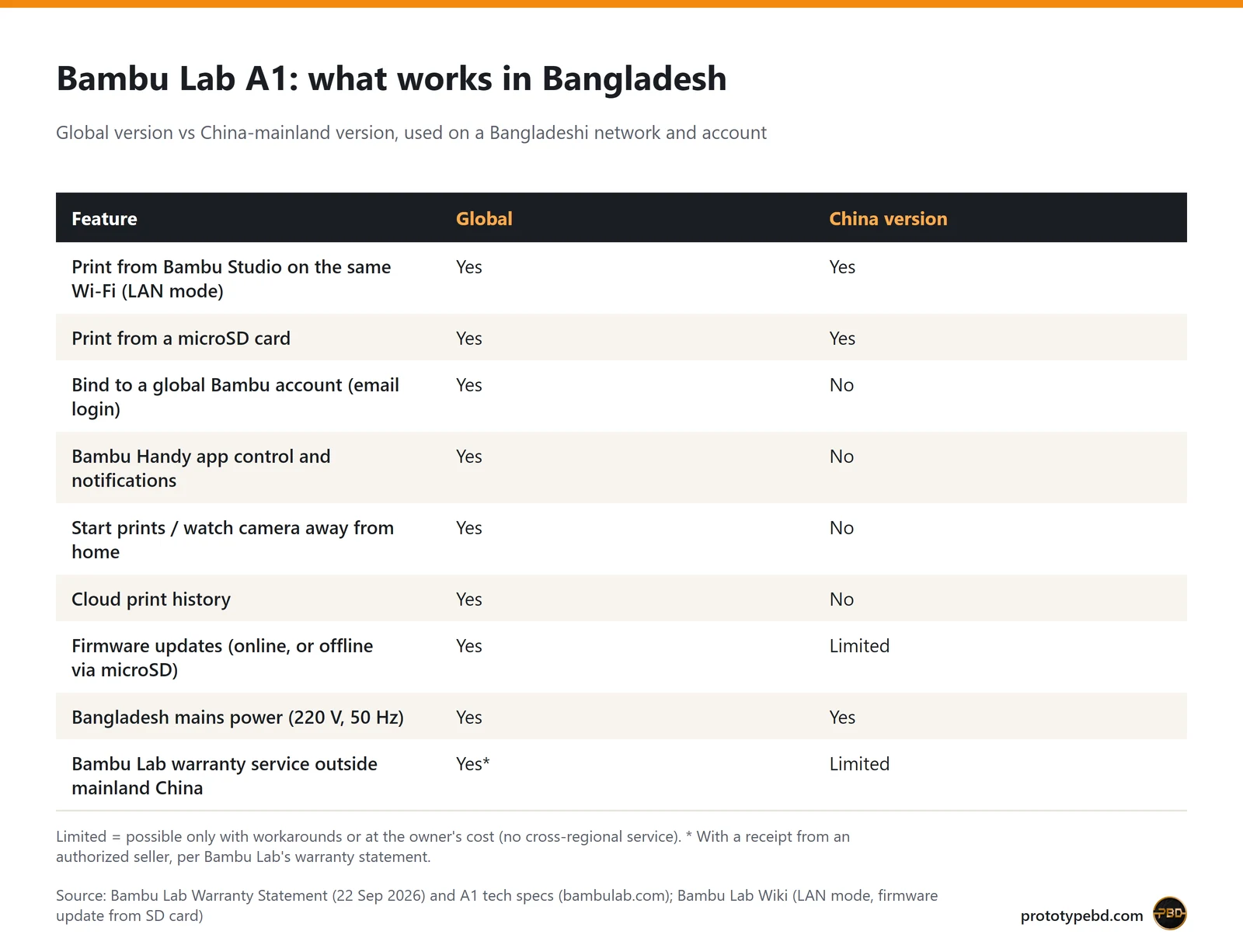
Global vs China version at a glance
| Point | A1 Global version | A1 China version (used in Bangladesh) |
|---|---|---|
| Printer hardware and print quality | Standard A1 | Same A1 hardware |
| Price at PrototypeBD | BDT 50,000 (prototypebd.com, October 2026) | BDT 45,000 (prototypebd.com, October 2026) |
| Availability at PrototypeBD | Stocked (imported UK version) | Pre-order only |
| Warranty service from PrototypeBD | 1-year PrototypeBD warranty service | Same 1-year PrototypeBD warranty service |
| Bind to a global Bambu account | Yes | No, China-region account only |
| Bambu Handy app, remote start, remote camera | Yes | Not outside China |
| Printing from Bambu Studio in LAN mode | Yes | Yes |
| Printing from a microSD card | Yes | Yes |
| Firmware updates | Online, or offline by microSD | Not through the global cloud; offline package support unconfirmed |
| Bambu Lab warranty policy outside mainland China | 1 year ("rest of the world"), only with a receipt from Bambu Lab or an authorized seller | No cross-regional service; the owner pays repair and shipping costs |
| Power (220 V, 50 Hz in Bangladesh) | 100–240 VAC, 50/60 Hz | Same rating; check the plug type |
App, cloud and LAN mode: what you keep and what you lose
A Global A1 bound to your Bambu account works the way Bambu Lab advertises it: you send jobs from Bambu Studio or the Bambu Handy app, get notifications, watch the camera from anywhere and keep a cloud print history. You can also send models from MakerWorld to the printer.
A China-region A1 used in Bangladesh normally runs in LAN mode. According to the Bambu Lab Wiki, LAN mode lets the printer talk to the slicer on the same local network for sending files and monitoring, without internet access. In LAN mode you cannot start prints from outside the local network, the Bambu Handy app is not available, and the print history feature is not available (Bambu Lab Wiki: LAN mode). On the A1 you switch it on in the printer's settings (LAN Only Mode), then connect Bambu Studio with the access code shown on the printer.
For many workshops and students this is enough: you slice on a PC, send the job over Wi-Fi and check progress on the PC. It is a poor fit if you want to start prints from your phone, or monitor a long print from outside home or the office.
Two practical points for Bangladesh: the A1's Wi-Fi is 2.4 GHz only (IEEE 802.11 b/g/n), so your router must offer a 2.4 GHz network, and the printer has power-loss recovery, which helps during load-shedding (A1 tech specs). The printer does not need the cloud for either of these.
Firmware updates
A Global A1 updates online through Bambu Studio or the app. Bambu Lab also documents an offline method: copy the official offline package, unchanged, to a microSD card and choose Settings > Firmware > Update Offline on the printer. This requires A1 firmware 01.04.00.00 or later (Bambu Lab Wiki: A1 firmware update from SD card).
For China-region units used abroad, the normal cloud update path is not available. An H2D owner describes workarounds such as a China phone number and a VPN (community report on the H2D), and others mention unofficial update tools. Bambu Lab's warranty excludes damage caused by unofficial firmware or by updating firmware "with unofficial tools or methods" (Warranty Statement). We could not confirm from Bambu Lab whether the global offline package is supported on a China-region A1, so ask your seller how they update the printer before you buy.
Warranty and service
Bambu Lab's current Warranty Statement (last updated 22 September 2026) gives printers a 2-year warranty in the EU, Switzerland, Norway, Iceland, the United States and Canada, and 1 year for the rest of the world, which includes Bangladesh. Some parts have a 3-month limited warranty, and consumables have none. Only receipts from Bambu Lab or authorized distributors count as proof of purchase. The policy also says: "Bambu Lab does not support cross-regional service". If you take a product to another country or region, you bear the repair and shipping costs (Bambu Lab Warranty Statement).
Two consequences follow. A Global unit qualifies for Bambu Lab's warranty only if the receipt comes from Bambu Lab or an authorized seller. A China-region unit used in Bangladesh falls under the no cross-regional service rule, so its support in practice depends on the seller. For either version, ask the seller in writing what warranty they provide and through whom, for how long, and whether spare parts such as nozzles, hot ends and the build plate are available locally.
How warranty works at PrototypeBD
PrototypeBD is not a Bambu Lab authorized seller, and we say so plainly. We import the A1 in its Global variant (the UK version), which is the version we stock, and give our own 1-year warranty service on it. The China version is available from us on pre-order only and carries the same 1-year PrototypeBD warranty service. Because Bambu Lab's policy accepts only receipts from Bambu Lab or its authorized distributors, warranty service for a printer bought from us runs through PrototypeBD, not through Bambu Lab. Ask us before you buy what the warranty covers and how a repair is handled.
Which one should you buy?
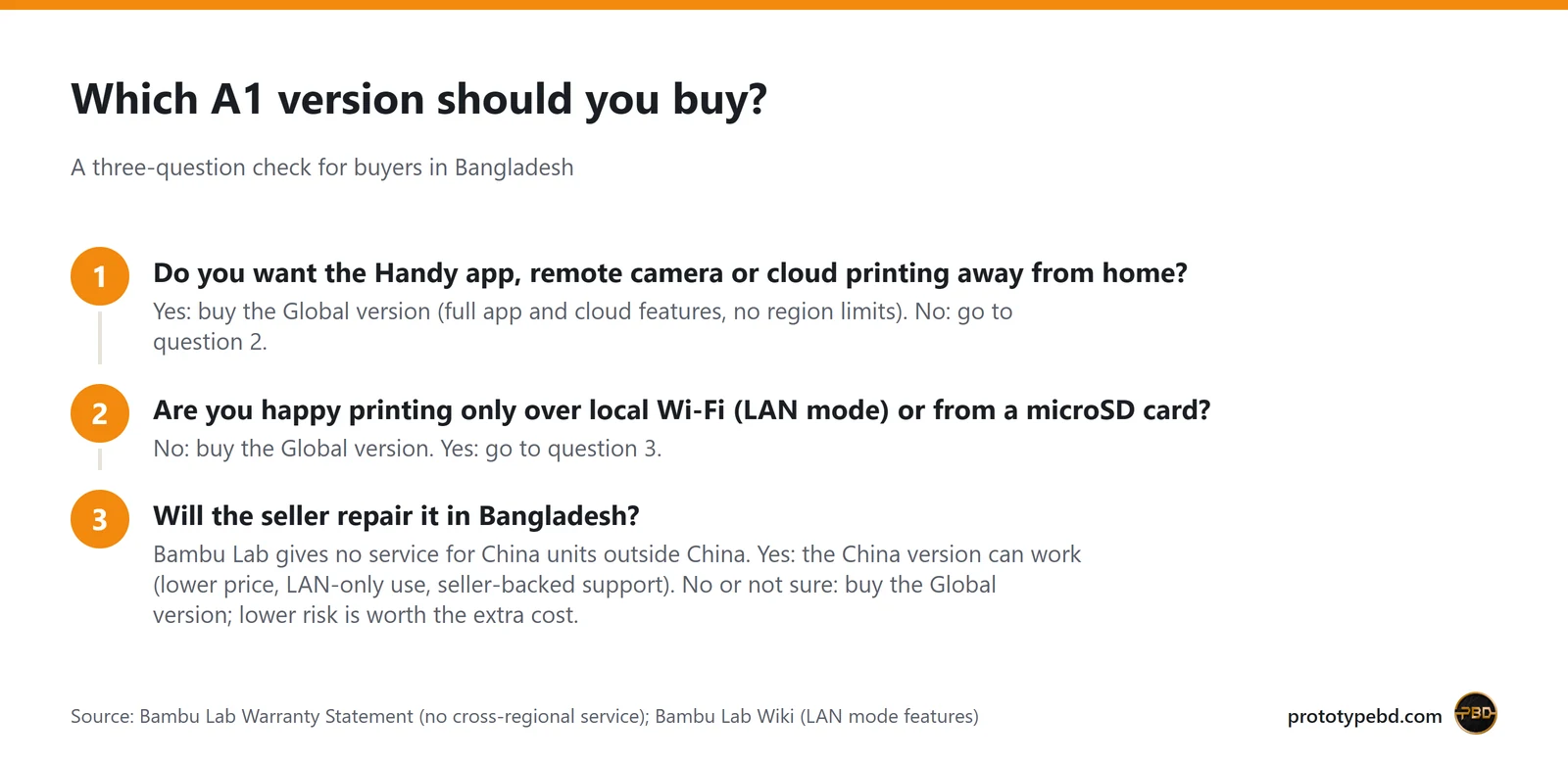
Global version: the default for most buyers. It suits people new to 3D printing, anyone who wants to use MakerWorld and the phone app, small businesses that leave long prints running, and anyone who may resell the printer later. A Global unit is also easier to resell, because any buyer can bind it to their own account.
China version: for a fixed workstation. It suits a printer that sits next to one PC in a lab, workshop or classroom, where you slice in Bambu Studio and print over LAN or from a microSD card. In that setup you would save BDT 5,000 at PrototypeBD's October 2026 prices (the China version is available on pre-order only). Bought from PrototypeBD, it carries the same 1-year PrototypeBD warranty service, but the app, cloud and firmware limits above still apply.
Checklist before you pay
- Get the version written on the invoice ("Global" or "China version"). Ask the seller in writing what warranty they provide and through whom; Bambu Lab's own warranty accepts only receipts from Bambu Lab or an authorized seller.
- For a Global unit, bind it to your own Bambu account in the Handy app at handover. A China-region unit typically shows a region or server error (per owner reports).
- Some owners report a "for mainland China only" label on the outer box of China units (community reports). If the label is missing, that does not prove the unit is Global; binding is the real test.
- Check the plug and use an earthed socket. The A1 draws up to 1300 W at 220 V while heating (tech specs), so avoid a cheap multi-plug.
- Ask how firmware updates and repairs are handled, especially for a China unit.
What PrototypeBD sells
PrototypeBD imports the Global variant (UK version) of the A1 and gives its own 1-year warranty service; it is not a Bambu Lab authorized seller. The Bambu Lab A1 3D printer page lists two versions: Global at BDT 50,000 and China version at BDT 45,000 (prototypebd.com, October 2026). The Global version is the one we stock; the China version is available on pre-order only and carries the same 1-year PrototypeBD warranty service. Prices change, so check the product page for current prices. You can also browse other Bambu Lab products, compare the full 3D printer range, or pick up Bambu Lab filament for the A1's ideal materials: PLA, PETG, TPU and PVA, according to Bambu Lab (tech specs).
Not ready to buy a printer? PrototypeBD also prints parts for you. Upload an STL, 3MF or OBJ (or STEP/STP, priced by hand) file on the FDM 3D printing quote page: the file is sliced automatically, priced, and the quote PDF comes to you on WhatsApp. Parts are printed in-house, checked, and delivered by courier anywhere in Bangladesh.
FAQ
Does the China version A1 print worse than the Global version?
No. It is the same printer hardware with the same published specifications. The differences are the account region, app and cloud access, firmware update route and warranty, not print quality.
Can I change a China A1 to the Global region?
Bambu Lab offers no official way to do this. Its policy tells buyers to purchase the version for their country or region. Workarounds you read about online are unofficial, and using unofficial firmware tools can void the warranty.
Is PrototypeBD an authorized Bambu Lab seller?
No. PrototypeBD imports the Global variant (UK version) of Bambu Lab printers and gives its own 1-year warranty service, so warranty claims go to PrototypeBD rather than to Bambu Lab. The China version, available on pre-order only, carries the same 1-year PrototypeBD warranty service.
Will a China version A1 work on Bangladesh electricity?
Yes. The A1 accepts 100–240 VAC at 50/60 Hz, so 220 V, 50 Hz mains is within its rating. Only the plug type may differ.
Does the Bambu Handy app work with a China version in Bangladesh?
Not the international app. China-region printers bind only to China-region accounts, so in Bangladesh you would normally use LAN mode with Bambu Studio, or print from a microSD card.
Related articles
Budget 3D Printer in Bangladesh: 2026 Buying Guide
What a first 3D printer should do in 2026, what PrototypeBD stocks and what it costs, which filaments suit an open-frame printer, and when ordering prints is the better choice.
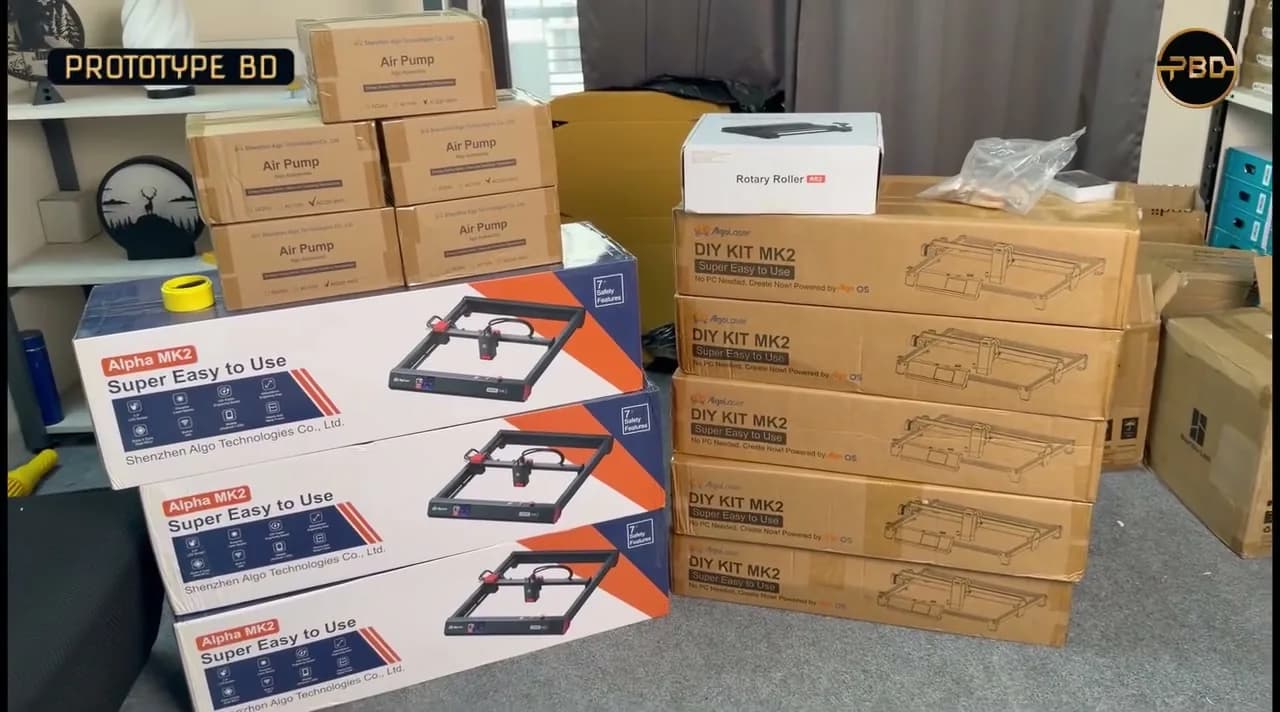
Diode Laser Engraver Buying Guide: What to Check Before You Buy
Optical vs electrical watts, work area, materials a diode laser can and can't handle, safety, air assist, accessories and software, with the AlgoLaser machines we stock.
Comments
Loading comments…