
Delivery across Bangladesh. Timing and charges are confirmed before dispatch.
1 / 2
Bambu Lab3D Printers
Bambu Lab AMS 2 Pro
About this product
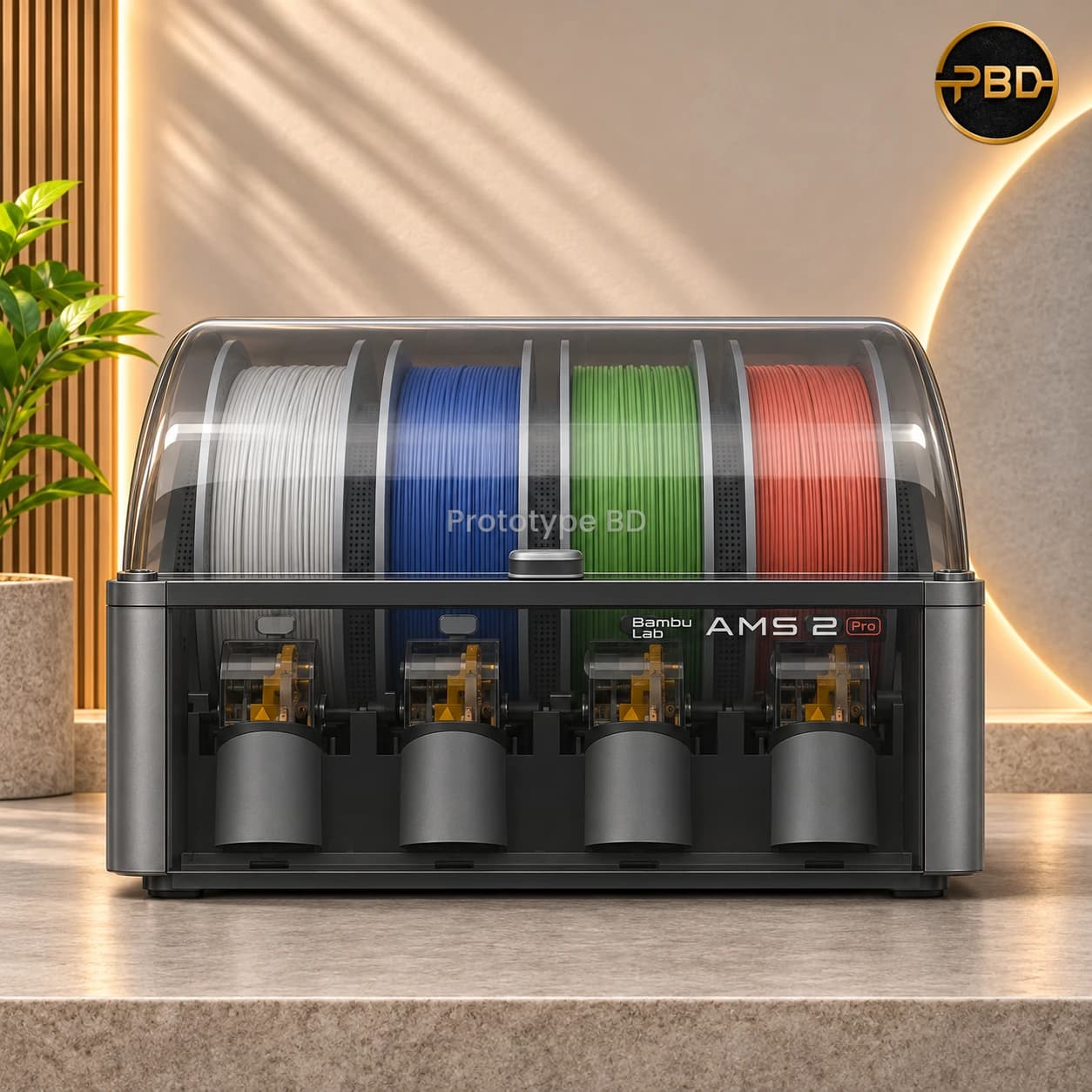
Bambu Lab AMS 2 Pro is a sealed four-spool automatic material system with active drying up to 65 °C, RFID filament reading and a brushless feed motor for multi-colour and multi-material printing on Bambu Lab printers. Filament is not included. Choose the Global or Chinese version, then contact PrototypeBD for price and pre-order.
Contact for price
VersionGlobal Version
Out of stock
Select your preferred option and contact us for pricing and availability.
Chat with us about this product
Chat on WhatsApp- Delivery to all 64 districtsby courier in 1–3 days
- Cash on deliveryor bKash, Nagad, Rocket & cards
- 3-day returnsin store or by courier
- Warranty serviceat our Dhaka workshop
Add to compare
Save for later
Professional output.
Less setup, more making.
The Bambu Lab AMS 2 Pro is the second-generation Automatic Material System: a sealed box that holds four 1.75 mm spools, feeds them to the printer automatically and dries them while they wait. One AMS 2 Pro gives four colours or materials in a print; Bambu Lab printers can chain several units for more. Filament is not included — the spools in the photos are for illustration only.
Active drying up to 65 °C
Two drying modules (heater, fan and temperature sensor) heat the box up to 65 °C (reached when the room is above 25 °C) while the spools rotate. Electro-magnetic air vents open to push moist air out and close to keep the box airtight, with a gasket and colour-changing desiccant for storage. Humidity and temperature show on the printer screen, Bambu Studio and Bambu Handy. Drying needs the AMS connected to a powered-on printer. Bambu Lab notes that ABS, ASA, PA, PC, PET, PVA, BVOH and CF grades cannot be fully dried at 65 °C and recommends the AMS HT for those.
Faster, smarter feeding
A brushless servo assist motor feeds about 60 % faster than before, ceramic inlets resist wear, and dual-coil RFID reads Bambu Lab filament to set the material, estimate what is left, refill automatically from a matching spool and choose drying settings. Filament tubes are reachable from the top without tools.
Compatibility and what you may also need
Bambu Lab lists the AMS 2 Pro as compatible with its printers, but the extra parts depend on the printer:
H2D / H2C / H2S, X2D, P2S: buffer built in or included with the printer (the standalone P2S needs the P2S Filament Buffer). Larger setups need a 4-in-1 PTFE adapter (H2-series version for the H2C). The printer can power drying for one unit; each extra unit drying at the same time needs an AMS 2 Pro Switching Adapter.
X1 / P1 series: one unit needs a Filament Buffer, PTFE tube coupler and 4-pin cable; two or more need an AMS Hub (combo printers already have the buffer). Every unit that dries needs its own Switching Adapter.
A1 series: needs the AMS Hub – A1 Series and printer firmware 01.07.00.00 or later; each drying unit needs a Switching Adapter.
A2L and H3C: see Bambu Lab's compatibility guide; the H3C needs the H3C Buffer.
Ask us before ordering and we will check exactly what your printer needs. Source: Bambu Lab AMS compatibility guide.
What is in the box
According to Bambu Lab: AMS 2 Pro, desiccant, PTFE tubes (2 × 185 mm, 2 × 225 mm, 1 × 900 mm) and a 6-pin Bambu Bus cable. No filament, power adapter, buffer or hub is included.
Global Version or Chinese Version?
Bambu Lab publishes a single AMS 2 Pro specification and we found no official hardware difference or region lock for the AMS itself. The two options show the supply channel: Global Version from Bambu Lab's international channel, Chinese Version from the mainland-China channel. Bambu Lab states that it does not support cross-regional service, so warranty service follows the region of purchase. Ask us which version is available before ordering.
Price and pre-order
Available on pre-order and priced on request. Message PrototypeBD on WhatsApp for today's price and expected arrival; we confirm the delivery date with you before you pay. See 3D printers in Bangladesh or browse 3D printing filament.
Specifications source: Bambu Lab AMS 2 Pro.
Specifications
Filament Diameter1.75 mm
InletsCeramic
Power Input24 V, 4 A
- Spool Slots
- 4 (sealed, each with its own feeder)
- Spool Size
- Width 50–68 mm, diameter 197–202 mm
- Drying
- Active, up to 65 °C (when room is above 25 °C), rotating spools
- Drying Power
- From a powered-on printer (one unit on H2/P2S/X2D) or AMS 2 Pro Switching Adapter, sold separately
- Moisture Control
- Electro-magnetic air vents, gasket seal, desiccant
- Sensors
- Temperature and humidity
- Filament ID
- Dual-coil RFID (Bambu Lab filament)
- Features
- Auto refill, remaining filament estimate, auto drying settings
- Feed Motor
- Brushless servo assist motor
- Supported Materials
- PLA, PETG, ABS, ASA, PET, PA, PC, PP, POM, HIPS, dried PVA/BVOH, Bambu PLA-CF/PAHT-CF/PETG-CF, Bambu Support, TPU for AMS
- Not Supported
- TPE, generic TPU, Bambu TPU 95A, Bambu PET-CF, other CF/GF filaments, damp PVA/BVOH
- Compatible Printers
- Bambu Lab printers; buffer, hub or adapter depends on printer
- Max Units
- Up to 4 AMS 2 Pro per printer (with up to 8 AMS HT on H2 series/X2D)
- Dimensions
- 372 × 280 × 226 mm
- Net Weight
- 2.5 kg
- Housing
- ABS/PC
- Included
- AMS 2 Pro, desiccant, PTFE tubes (2×185, 2×225, 1×900 mm), 6-pin Bambu Bus cable
- Not Included
- Filament, power adapter, buffer, hub
- Versions
- Global Version, Chinese Version
Our own warranty service at our Dhaka workshop (not a manufacturer warranty). Keep your invoice and serial number for claims.
Our team confirms every order before shipment.
Bambu Lab AMS 2 Pro: frequently asked questions
Does the AMS 2 Pro come with filament or a power adapter?
No. The box has the AMS 2 Pro, desiccant, PTFE tubes and a 6-pin Bambu Bus cable. Spools shown in photos are for illustration. The AMS 2 Pro Switching Adapter (24 V 4 A) is sold separately and is needed for drying on some printers.
Which printers work with the AMS 2 Pro and what else do I need?
Bambu Lab lists it for its printers. H2 series, X2D and P2S use a built-in or included buffer (standalone P2S needs the P2S buffer); X1/P1 need a buffer or AMS Hub; A1 series needs the AMS Hub – A1 Series and firmware 01.07.00.00+. Larger setups need a 4-in-1 PTFE adapter. Tell us your printer and we will confirm the parts.
Can the AMS 2 Pro dry filament on its own?
It dries up to 65 °C but must be connected to a powered-on printer. H2 series, P2S and X2D can power drying for one unit; extra units and X1/P1/A1 printers need a Switching Adapter per drying unit. For ABS, PA, PC and CF grades Bambu Lab recommends the AMS HT (85 °C).
How do I get the price and pre-order the AMS 2 Pro?
It is priced on request. Pick the Global or Chinese Version and message PrototypeBD on WhatsApp or request a quote; we confirm today's price, what your printer needs and the expected arrival before you pay.
Questions & Comments
Loading comments…
Need help?
Have a technical question?
Ask about specifications, compatibility, delivery or warranty.